Bad values fixing
Theory
The Bad Values Fixing module scans every sample of every trace in the input seismic gather and replaces any numerically invalid sample — specifically infinite values and NaN (Not a Number) values — with a user-defined constant. It is a data quality tool designed to be applied early in a processing workflow, before amplitude analysis, filtering, or migration, to prevent corrupt samples from propagating into later results.
Bad amplitude values arise from a variety of sources: malfunctioning recording instruments, faulty geophones or hydrophones, tape transcription errors, or numerical instabilities introduced during processing steps such as noise attenuation or deconvolution. When left uncorrected, infinite or NaN samples cause downstream algorithms to produce meaningless results across entire traces or gathers. After execution, the module reports how many samples were corrected, broken down by value type (infinite vs. NaN), allowing the processor to assess the severity of the data quality issue.
Input data
Input DataItem
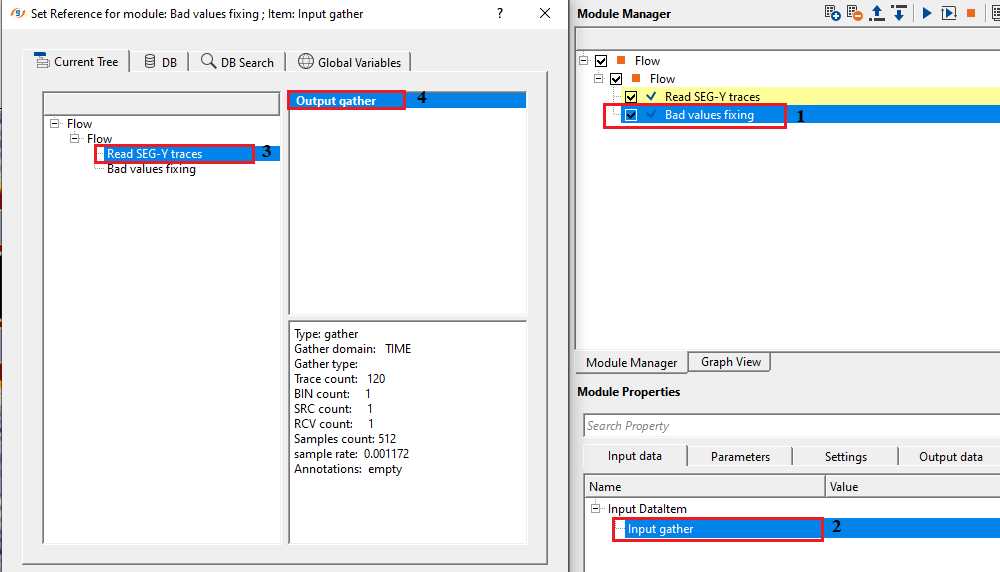
Input gather
Connect/reference to Input gather. It requires an input gather. It could be either a seismic gather (shot/receiver/bin) or a stack/volume.
Connect this port to the gather or volume that needs to be cleaned. The module accepts any gather type: raw shot records, receiver gathers, common midpoint (CMP) gathers, or post-stack volumes. All traces in the connected gather are scanned in parallel. No trace sorting or pre-conditioning is required before connecting to this input.
Parameters
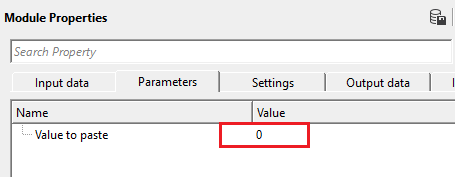
Value to paste
mention the value that should be replaced in the place of bad/nan value. By default, 0.
This is the constant amplitude value written into every sample detected as infinite or NaN. The default value of 0 is appropriate in most cases: replacing bad samples with zero is equivalent to zeroing out corrupted traces at isolated points, which is the conventional approach in seismic data editing and minimizes energy injection into the dataset.
In most workflows, leave this parameter at 0. Change it only if a downstream process requires a specific sentinel value for flagged samples — for example, when interfacing with an external interpolation tool that expects a specific fill value. Setting this to a non-zero value will introduce artificial amplitude energy at the corrected sample locations, which may degrade subsequent amplitude-sensitive processing steps such as surface-consistent amplitude corrections or AVO analysis.
Settings
Auto-connection
By default, TRUE(Checked).It will automatically connects to the next module. To avoid auto-connect, the user should uncheck this option.
When enabled (default), the output of this module is automatically wired to the input of the next module added to the workflow. Disable this option if you need to branch the output to multiple downstream modules or connect it manually to a specific target.
Number of threads
One less than total no of nodes/threads to execute a job in multi-thread mode. Limit number of threads on main machine.
Controls how many CPU threads are used to process the traces in parallel. The module uses multi-threaded execution: increasing this value reduces wall-clock processing time on machines with multiple CPU cores. Set this to the number of available cores minus one to leave one core free for the operating system and the g-Platform interface, preventing the system from becoming unresponsive during processing of large datasets.
Skip
By default, FALSE(Unchecked). This option helps to bypass the module from the workflow.
When checked, this module is bypassed and data passes through unmodified. Use this to temporarily disable bad-value correction without removing the module from the flow — for example, to compare results with and without correction applied, or to isolate whether this step is the source of a downstream artifact.
Output data
Output DataItem
Output gather
generates output gather after fixing the bad values.
The corrected gather is passed to this output port. The data structure is identical to the input — the same number of traces, the same trace headers, and the same sample interval — with the only difference being that infinite and NaN samples have been replaced by the specified replacement value. Connect this output to any subsequent processing module (e.g., deconvolution, filtering, velocity analysis) that requires numerically clean input data.
Information
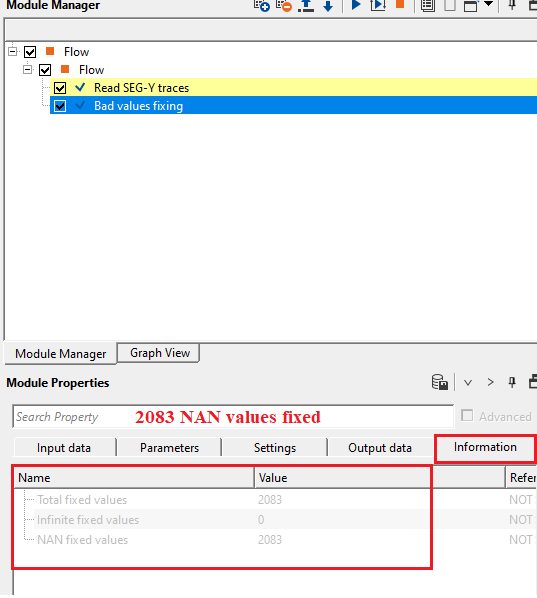
Total fixed values
provides information about total number of fixed values in the input gather
Displays the combined count of all samples that were replaced in the processed gather — the sum of infinite values and NaN values corrected. A value of 0 indicates that no bad samples were found. A high count relative to the total number of samples in the gather (number of traces multiplied by number of time samples) indicates a serious data quality problem that may require trace editing or removal before further processing.
Infinite fixed values
provides number of infinite values fixed.
Reports the number of samples that were IEEE 754 infinite (either positive infinity or negative infinity). Infinite values commonly arise from division-by-zero operations in processing algorithms, such as trace normalization or gain recovery applied to zero-amplitude samples. A large count of infinite values points to a numerical instability in an earlier processing step that should be investigated and corrected at its source.
NAN fixed values
provides number of NAN (Not A Number) fixed values.
Reports the number of samples that had an undefined floating-point value (NaN — Not a Number). NaN values typically result from undefined arithmetic operations such as 0/0, or from reading corrupted binary data where the byte pattern does not represent a valid floating-point number. NaN values are particularly dangerous because any arithmetic operation involving a NaN propagates the NaN to the result, corrupting entire computed outputs silently.
Examples
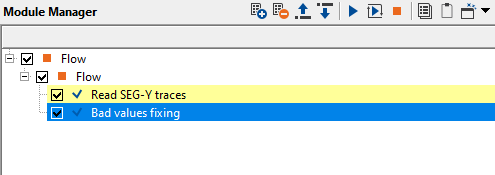
In this example flow, we read a synthetic seismic dataset with bad values as NAN. By using Bad values fixing module, we replace/paste a value with the NAN values.
Here, we are displaying a single synthetic seismic gather. Since the data size is small, we are loading the data to RAM.
Actions
There are no action items available for this module
Video lesson
YouTube video lesson, click here to open [VIDEO IN PROCESS...]
Related articles
Yilmaz. O., 1987, Seismic data processing: Society of Exploration Geophysicist
 * * * If you have any questions, please send an e-mail to: support@geomage.com * * *
