Populate trace headers from table
Updating trace headers from input table
Theory
Populate Trace Headers from Table module updates seismic trace header values using information provided in an external table. It enables systematic and repeatable header population based on matching keys, ensuring consistency between trace data and auxiliary metadata sources.
This module is commonly used for geometry correction, header modifications, and integration of externally computed attributes or acquisition information.
- Reads key value relationships from an input table
- Matches table entries to traces using specified header keys
- Updates selected trace headers accordingly
- Supports exact and nearest-match update logic
Input data
Table in - input table containing key fields and corresponding header values to be applied to traces.
Trace headers input - input seismic data whose trace headers will be updated from the table.
Parameters
Key headers - specifies the trace header fields used to match traces with rows in the input table.
Updated headers - defines the trace header fields that will be populated or overwritten using table values.
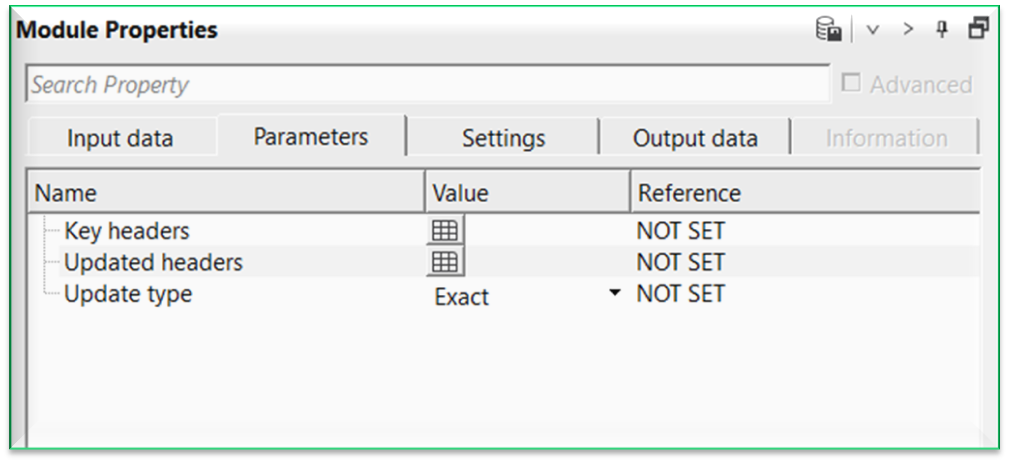
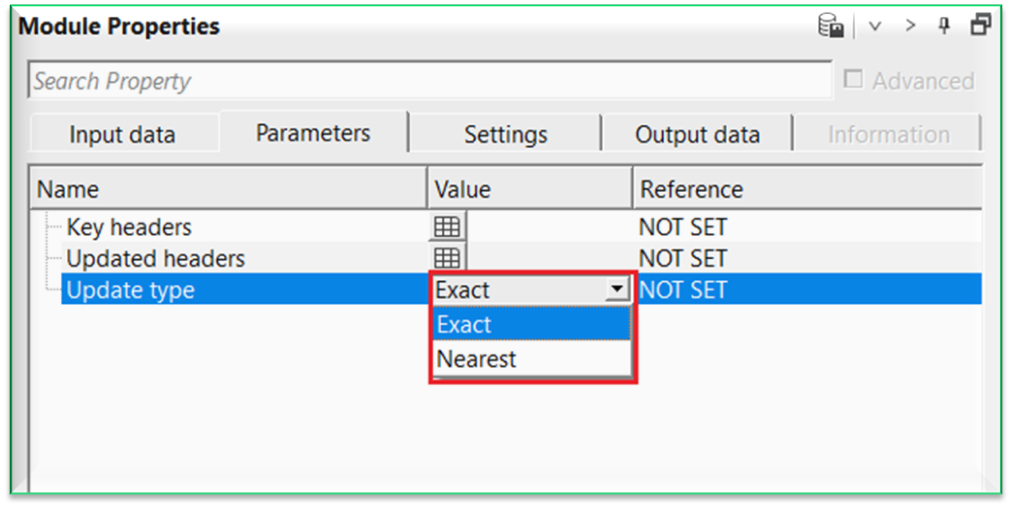
Update type { Exact, Nearest } - controls how table rows are matched to trace headers.
Exact – updates headers only when key header values match exactly
Nearest – updates headers using the closest matching key values
Settings
Number of threads
One less than total no of nodes/threads to execute a job in multi-thread mode. Limit number of threads on main machine.
Skip
By default, FALSE(Unchecked). This option helps to bypass the module from the workflow.
Output data
Trace headers output
outputs the updated trace headers
Information
There is no information available for this module.
Examples
In this example workflow, we are populating/updating the trace headers. Original input gather(Velocity) is having few number of traces and doesn't have BIN/CDP X & Y coordinates information in the trace headers. To match the trace headers with the actual seismic data geometry, we need to populate/update the original input gather trace headers with seismic data trace headers. For this, we first read the velocity gather by using Read SEG-Y traces module.
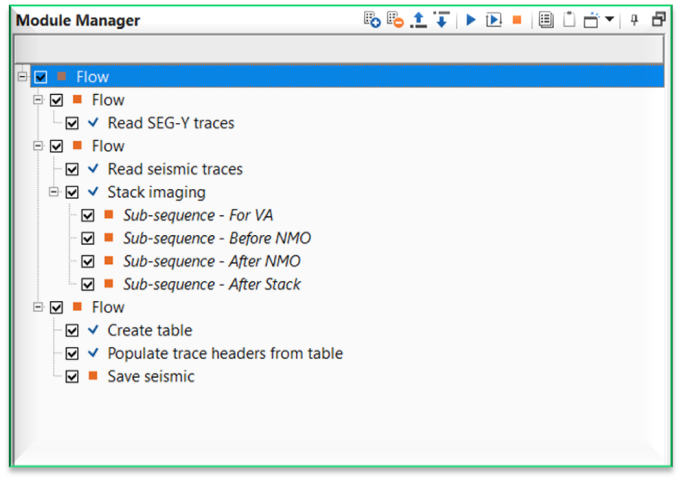
Later we've created a stack by using Stack Imaging module to take the trace headers information (especially X,Y coordinates from stack inline).
Now connect/reference the Input table in to "Stack inline" of Stack imaging module to get the trace headers information in a tabular format.
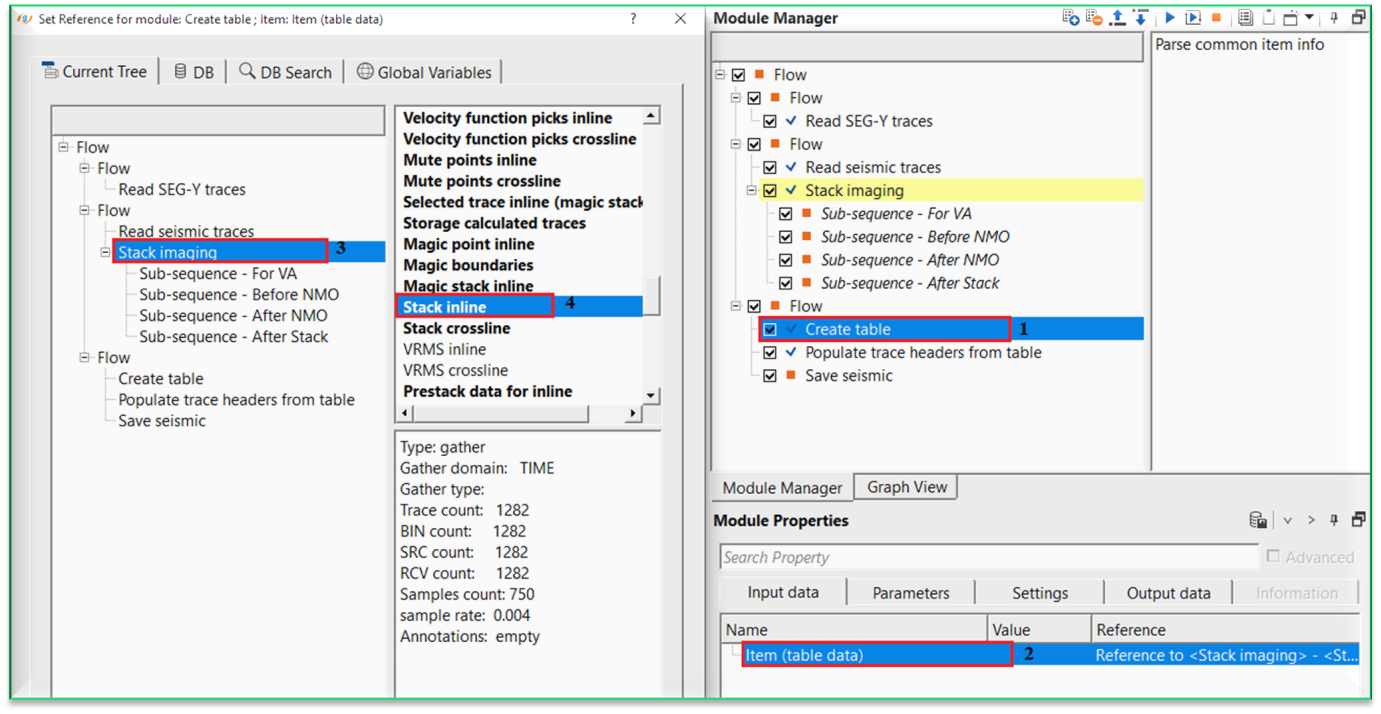
Inside the Create table parameters, select the Enum tables type from the drop down menu. By default, GGather will be automatically selected.
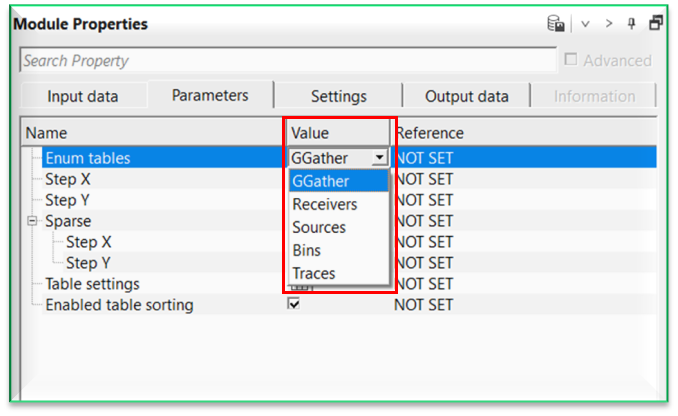
For this exercise, we've selected Traces. Later the user should click on "Parse common item info" action item available at the top right corner of Module Manager. This will get all the information.
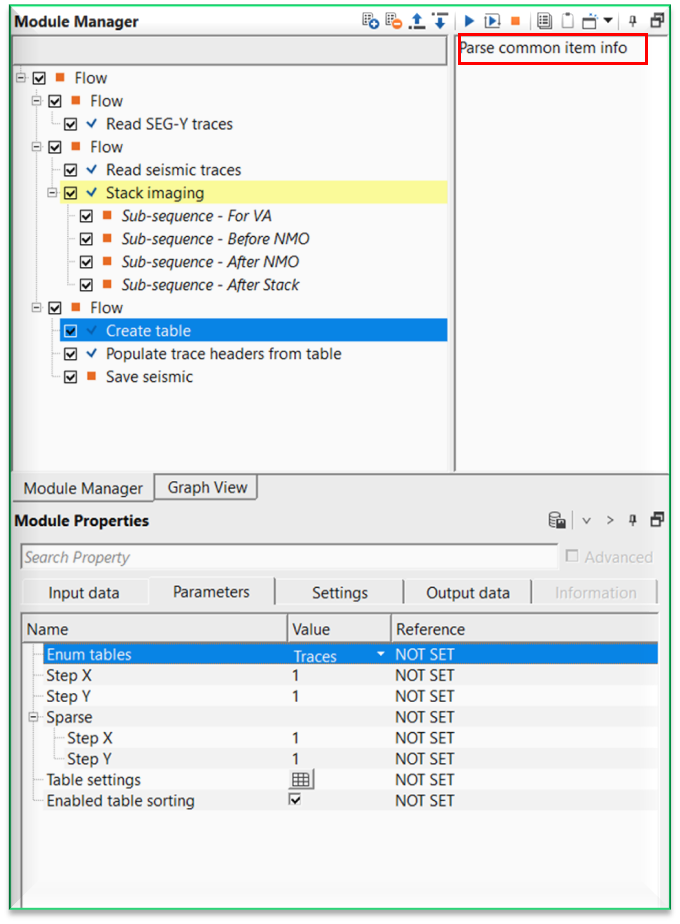
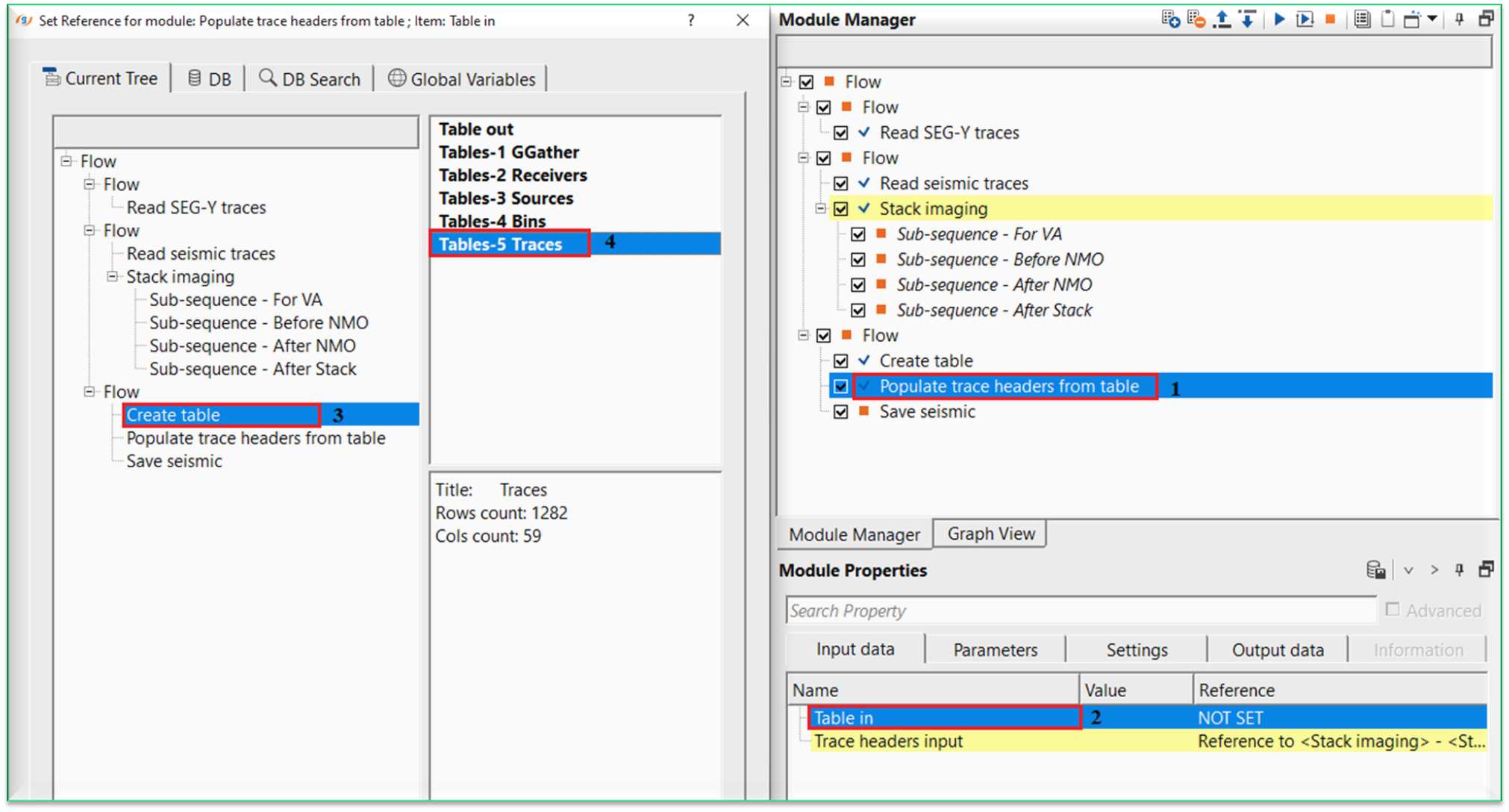
Now take the Output (Tables-5 Traces) from Create table module and connect it into Table in of Populate trace headers from Table module. Likewise, connect/reference the Trace headers input to Stack inline of Stack Imaging module.
Now click on Key headers parameter. A new window open ups. Here, the user has to click on Trace header key, Table key. Select the desired trace headers from the trace header and the corresponding matching table key.
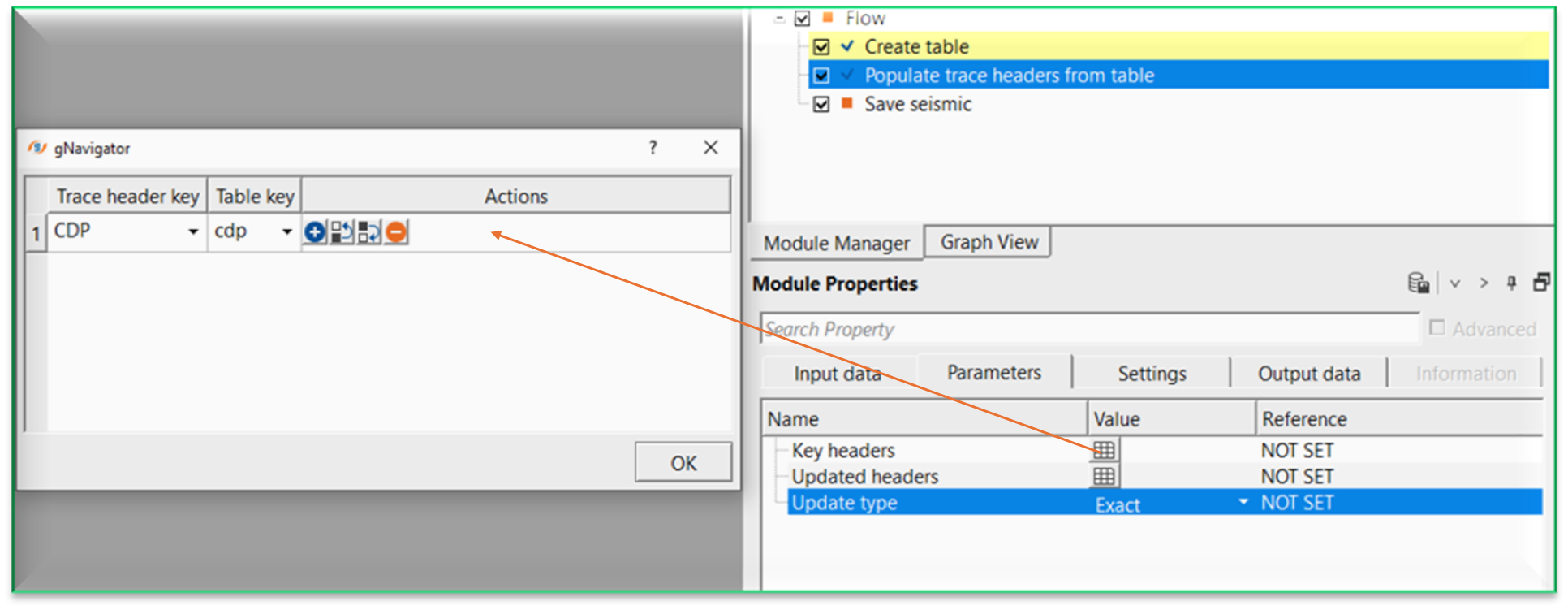
Likewise, click on "Updated headers" and select the Trace header key and Table key from the drop down menu.
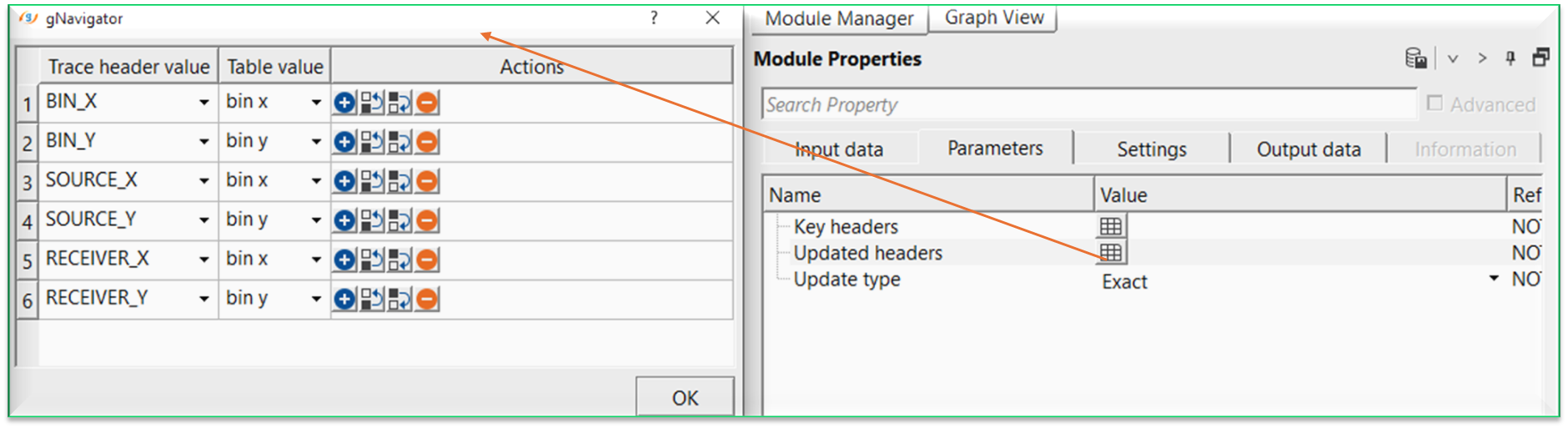
Output trace headers from this module will have the updated trace headers information.
Actions
There are no action items available for this module.
Video lesson
YouTube video lesson, click here to open [VIDEO IN PROCESS...]
Related articles
Yilmaz. O., 1987, Seismic data processing: Society of Exploration Geophysicist
 * * * If you have any questions, please send an e-mail to: support@geomage.com * * *
