Module name LNA
This procedure computes linear wave (noise) attenuation in the frequency-wavenumber (FK) domain in the local sliding time-spatial windows. Input seismic gathers transformed from the time spatial (TX) domain to the FK domain. Horizontal waves have infinite apparent velocity and shown as vertical lines in the FK domain. Vertical waves have zero apparent velocity and shown as horizontal lines in the FK domain. This definition uses for attenuate linear waves. This filter module works in FK domain, which represents two dimensional Fourier transform (FT) over time and space, where F is frequency (FT time) and K is wave number (FT space) (Fig.1). The algorithm removes energy from seismic data by applying user-defined polygon in frequency-wave number domain.
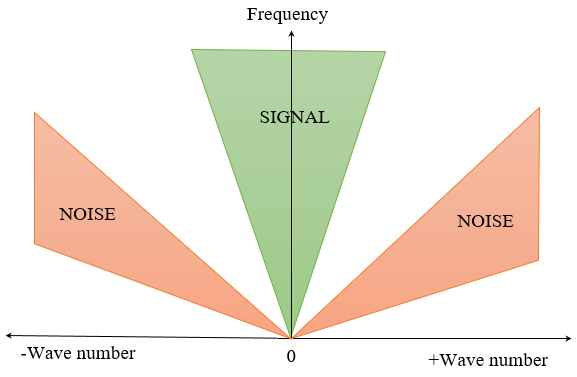
Fig.1 FK domain scheme.
Zones for rejection (reject option is switch on) or saving (reject option is switch off) in the FK domain limited by velocity lines and their slopes must be defined. The slope is apparent velocity in the spatial time (T, X) domain. There is a filter of two velocities (min, max), taper’s bound defined by two mutually exclusive parameters there are frequency and slopes.
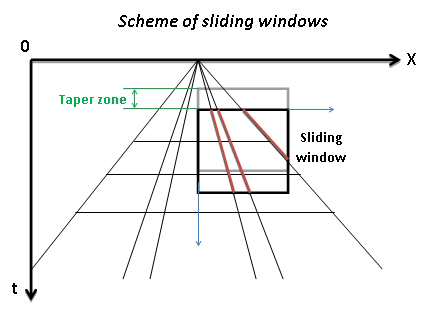
Scheme of sliding window.
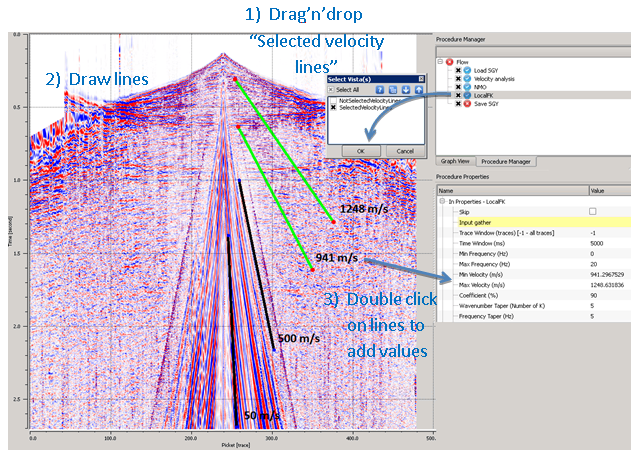
It's recommended to input to the module NMO-corrected gathers. Options “Reject” + “Symmetrical” produces more acceptable result. Define frequency range which includes only linear waves for attenuation (estimate by spectral analysis). Drag’n’drop velocity lines from procedure “Local FK” to the seismic gather and select “Not Selected Velocity Lines”.
Then the user can estimate velocity manually by drawing velocity lines by mouse and add values to the min/max velocity fields.
If drag’n’drop “Selected Velocity Lines” you can automatically add velocity values to the parameter field (min/max velocity) by double click on velocity lines. Selected velocities will be green color.
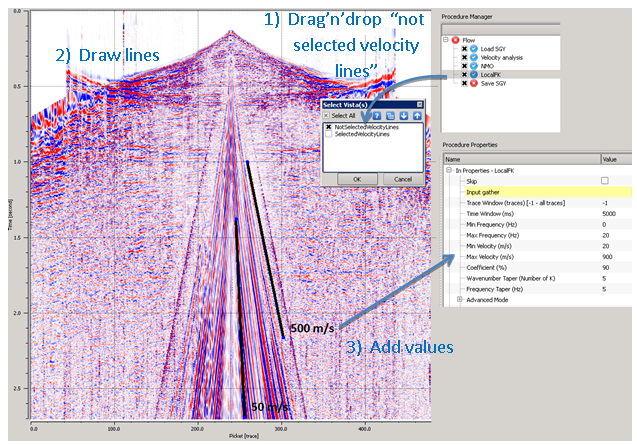
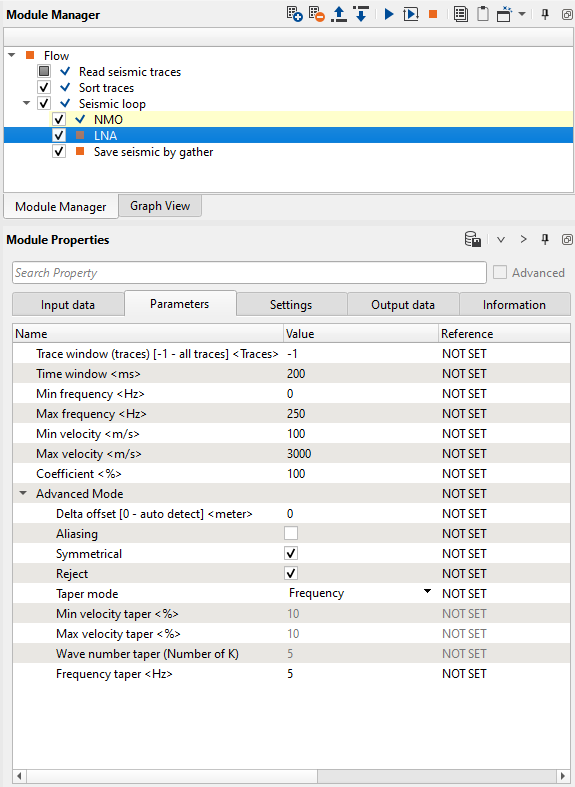
An example of the workflow for LNA filtering:
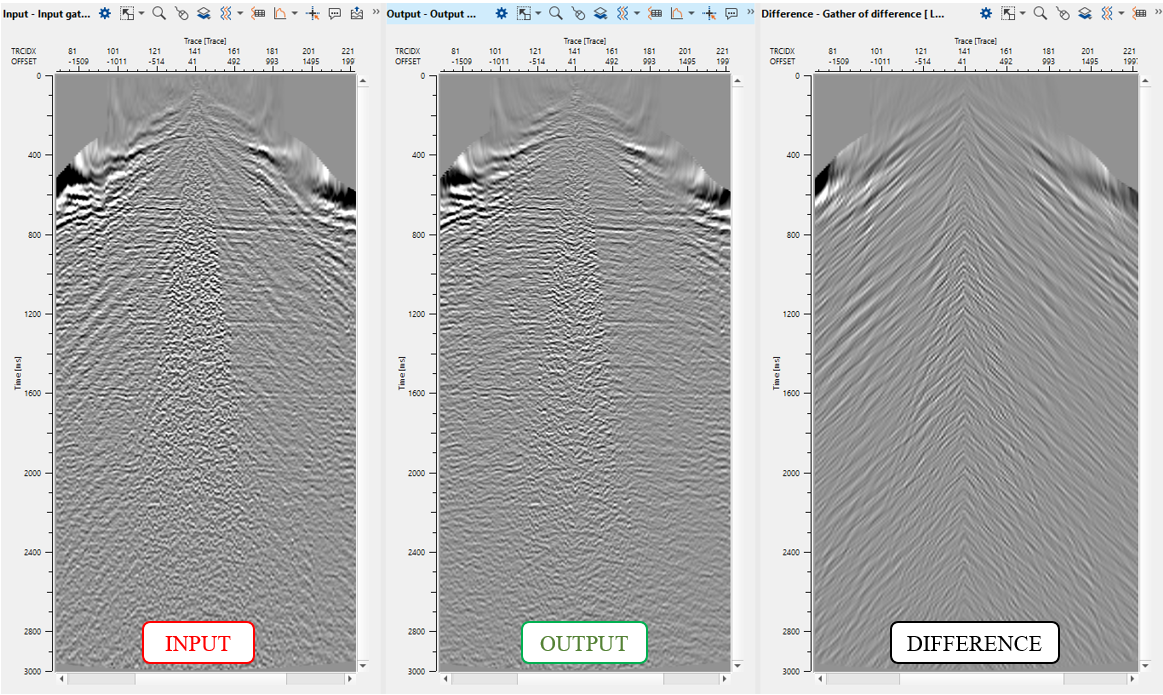
Input gather (left), output (middle) and difference (right).