Module name QC attributes per trace
This module is based on QC Attributes module, because the basis is seismic attribute calculation and estimation. The QC attributes per trace module calculates necessary types of attributes per trace like RMS amplitudes, Mean amplitudes, Dominant frequency and other. User should analyze those values and create selection equation for auto trace editing. For example, we can remove zero traces or low amplitude traces, remove harsh/high amplitude noisy useless traces, sources, receivers and so on. Many seismic attributes and complex user's equations will lead to a flexible and successful auto trace editing workflow. All seismic attributes are saved into trace headers on the output data set and we can use these trace headers for further selection equation via Select traces module. Therefore, we need to use both modules for auto trace editing:
1) QC Attributes (calculation);
2) Select traces (selection).
The list of trace headers and their equivalents of calculated attributes:
• MAXIMUM_AMPLITUDE: Maximum amplitudes;
• MINIMUM_AMPLITUDE: Minimum amplitudes;
• MAXIMUM_ABS_AMPLITUDE: Maximum abs amplitudes;
• MINIMUM_ABS_AMPLITUDE: Minimum abs amplitudes;
• RMS_AMPLITUDE: RMS amplitudes;
• AMPLITUDE_ARITHMETICAL_MEAN_ABS_VALUE: Amplitudes arithmetical mean abs value;
• STANDARD_DEVIATION: Amplitudes standard deviation;
• DOMINANT_FREQUENCY: Dominant frequency (RMS);
• FREQUENCY_RANGE: Spectrum width;
• MEAN_FREQUENCY: Mean frequency;
• SIGNAL_NOISE: Signal/Noise RMS;
• SIGNAL_NOISE_AMPLITUDE: Signal/Noise amplitudes.
The basis example of the workflow (in the example data set there is and spherical divergence corrections were applied):
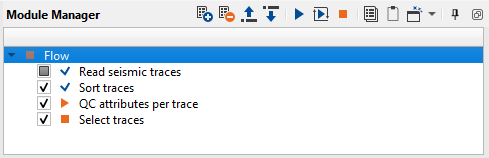
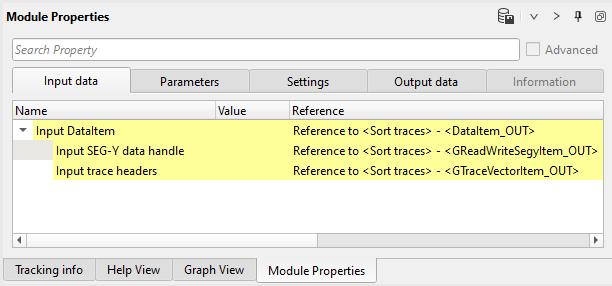
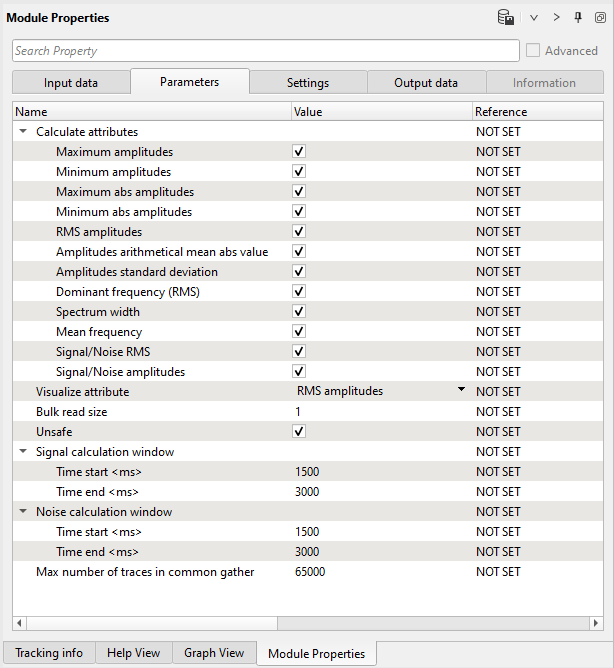
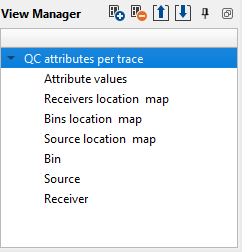
Execute the module and open all vista groups:
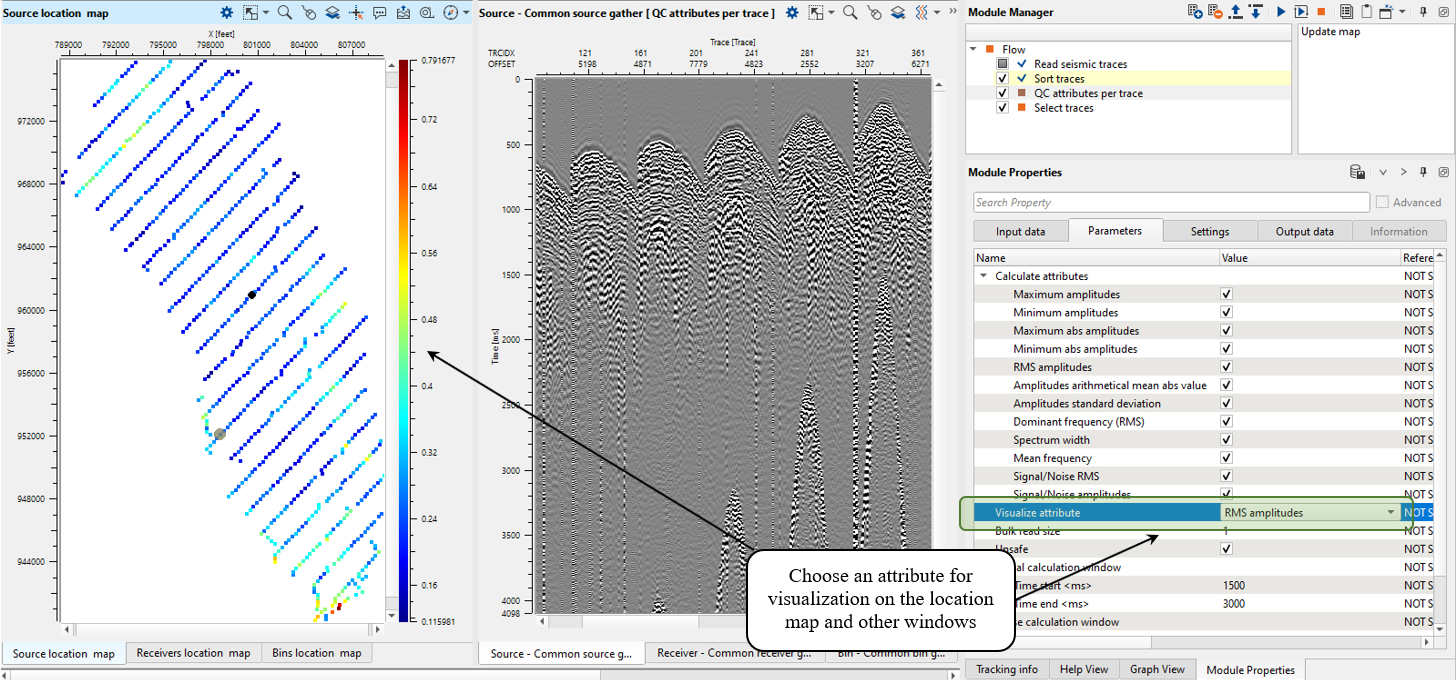
Analyze high values for further removing:
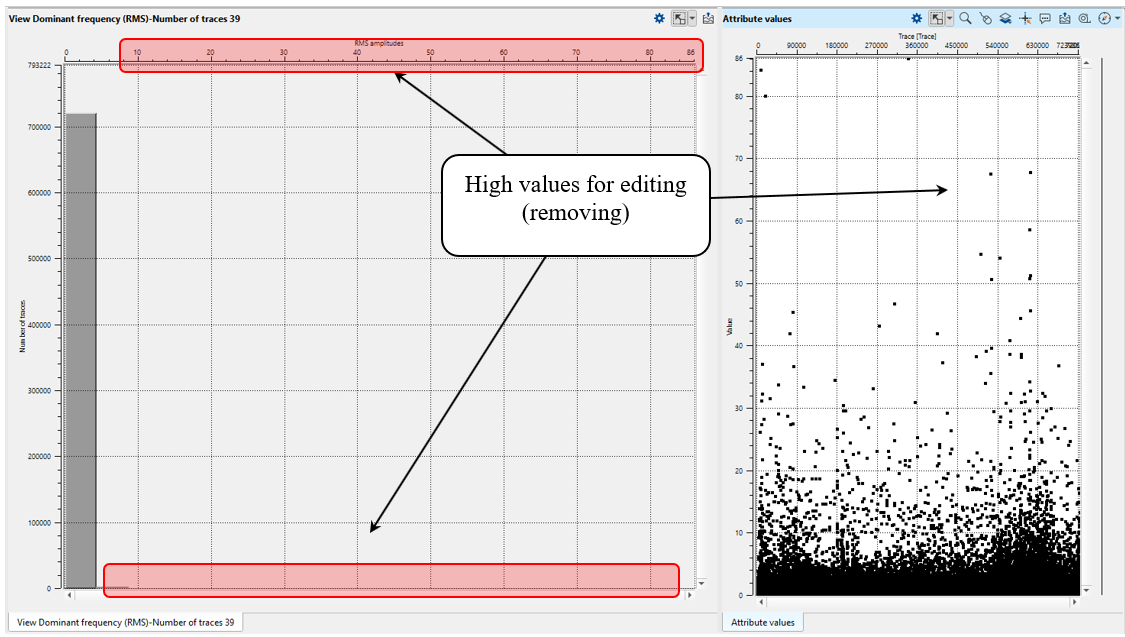
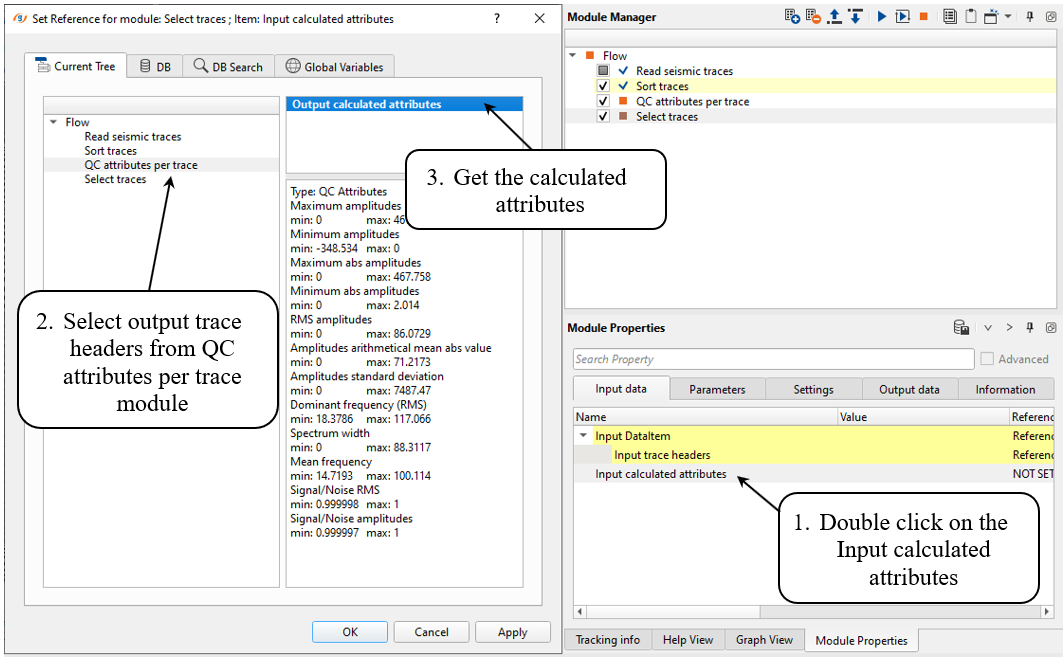
After execution we have output trace header vector as result with new headers (attributes) that were chosen for calculation. So, the next step is using those headers for selection creation.
Add Select traces module and define all necessary parameters as shown below:
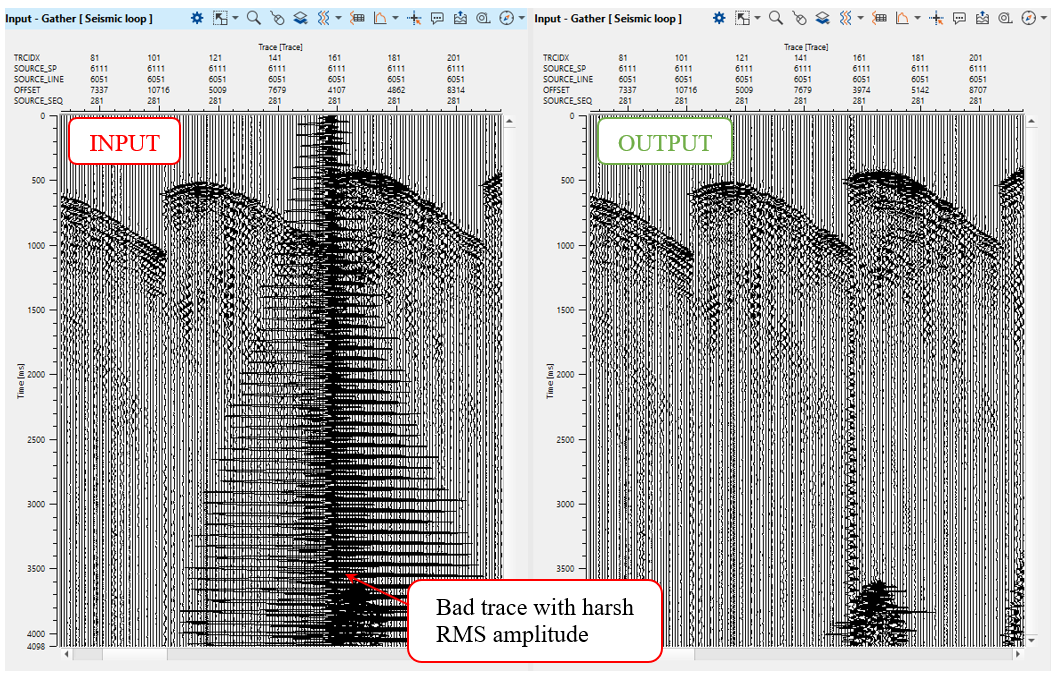
Lets select bad traces which have harsh RMS amplitude values. For selection you can use free-expression (example below) or expression by table.
Define selection expression as shown below and execute the module:
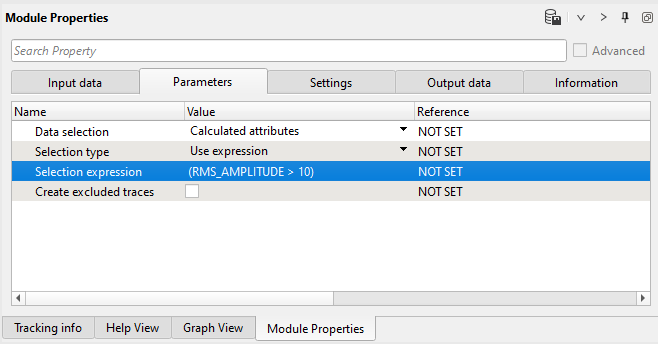
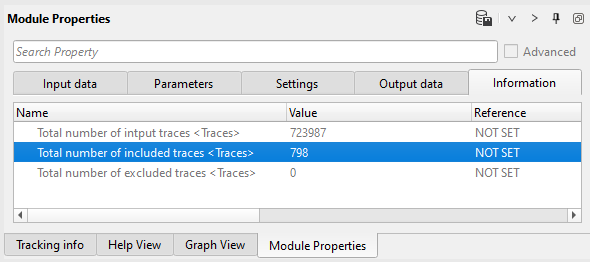
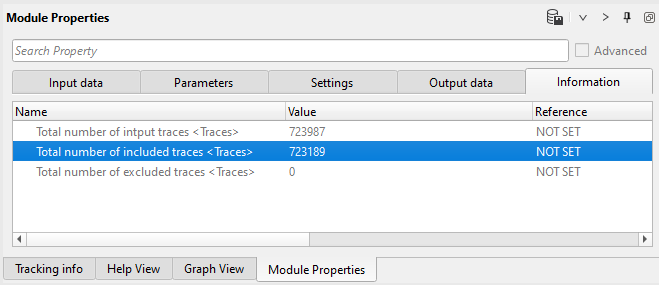
Check statistics in the Information tab. So, 798 traces were selected as bad traces and we can look at them:
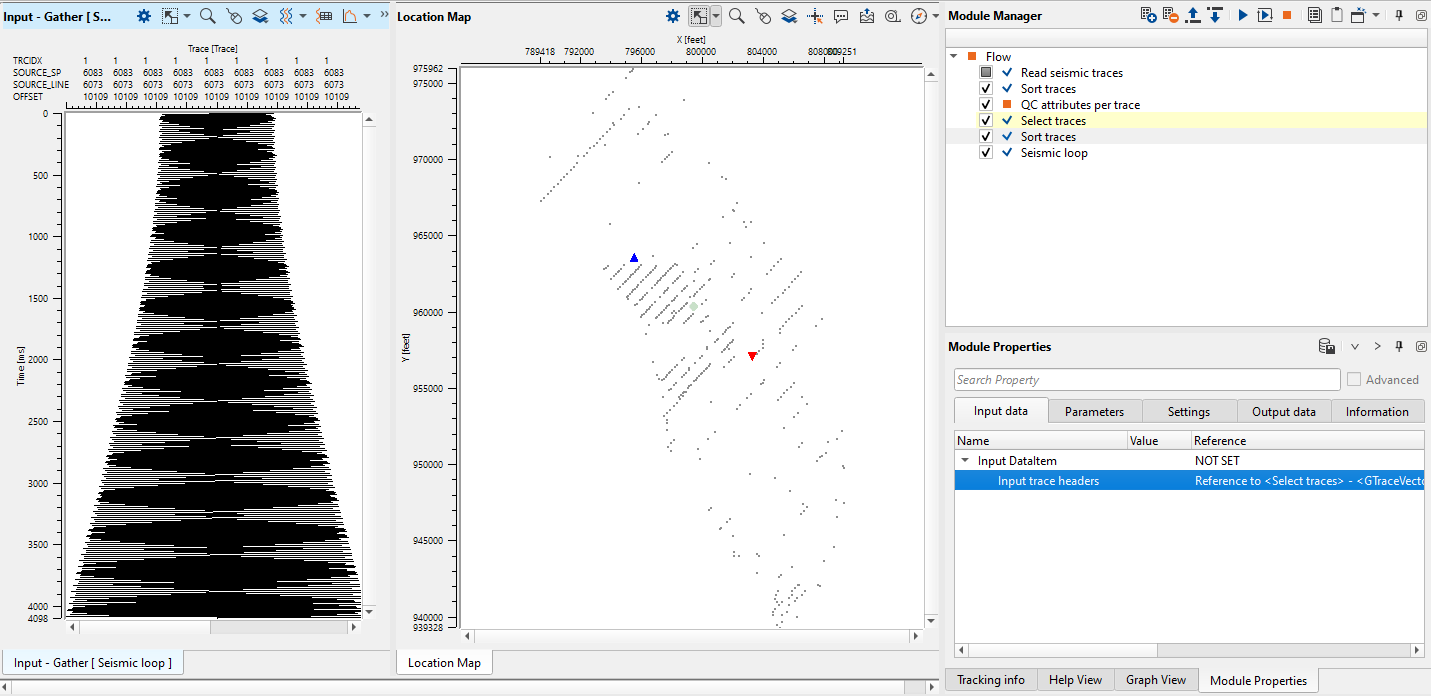
Use Seismic loop for checking bad traces. Get the output trace headers vector from the Select traces module and use location map and gather view from Seismic loop for analyzing bad traces as shown below:
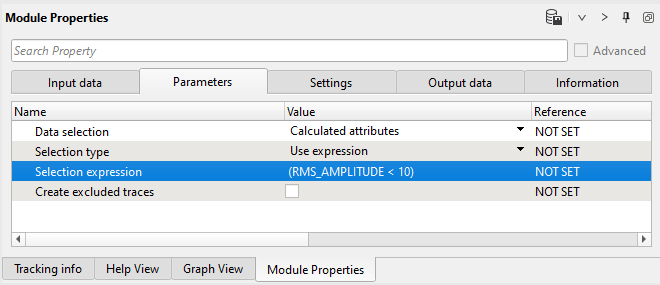
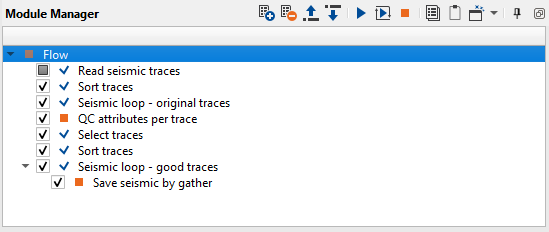
If we satisfied there is a last step: write good traces into file. Use seismic loop also, you just need to change the expression in Select traces module for selection good traces:
Check the output trace statistic again:
Execute Seismic loop for the entire data (press  button from upper menu):
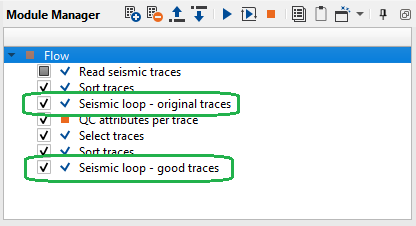
You can create two gather views: before and after auto trace editing, by using two Seismic loop modules:
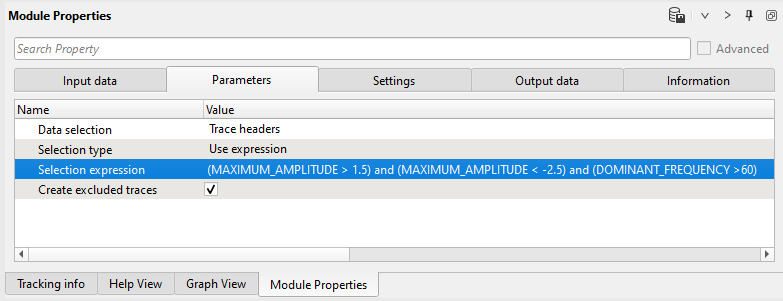
Notice that you can create complex expression by merging several selections: