Module name Set Topography
Set Topography module is very useful especially after Migration. We can use this module to display the topography line on the stack section. Also within this module, we can mute the stack section after migration to mute the migration swings in the low fold area.
There are few options available as far as muting is concerned in this module. If the user selects the "Mute from" as Minimum offset then they should provide the minimum offset value in the parameters. In case it is Bin grid then the user must make the necessary reference/connections to "Input bin grid(optional)" at the input data tab. This reference is obsolete if the user selects the mute from option as "Minimum offset" otherwise it is mandatory.
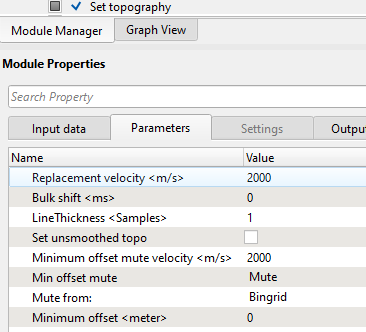
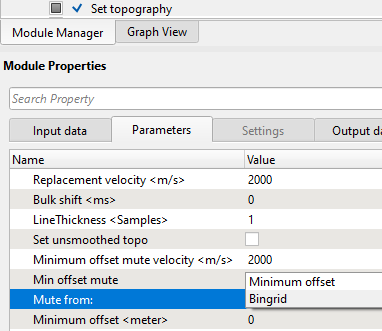
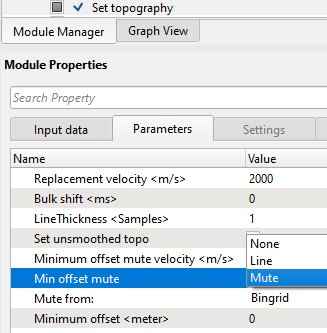
Also, if the Mute from option is Minimum offset then the we have few more option in "Min offset mute".
None |
It doesn't apply any mute |
Line |
It will display the mute line |
Mute |
It will mute the data as per the minimum offset mute velocity value |
In the following display, we are showing the Mute from "Bingrid" option. The stack displays are before and after
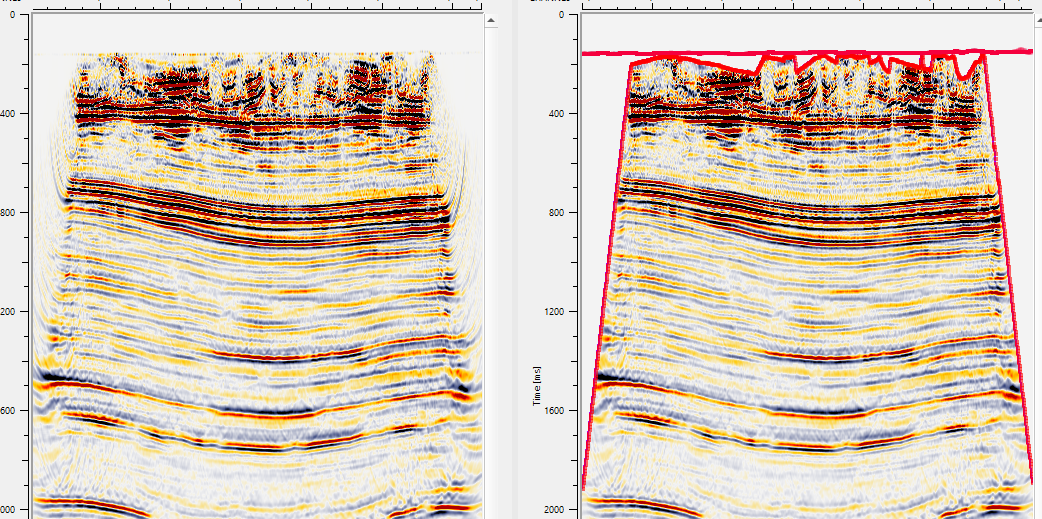
On the right hand side image, we can see that the mute as per the bin grid.