GServiceFileReaderProcedure
DEPRECATED: This module is deprecated and should not be used in new processing workflows. It is retained only for compatibility with legacy projects.
Description
The Service File Reader reads and manages the checkpoint file (.tmp) that g-Platform creates automatically whenever a Seismic Loop or Migration procedure writes output data. This checkpoint file tracks which sequences, gathers, or files have been successfully processed, which have failed, and which remain unprocessed. If a long processing job is interrupted — for example, due to a power failure or time limit — this file enables the workflow to resume from exactly where it left off rather than restarting from the beginning.
Beyond recovery from interruptions, this module is also used to selectively re-process a specific range of gathers within an already-completed dataset. By clearing the checkpoint status for a chosen range of gather indices and then re-submitting the workflow with the output file in DIRECT (non-overwriting) mode, only the cleared gathers are re-processed and overwritten in the output file. This makes it possible to adjust processing parameters for a specific zone — such as a noisy or anomalous CDP range — without redoing the entire dataset.
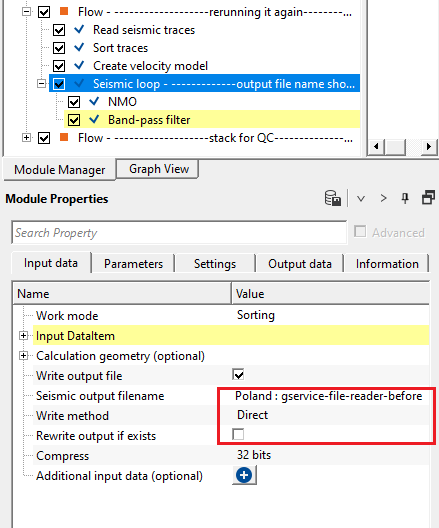
When resubmitting a job to re-process cleared gathers, set the output file writing mode to DIRECT so that newly processed gathers overwrite only the cleared positions in the existing file, leaving all other gathers unchanged.
Theory
This module is used for reading internally produced data. The main objectives is whenever the user submitted a processing workflow comprising of Seismic loop or Migration procedure, it will creates a ".tmp" file along with .gsd & .gsd.sgy. The .tmp file stores all the processing information like how many sequences/gathers/files are processed etc. For an instance, if the procedure got interrupted or the procedure is not successfully executed/run, .tmp file knows that what is the last good sequence/gather/files. Next time when the user submits the job, it grabs the information from the .tmp file and start working from the next sequence/gather/file onwards. This way the user won't have to resubmit the job again from the scratch. This avoids repetition and saves lot of machine time.
When the user resubmits the job again, make sure to change the writing mode to DIRECT
Regarding the sequence numbering, the user must keep in mind that the sorting order is the one that gives the information about total number of sequences. For example, the user sorted the data in FFID - Channel sorting and information tab shows the total number of sorted gathers as 251 which means the sequence numbers are starting from 0 to 251. Similarly, if the sorting order is CDP - Offset and information tab of the Sort traces is showing as 1282 total number of sorted gathers then the user must provide these number in the parameters tab where Clear From and Clear To values.
Input data
Input data tab is disabled and all the input data information has to be provided at the Parameters tab.
Parameters
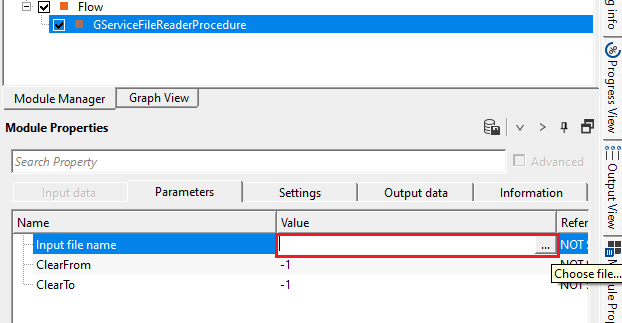
Input file name
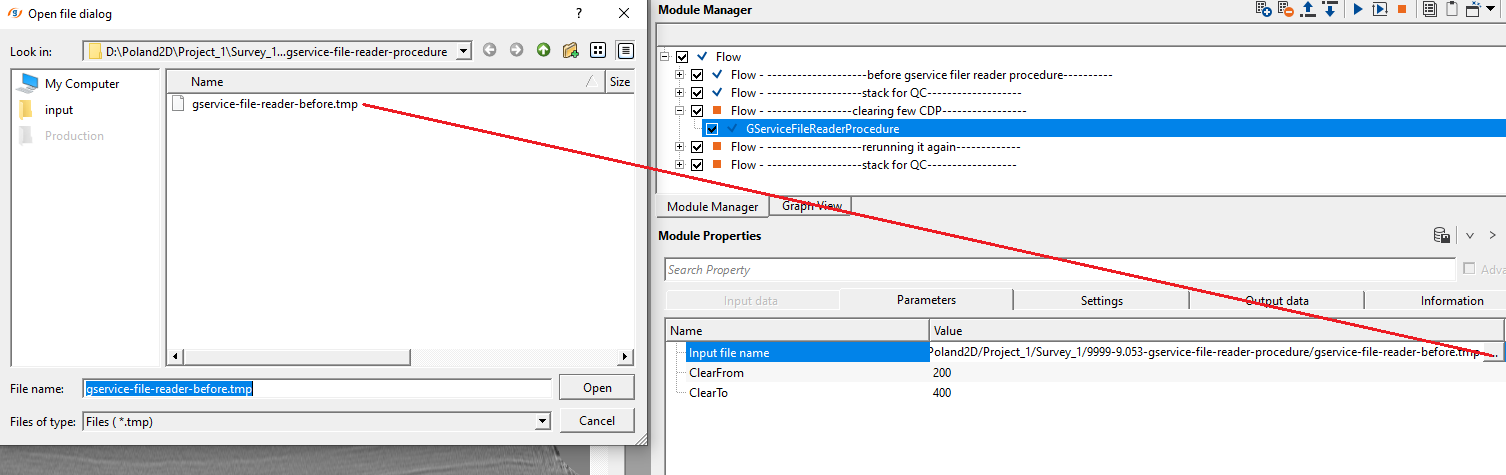
browse and select the .tmp file
Browse to and select the checkpoint file (.tmp) associated with the output dataset you wish to inspect or partially re-process. This file is automatically created in the same directory as the output .gsd and .gsd.sgy files whenever a Seismic Loop or Migration procedure writes its results. The file records the processing state (completed, failed, or pending) for every gather or sequence in the job. You can identify it by the same base name as your output file but with a .tmp extension.
ClearFrom
specify the starting sequence/gather/file to clear the information. It will clear all the information from the user specified location.
Set this to the index of the first gather or sequence you want to mark as unprocessed (cleared). All gathers with indices from this value through the ClearTo value will have their checkpoint state reset to "pending," so they will be re-processed the next time the workflow is submitted. The gather indices are zero-based and correspond to the sorted gather order shown in the Sort Traces information tab. The default value is -1, which means no clearing is performed. Set both ClearFrom and ClearTo to valid gather indices to activate partial re-processing.
ClearTo
specify up to what sequence/gather/file information to clear the information.
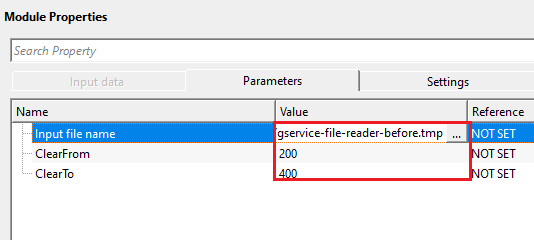
Set this to the index of the last gather or sequence in the range you want to clear. Together with ClearFrom, this defines an inclusive range of gather indices whose checkpoint states will be reset so they are re-processed on the next workflow run. For example, if your CDP-Offset sorted dataset contains 1282 gathers and you want to reprocess CDPs 200 through 400, set ClearFrom to 200 and ClearTo to 400. The default value is -1, meaning no clearing is applied.
Settings
Skip
By default, FALSE(Unchecked). This option helps to bypass the module from the workflow.
When checked, the Service File Reader is bypassed entirely and the workflow continues as if the module were not present. Use this to temporarily disable the checkpoint reading and clearing logic — for example, when you want to run a full clean job without any partial re-processing. Default is unchecked (active).
Output data
Header
generates the updated headers information.
This output table is populated after the module executes and displays the metadata stored in the checkpoint file header. Each row shows a Name and Value pair describing the job settings recorded when the output file was originally created — such as sorting order, total gather count, and output file paths. This information is useful for verifying which processing job created the checkpoint file before clearing any gather ranges.
Information
NumCalc
displays the total number of calculated sequences/gathers/files
Read-only output field. Displays the count of gathers or sequences that have been successfully processed and recorded as complete in the checkpoint file. Compare this value to the total number of sorted gathers (visible in the Sort Traces information tab) to determine how much of the job has been completed. A value equal to the total gather count means the job finished without interruption.
NumFaild
displays the total number of failed sequences/gathers/files
Read-only output field. Displays the count of gathers or sequences that were attempted but encountered an error during processing. A non-zero value here indicates that some gathers did not complete successfully. Use the ClearFrom and ClearTo parameters to reset the failed gather range and re-submit the job to reprocess them.
Examples
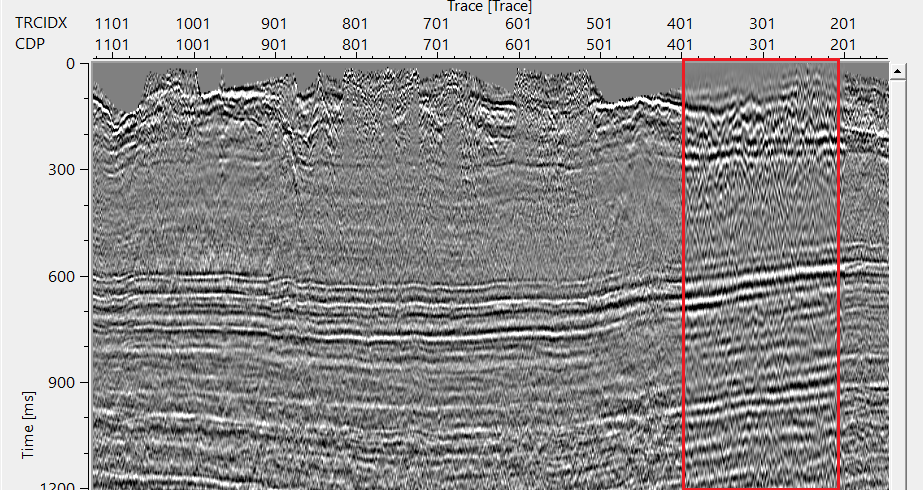
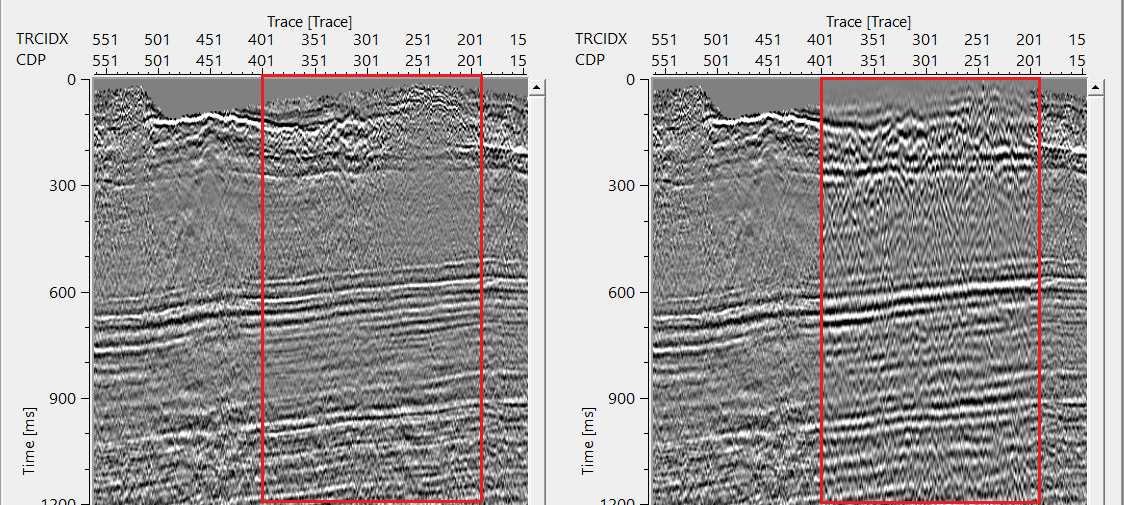
In this example workflow, we create a dataset inside Seismic loop. Later, we add band pass filter procedure to the same dataset. Prior to that, we clear certain CDPs using GService File Reader Procedure module and run the same workflow with band pass filter procedure. The output file name should remains the same. Create Stack and compare the difference between before and after the exercise.
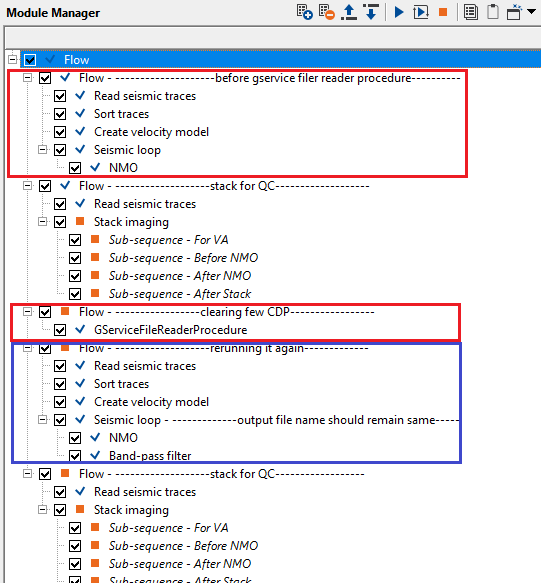
In the 1st flow, we sorted the data in CDP-OFFSET domain and did a NMO correction inside the seismic loop. Output the data(gservice-file-reader-before.gsd.sgy).
In the 2nd flow, we read the NMO corrected gathers created from the 1st flow and created a stack section for initial QC.
In the 3rd flow, we took the NMO corrected gathers (.tmp file) and cleared CDP 200 - 400.
In the 4th flow, we've added Bandpass filter procedure and re-executed the workflow with same output name (gservice-file-reader-before.gsd.sgy) with DIRECT mode without overwriting option.
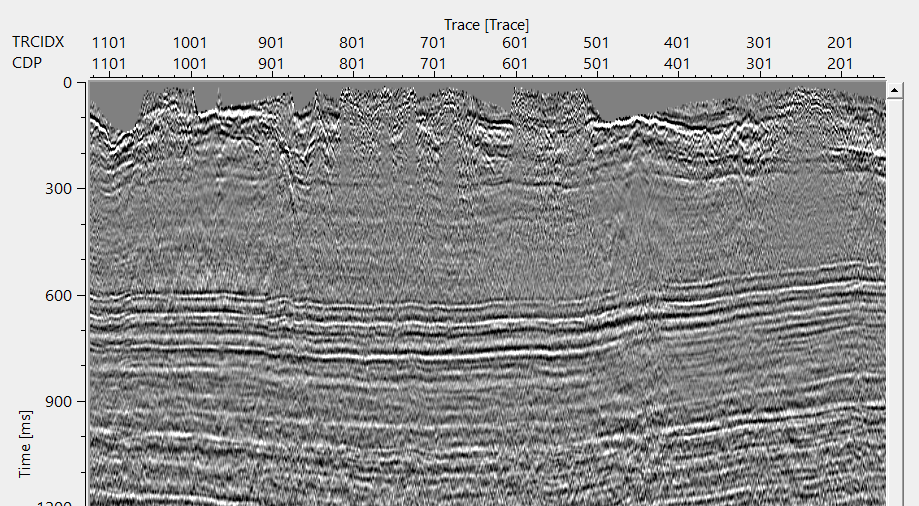
In the 5th & last flow, we've created stack and compared the previous stack and current stack. The user can see clearly observe a difference in both the displays.
Inside GServiceFileReaderProcedure, we read the .tmp file as shown below.
If we compare both of them next to each other, we can clearly see a difference. This way, the user can utilize this procedure to adjust the processing parameters for a particular region by clearing the area and re-execute them with different parameters etc.
Actions
There are no action items available for this module.
Video lesson
YouTube video lesson, click here to open [VIDEO IN PROCESS...]
Related articles
Yilmaz. O., 1987, Seismic data processing: Society of Exploration Geophysicist
 * * * If you have any questions, please send an e-mail to: support@geomage.com * * *
