Get Gather
Display/get gather from seismic data
Theory
Get gather module is used individually or in combination with Seismic loop & Loop module. It allows to group seismic data by gathers and work with it gather by gather or with group of gathers.. It is used to display a single or multiple (consecutive) sequence gathers from the internal seismic data or external seismic data format like SEGY.
The Get Gather module is the primary entry point for reading individual seismic gathers from an internally stored seismic dataset. Given a seismic file handle and a sorted trace index (gather index vector), it extracts one or more consecutive gathers at a user-specified position and passes them downstream for display, QC, or further processing. The module is typically placed after a Read Seismic Traces module and a Sort Headers module, and is usually embedded in a Seismic Loop or Loop construct to iterate over all gathers in the dataset automatically. When run outside a loop, it retrieves the single gather identified by the Sequential Gather Number parameter, which is useful for interactive inspection of individual gathers during QC.
The gather type (Common Shot Point, Common Receiver Point, Common Depth Point, etc.) is determined by the sort order applied in the upstream Sort Headers module before connecting the Sorted Trace Index input. After execution, the module also updates a location map view showing the CMP midpoints, source positions, and receiver positions of all traces in the extracted gather.
Input data
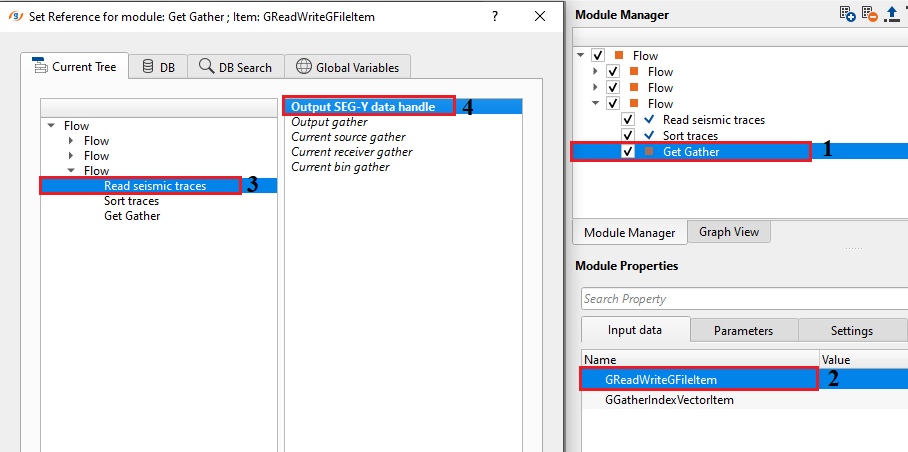
GReadWriteGFileItem
connect/reference to the Output SEG-Y data handle of Read seismic traces/Read SEG-Y traces module.
This input connects the Get Gather module to the seismic data file managed by the upstream Read Seismic Traces (or Read SEG-Y Traces) module. The file handle carries the data access interface that allows Get Gather to efficiently seek to and read the trace samples for the requested gather. Connect the Output SEG-Y data handle output port of the reader module to this input. This connection is mandatory — without it the module cannot locate or open the seismic dataset and will report an error at execution time.
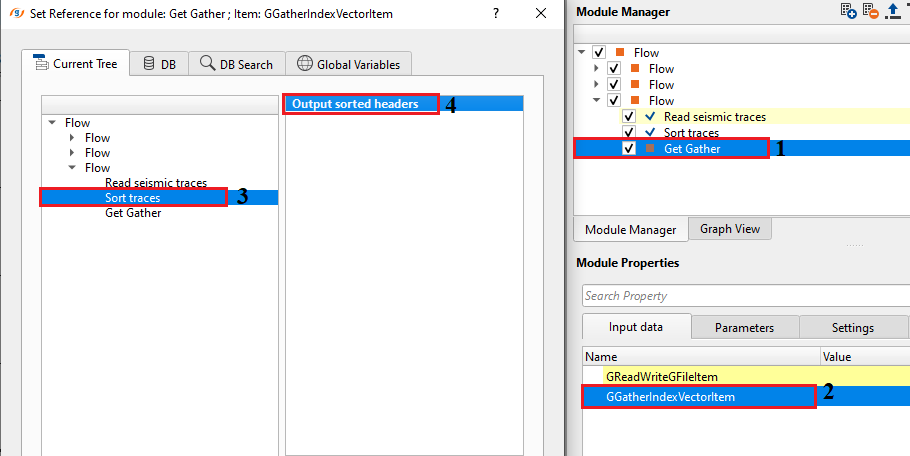
GGatherIndexVectorItem
sorting is helpful in displaying the gathers (CSP/CRP/CDP) quickly. Connect/reference the Output trace headers to Sort headers module to sort the data.
This input receives the sorted gather index built by the upstream Sort Headers module. The gather index vector groups trace identifiers by gather key (e.g., shot number, CMP bin number, or receiver station) so that the Get Gather module can retrieve all traces belonging to a specific gather efficiently, without scanning the entire file. The sort key you choose in Sort Headers determines the gather type that will be extracted: connect the Output trace headers output of Sort Headers to this input. Once connected, the valid range of the Sequential Gather Number parameter is updated automatically to reflect the total number of gathers available in the index.
Parameters
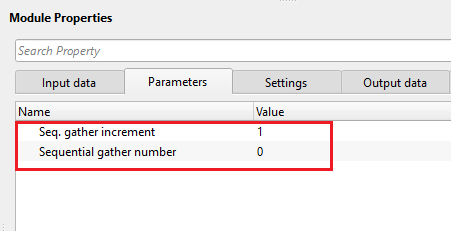
Seq. gather increment - number of gathers to be read per iteration. specify how many sequential(consecutive) gathers to be displayed.
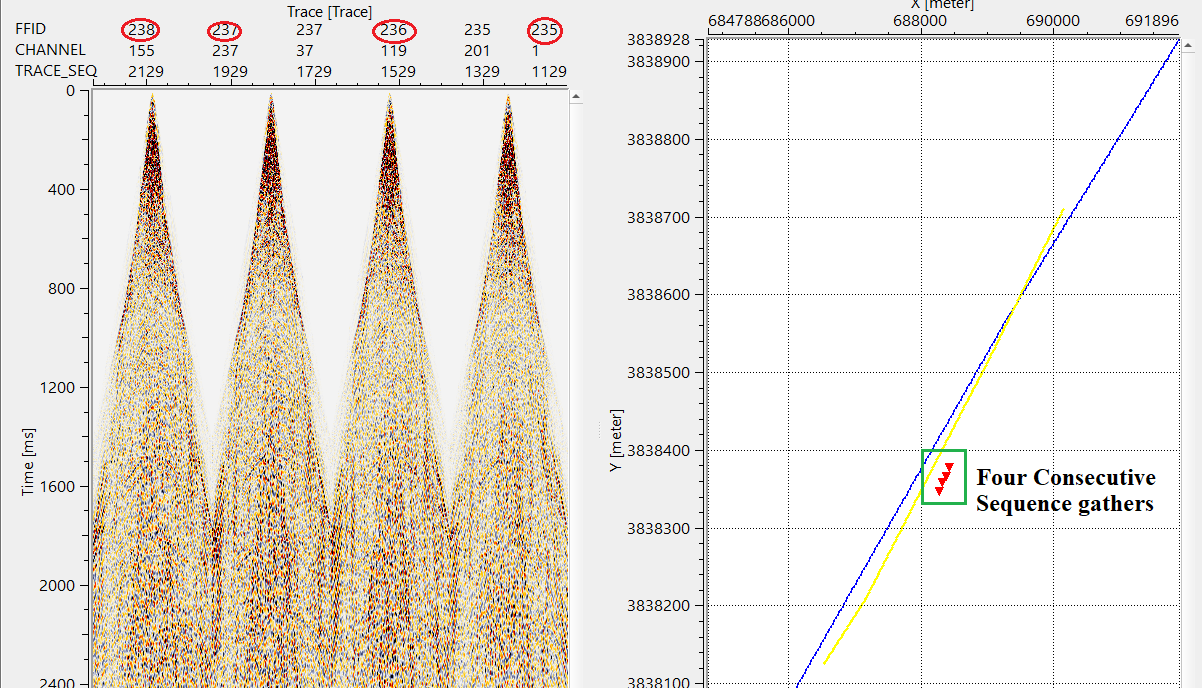
Controls how many consecutive gathers are read and concatenated into a single output gather on each execution. The default value is 1, which reads exactly one gather at the position specified by Sequential Gather Number. Set this to a larger integer (for example, 4) to combine that many consecutive gathers into one output — useful when you need to inspect a wider swath of data or when a downstream module requires a minimum number of traces per input gather. When placed inside a Seismic Loop, the loop advances the current gather position by this increment on each iteration, so setting it to a value greater than 1 effectively processes the data in blocks of that many gathers.
Sequential gather number
define the current sequential gather number.
Specifies which gather to retrieve, identified by its position (1-based index) in the sorted gather index. A value of 1 retrieves the first gather in the sorted sequence; a value of N retrieves the last gather, where N equals the total number of gathers in the dataset. Setting this value to 0 will cause an error at execution time — always use a value of 1 or greater. The maximum allowed value is updated automatically once the Sorted Trace Index input is connected, so the valid range reflects the actual number of gathers present in the dataset. When the module is controlled by a Seismic Loop, this parameter is managed automatically by the loop and advances gather by gather (or by the Seq. Gather Increment) through the dataset.
Settings
Skip
By default, FALSE(Unchecked). This option helps to bypass the module from the workflow.
When enabled (checked), the Get Gather module is bypassed entirely and no gather is read from the dataset. This is useful during workflow development when you want to temporarily disable gather reading without removing the module and breaking downstream connections. By default this option is unchecked (disabled), meaning the module executes normally.
Output data
GGatherItem
generates the output gather as an item and also it can be used for connection/references.
The primary output of the module. It delivers the extracted seismic gather — containing all trace samples and associated geometry — to downstream processing modules. Connect this output to any module that operates on a gather, such as velocity analysis, NMO correction, deconvolution, or display modules. If Seq. Gather Increment is greater than 1, the output gather will contain traces from all consecutive gathers concatenated together. The gather data can also be viewed directly in the built-in seismic display window (Vista) which shows traces plotted as a 2D section with the Trace axis on the horizontal and Time on the vertical.
Trace headers
generates the output trace headers
Outputs the trace header vector of the extracted gather. Each trace header contains the geometry and acquisition metadata for one trace, including source and receiver coordinates, offset, CMP location, and trace number. Connect this output to modules that operate on trace headers directly, such as header editing, QC display, or the Sort Headers module for further resorting. The CMP midpoint, source, and receiver positions from these headers are also used to populate the location map display.
Information
The Get Gather module has no execution settings (such as CPU/GPU selection or distributed processing). It operates as a simple sequential reader that uses file I/O to load the requested gather from disk. No additional configuration is required in this section.
Examples
In this example workflow, we are getting a gather using Get gather module. For this, we are using internally saved seismic data set and reading this file by Read seismic traces module. We sorted the data in common shot point order.
When Sequence gather number is Zero (0) by default and the user executes the module then it will throw an error message
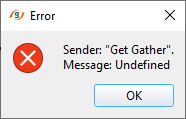
To fix this error, change the Sequence gather number to anything but not 0.
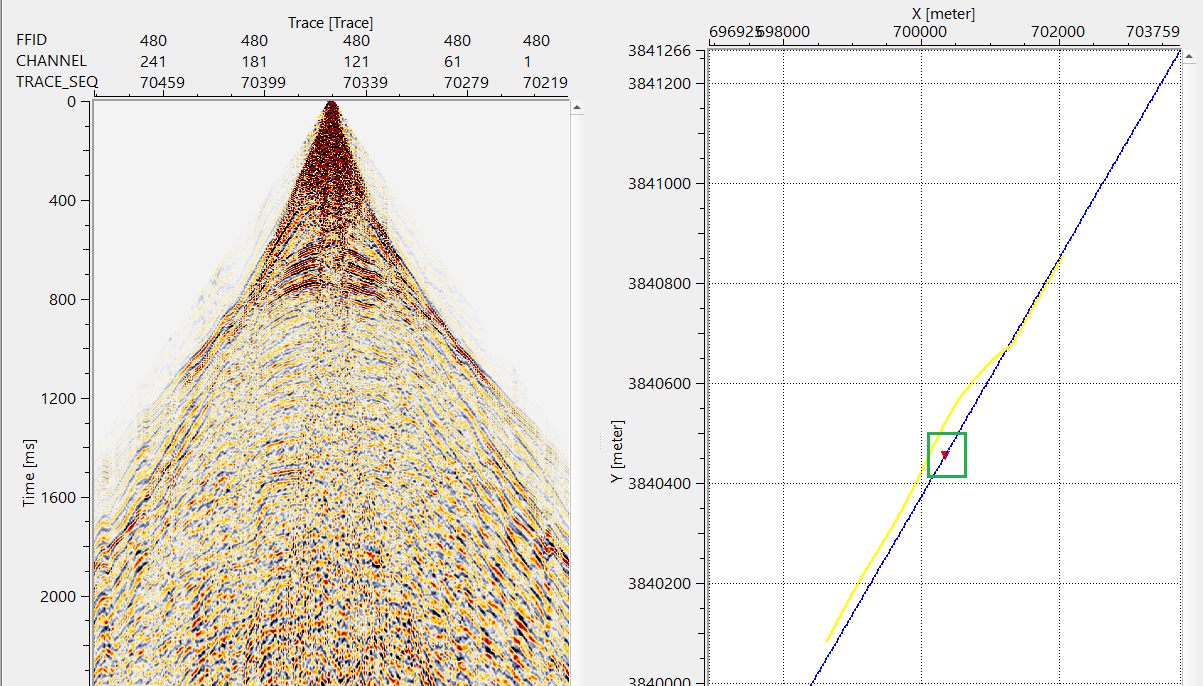
In case the user wants to display consecutive gathers, it is possible by specifying the number of sequence gathers at "Sequence gather increment" parameter. Let's get 4 sequence gathers.
Actions
There are no action items available for this module so the user can ignore it.
Video lesson
YouTube video lesson, click here to open [VIDEO IN PROCESS...]
Related articles
Yilmaz. O., 1987, Seismic data processing: Society of Exploration Geophysicist
 * * * If you have any questions, please send an e-mail to: support@geomage.com * * *