Import table
Importing tabular format data from a text file
Theory
Import Table module reads tabular data from an external text file and converts it into an internal table that can be used by the processing system. This allows geometry, attributes, or auxiliary data created outside the software to be integrated into seismic workflows.
The module supports common text formats, including tab-delimited text, comma-separated values (CSV), and formatted space-delimited files. Column headers and data rows are interpreted based on user-defined or predefined table formats.
Imported tables can be used for quality control, geometry validation, attribute mapping, and as input to other processing modules. The import process does not modify seismic data and only affects the creation of a new internal table.
For best results, ensure that the input text file uses consistent delimiters, clearly defined header rows, and correct data types before importing.
Input data
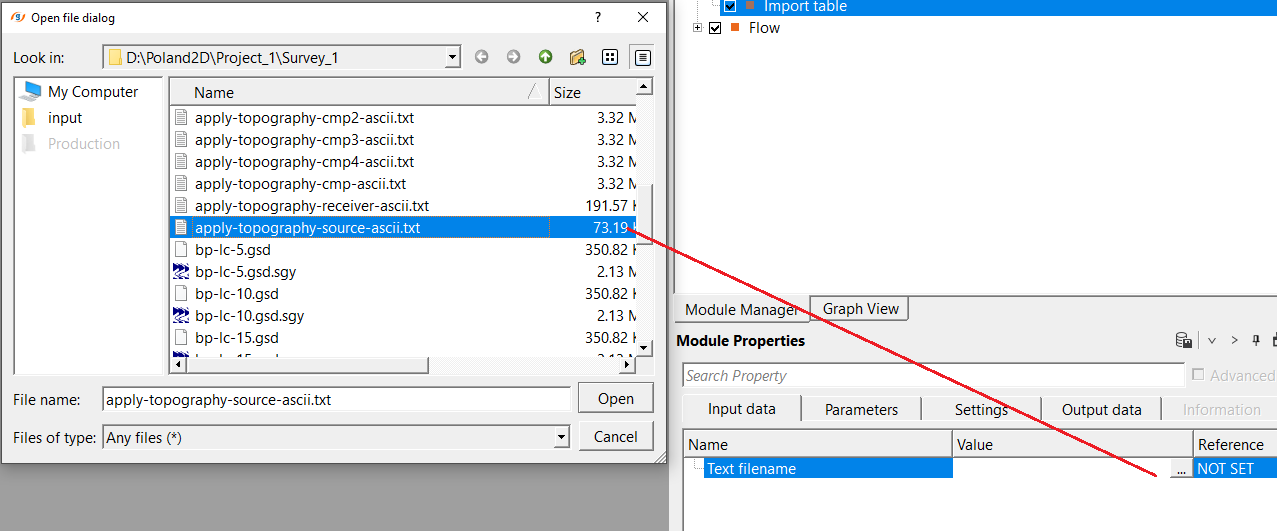
Text filename - specifies the path and filename of the input text file to import as a table. The file must be accessible from the current machine. Common file types include plain text files (.txt), tab-delimited exports, and comma-separated files (.csv). Use the file browser button to navigate to the file location.
Parameters
Text Format { Auto, Text (Tab delimited), CSV (comma delimited), Formatted text (Space delimited) } - specifies how columns are separated in the input text file. By default, Auto. Select the desired option from the drop-down menu.
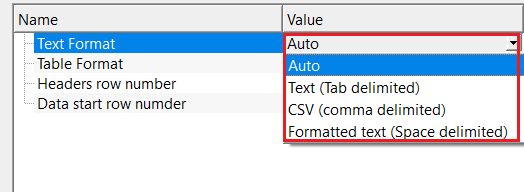
Auto — detects the delimiter automatically based on the file extension. Files with a .csv extension are treated as comma-delimited; all other files are treated as tab- or space-delimited. Use this option when you are unsure of the exact format or when files follow standard naming conventions.
Text (Tab delimited) — columns are separated by tab characters. This is the most common format for plain-text exports from spreadsheet applications and seismic software.
CSV (comma delimited) — columns are separated by commas. Use this for files exported from Excel or other applications in .csv format.
Formatted text (Space delimited) — columns are separated by one or more space characters. Use this for fixed-width ASCII output files from legacy processing systems. Consecutive spaces are treated as a single delimiter.
Table Format { Custom format, Geomage format (from 'Export table') } - specifies the structural layout of the input table. By default, Custom format.
Custom format — allows full manual control over the table structure. You specify which row contains column headers and which row the data begins on. Use this option for any table file that was not produced by the g-Platform Export Table module.
Geomage format (from 'Export table') — reads tables that were previously exported using the Export table module. In this mode the header and data row positions are fixed automatically (column headers on row 6, data starting on row 7) and the table title is read from row 2 of the file. The Headers row number and Data start row number parameters are disabled when this option is selected.
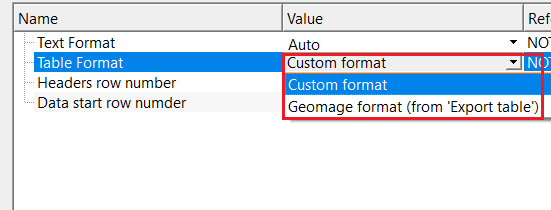
Table Format - Custom format
enables manual definition of table structure, including header row and data start position. Use this option when importing tables from external sources. The two sub-parameters below are only active when Table Format is set to Custom format.
Headers row number
specifies which line of the text file contains the column names (headers) for the imported table. Default: 1. If the file has no header row, set this value to a row that does not exist (for example, 0 or a negative number) and the module will automatically assign numeric column labels (1, 2, 3, ...) instead. Only available when Table Format is set to Custom format.
Data start row number
specifies which line of the text file contains the first row of data values. Default: 2. All lines before this row are treated as preamble and are skipped during import. Set this to match the actual start of the data in your file; for example, if the file has two comment lines followed by a header on line 3 and data starting on line 4, set Headers row number to 3 and Data start row number to 4. Only available when Table Format is set to Custom format.
Settings
Number of threads
controls how many parallel processing threads are used when running this module. Set to one less than the number of available CPU cores on the local machine for best performance. For a single-file import operation, a single thread is typically sufficient and increasing this value will not meaningfully reduce execution time.
Skip
when checked, bypasses this module entirely during workflow execution without removing it from the processing sequence. Default: unchecked (the module runs normally). Enable this option to temporarily disable the import step while keeping the module configuration intact, for example when testing a workflow without re-importing the table each time.
Output data
Table out
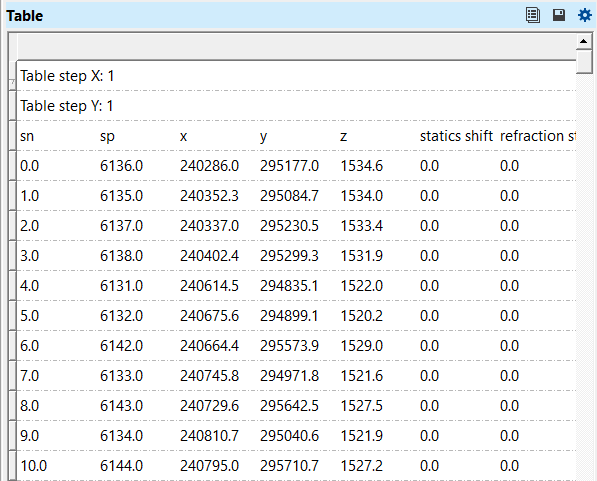
the output internal table created from the imported text file. Column names are taken from the header row specified by Headers row number (or auto-assigned as 1, 2, 3, ... if no valid header row is found). The table title is taken from the file in Geomage format mode or left blank in Custom format mode. The resulting table can be viewed directly in the Vista viewer and used as input to other processing modules, such as geometry assignment, attribute mapping, or QC workflows.
Information
If the number of column headers does not match the number of data columns found in the first data row, the module automatically replaces all headers with sequential numeric labels (1, 2, 3, ...). Verify that the delimiter and header row settings are correct if column names are missing or misaligned in the output table.
Empty lines in the input file are silently skipped. If a data row has fewer values than the expected number of columns, that row is still written to the output table with the available values and remaining columns left blank.
Examples
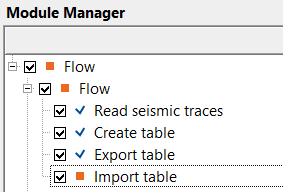
In this example, we import a text file (tabular format file).
Select the input file from the Input data tab and select text format from the appropriate format from the drop down menu.
Execute the module and generate the vista item.
Actions
There are no action items available for this module so the user can ignore it.
Video lesson
YouTube video lesson, click here to open [VIDEO IN PROCESS...]
Related articles
Yilmaz. O., 1987, Seismic data processing: Society of Exploration Geophysicist
 * * * If you have any questions, please send an e-mail to: support@geomage.com * * *
