Ortogonal prediction random Noise Attenuation
Attenuation of incoherent/random noise
Theory
The fundamental principle is:
- Seismic signal (reflections, coherent events) is predictable from neighboring traces and time samples
- Random noise is unpredictable and contains no spatial correlation
Orthogonal prediction exploits this predictability difference by predicting each sample from its neighbors, then separating predictable (signal) from unpredictable (noise) components in an orthogonal decomposition.
It is based on orthogonal (least-squares) prediction, which means the filter chooses coefficients that minimize the error between predicted and actual data while keeping prediction error orthogonal (uncorrelated) to the signal.
Input data
Input DataItem
Input gather
connect/reference to the input data that contains the random noise. Usually, this random noise attenuation applied on post-stack data to remove the incoherent (random) noise from the input data.
Parameters
Regularization param in X direction
specify the number of traces to be considered in the Inline direction. This is useful in predicting the incoherent noise from the neighboring traces.
Regularization param in Y direction
specify the number of traces to be considered in the Cross line direction. For 2D data, this value can be keep it as default value.
trace window
this is the spatial window. Specify the number of traces to be considered in predicting the incoherent noise.
Time window (sample)
this is the temporal/time analysis window. Define the time window to predict the incoherent noise. Higher time window may capture the random noise but may not consider the local variations. The user should consider an optimum time window for the analysis.
Settings
Auto-connection
By default, TRUE(Checked).It will automatically connects to the next module. To avoid auto-connect, the user should uncheck this option.
Bad data values option { Fix, Notify, Continue }
This is applicable whenever there is a bad value or NaN (Not a Number) in the data. By default, Notify. While testing, it is good to opt as Notify option. Once we understand the root cause of it,
the user can either choose the option Fix or Continue. In this way, the job won't stop/fail during the production.
Notify
It will notify the issue if there are any bad values or NaN. This will halt the workflow execution.
Fix
It will fix the bad values and continue executing the workflow.
Continue
This option will continue the execution of the workflow however if there are any bad values or NaN, it won't fix it.
Calculate difference
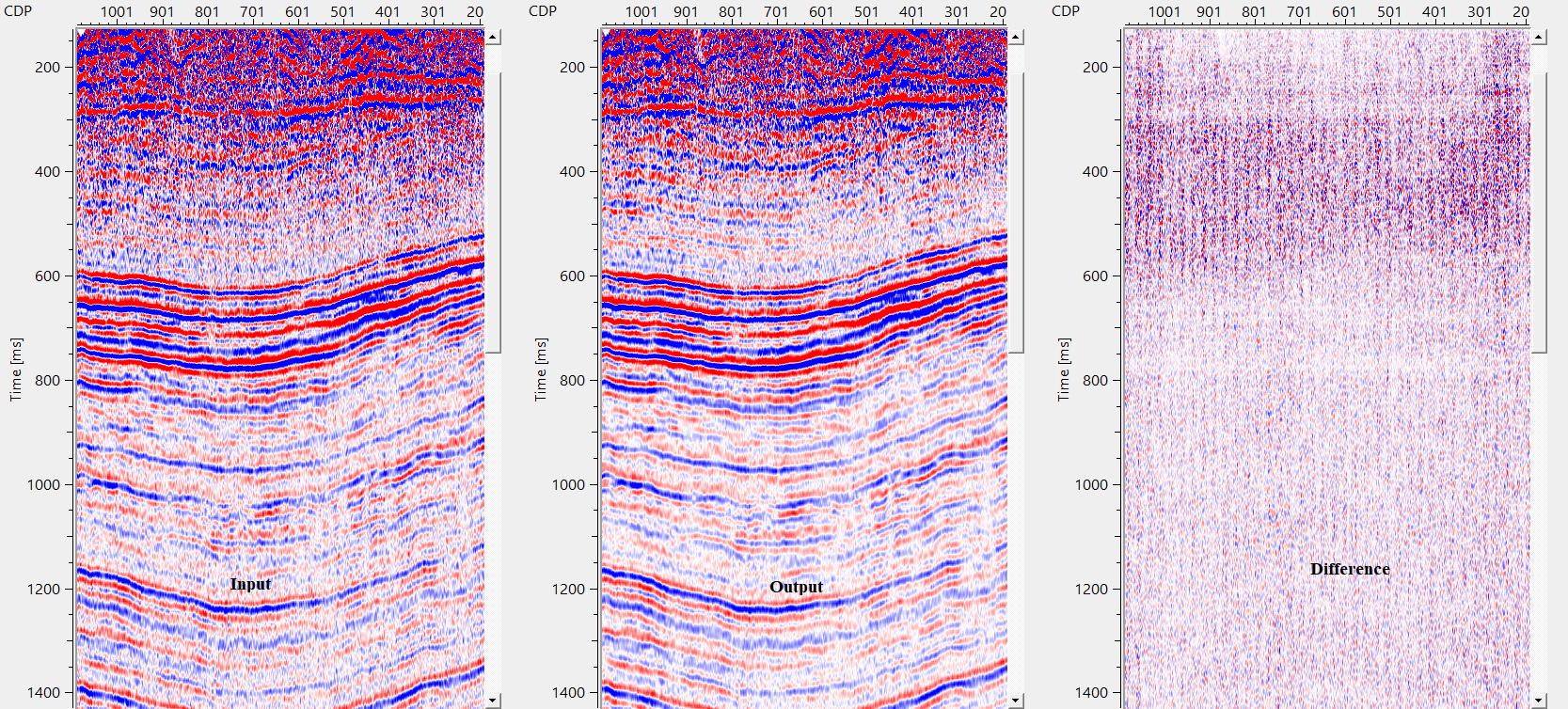
This option creates the difference display gather between input and output gathers. By default Unchecked. To create a difference, check the option.
Skip
By default, FALSE(Unchecked). This option helps to bypass the module from the workflow.
Output data
Output DataItem
Output gather
generates the final output after random noise attenuation.
Gather of difference
generates the difference gather before and after random noise attenuation.
Information
There is no information available for this module.
Examples
In this example workflow, we are reading a post-stack gather by using Read seismic traces and change the parameter option of Load data to RAM from No to YES. This output gather is connected/referenced to Input gather of Orthogonal prediction random noise attenuation (OPRNA).
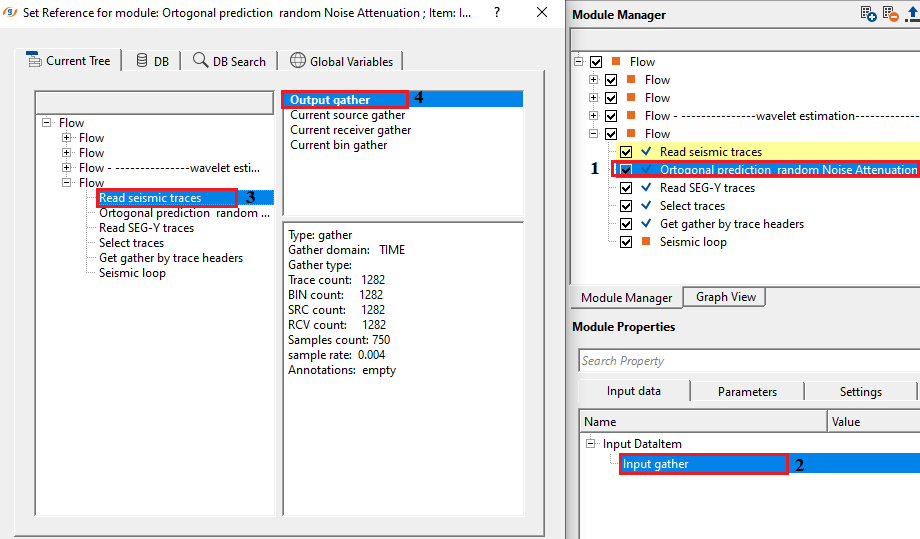
Adjust the parameters as per the input data requirement to attenuate the random/incoherent noise. Reflectors are coherent in nature and the random noise is incoherent. When the prediction occurs, it considers the neighboring traces both in x and y directions along with the time and sample windows. For 2D data, regularization of Y parameters is not makes a big difference however in case of 3D, it certainly.
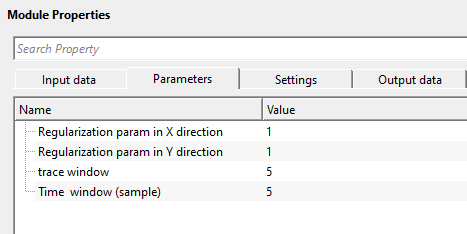
As per the above parameters, it will consider 1x1 trace matrix for a 3D volume in which it considers one trace in inline direction and 1 trace in crossline and starts predicting the incoherent noise with a trace window of 5 traces in horizontal direction and 5 samples (4x5 = 20 ms if the sample interval is 4ms) in the vertical direction. Adjust the parameters as per the input data requirement and execute the module.
Actions
There are no action items available for this module so the user can ignore it.
Video lesson
YouTube video lesson, click here to open [VIDEO IN PROCESS...]
Related articles
Yilmaz. O., 1987, Seismic data processing: Society of Exploration Geophysicist
 * * * If you have any questions, please send an e-mail to: support@geomage.com * * *