Merge depth velocities
Description
By using this module, the user can able to merge two depth velocities using horizon in ASCII format.
In this following example, we are going to show how it works.
Module involved
Read seismic traces
Read seismic traces
Merge depth velocities
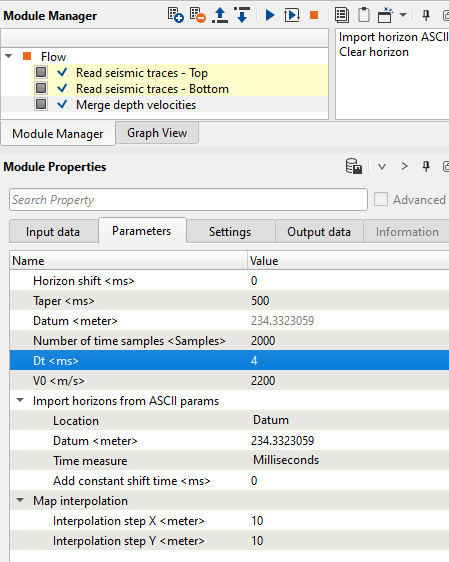
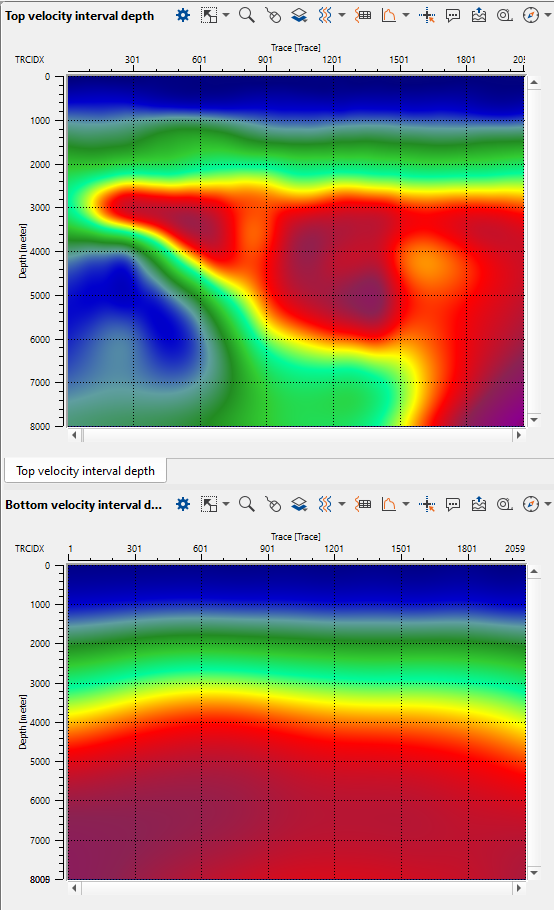
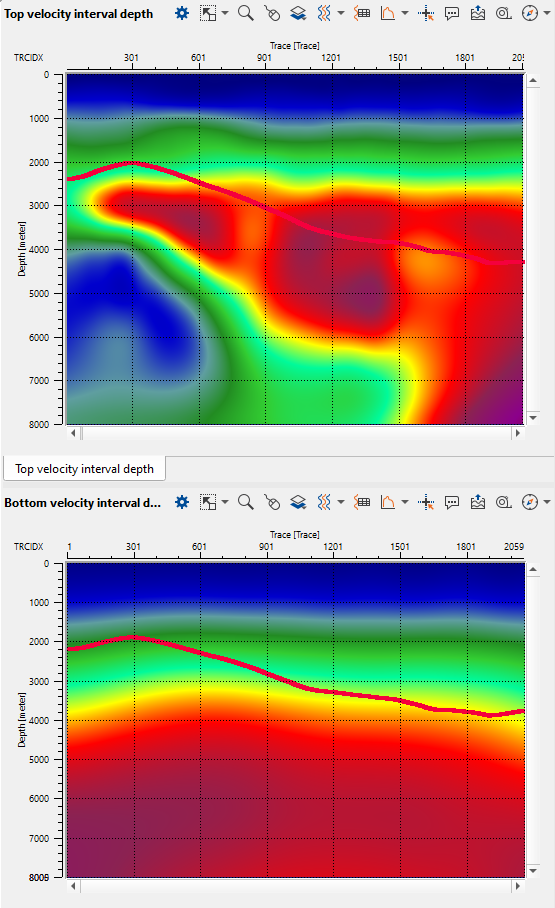
In the below images, on the left hand side, we read two velocity models using Read seismic traces module. On the right hand side, we have imported the input horizon file in ASCII format which is overlaid on both the velocity models.
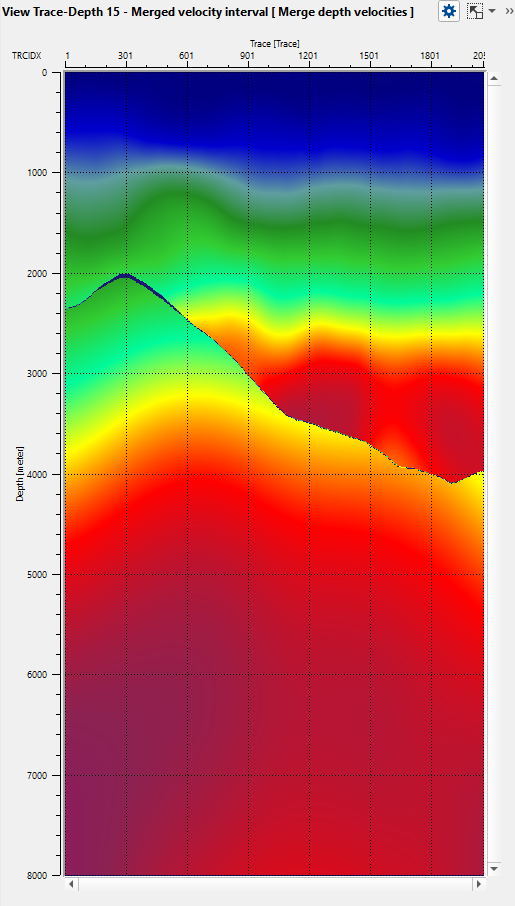
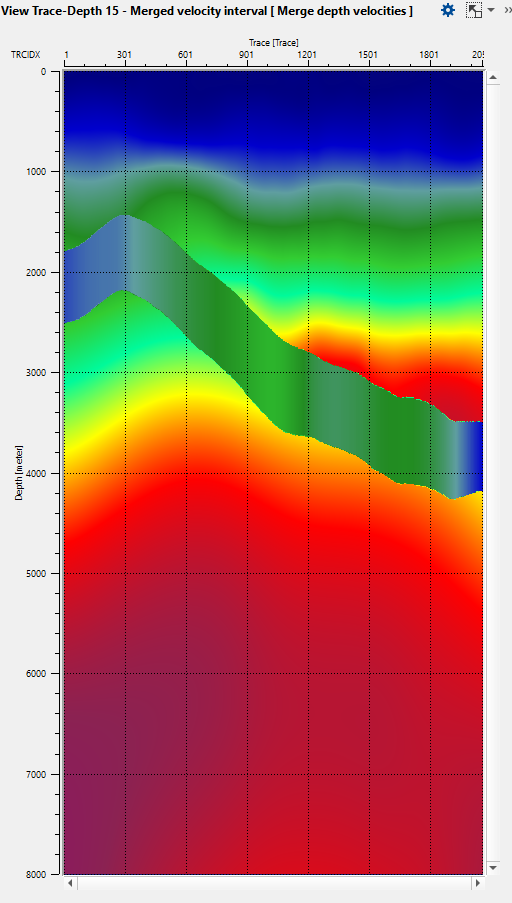
Now we want to merge the two input velocity models based on the horizon. Execute the Merge depth velocities module after assigning the input data items and appropriate parameters as per the input datasets. The output of the merged depth velocity model with different taper lengths (100 ms & 500 ms) are shown below.
Input data
Depth velocity top
Provide the input depth velocity model to be considered as top
Depth velocity bottom
Provide the input depth velocity model to be considered as bottom
Parameters
Horizon shift
If the user wants to shift the horizon to a constant value, provide the shift value in time (ms).
Taper
Provide the taper value for the horizon. When both the velocity models are merged together, the taper will make the transition smooth depending on the taper value.
Datum
Datum value will automatically detected from the input data.
Number of time samples
Provide the total number of samples for creating the time average and interval velocity models.
Dt
Provide the Delta T for creating the time average and interval velocity models.
V0
Provide the replacement/near surface velocity as per the project value.
Import horizons from ASCII params
Currently it is supported in ASCII format with Tab delimited. The horizon file should have X Y & time (ms).
Location
Define the position of the horizon file. We have two options here. Datum & Topography
If the horizon is at Datum then the user should select the Datum option and provide the datum value in the next option
If the horizon is at Topography level then the user should select the Topography option.
Datum
Provide the datum value
Time measure
This related to horizon. By default milliseconds. Otherwise the user can drop choose between milliseconds and seconds.
Add constant shift time
The user shift shift the horizon with a constant shift time.
Map interpolation
This interpolation is related to horizon.
Interpolation step X
Horizon interpolation step size in X direction.
Interpolation step Y
Horizon interpolation step size in Y direction.
Output data
Depth velocity top avg
Average depth velocity model of top velocity model or 1st input
Depth velocity bottom avg
Average depth velocity model of bottom velocity model or 2nd input
Time velocity top avg
This is the average time velocity model of the top velocity model or 1st input
Time velocity bottom avg
This is the average time velocity model of the bottom velocity model or 2nd input
Merged velocity average
Final merged average velocity model
Merged velocity interval
Final merged interval velocity model
Custom actions
These are the action items menu for the user to perform additional activities. Here we have two options
Import horizon ASCII
Import the horizon file in ASCII format
Clear horizon
In case the user wants to clear/remove the horizon they can use this option to clear/remove the horizon.