Open SEG-Y
Opening a SEG-Y dataset without reading trace headers information
Theory
This procedure allows to open a seismic data in SEGY format without reading the trace headers. It can be used for fast, single trace procedures and can't be used in multi trace procedures such as trace sorting, etc. Unlike Read SEG-Y traces, it doesn't generate the trace headers information. Due to this, it can't be used in Stack Imaging, sorting etc.
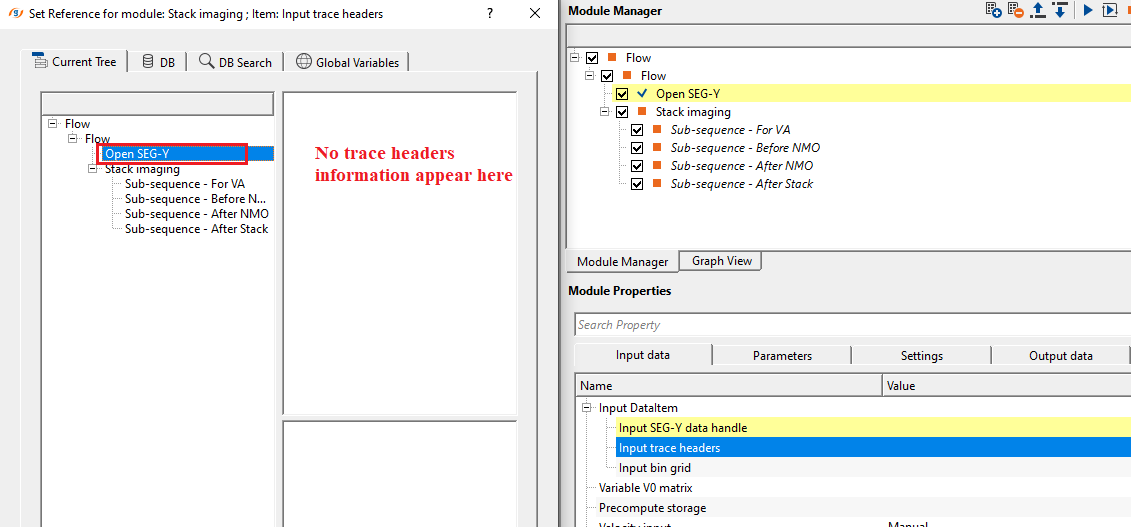
Input data
Input data has to be provided in the Parameters section.
Parameters
Seismic filename - Full path and file name of the SEGY
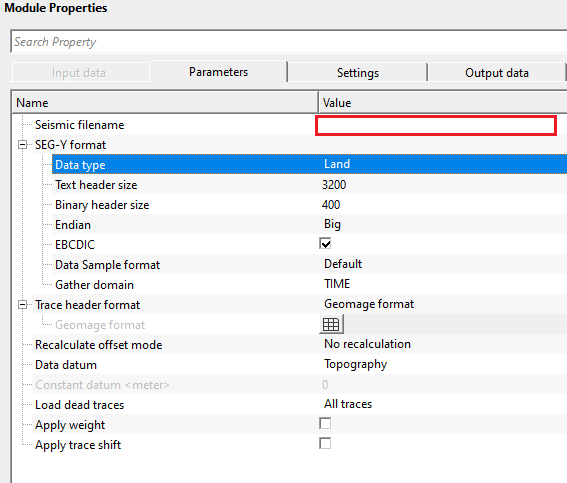
SEG-Y format
Format of seismic data. This section deals with the basic SEGY format details like type of data i.e. land/marine/transition, EBCDIC, binary headers information etc.
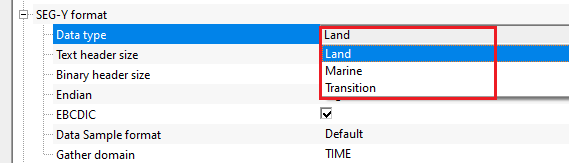
Data type { Land, Marine, Transition }
specify the input data type from the drop down menu. There are 3 types available. Land, Marine, Transition.
Text header size
text header stores the survey and processing history information. This is in ASCII format. The default size is 3200 bytes. This is also known as EBCDIC header. The standard size of the text header is 40 rows and 80 columns.
Binary header size
this header stores the data in binary format. Default size is 400 bytes. In this header, we get sample interval, no of samples, measurement system, data format (IBM, floating point, ....) etc. information is stored.
Endian { Big, Little }
it refers to the byte order in which a computer stores the multi byte (integers, floating point etc) data in memory or files.
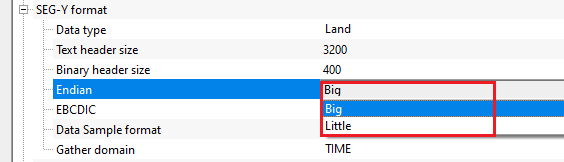
Big Endian - Most Significant Byte is stored at Lowest memory address. Most old computers used Big Endian.
Little Endian - Least Significant Byte is stored at Lowest memory address. Modern computes uses Little Endian.
EBCDIC
displays the EBCDIC/text header if this option is TRUE (Checked). By default, TRUE (Checked).
Data Sample format { Default, IBMFloat4, Int4, Int2, Float4, Int1 }
it represents the seismic trace amplitudes in binary format. It defined in 25-26 byte location of SEG-Y binary header. By default, IEEE (most modern systems uses this). Incorrect data sample format leads to wrong amplitudes, clipping of high/low amplitudes etc. It is also important that both data sample format and Endian type are accurate and correct.
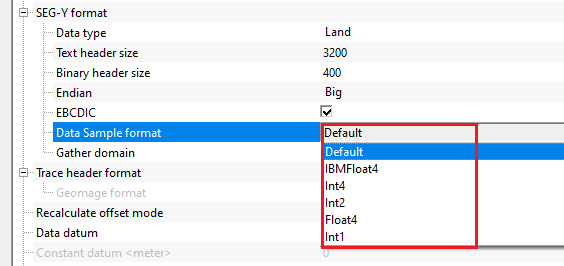
Default - IEEE format
IBMFloat4 - IBM 32 bit Floating point with 4 Bytes as sample size. Most legacy SEGY data is in this format.
Int4 - 32 bit Integer point with 4 Bytes as sample size.
Int2 - 16 bit Integer point with 2 Bytes as sample size.
Float4 - IEEE 32 bit Floating point with 4 Bytes as sample size. Modern SEGY data is in this format.
Int1 - 8 bit Integer point with 1 Byte as sample size.
Gather domain { TIME, DEPTH, FREQUENCY }
allows the user to specify the input data domain type. By default, Time. There are additional domain options available from the drop down menu.
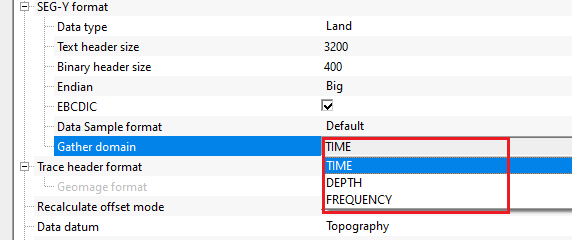
Time - Input data is in Time domain
Depth - Input data is in Depth domain
Frequency - Input data is in Frequency domain
Trace header format
Trace header format definition. It contains meta data of the seismic trace which means all the parameters like source point, FFID, channel number, source and receiver coordinates etc., are stored at certain byte locations. This is very crucial while reading the SEG-Y data. Make sure that the trace headers mapped correctly to their respective byte locations with correct format.
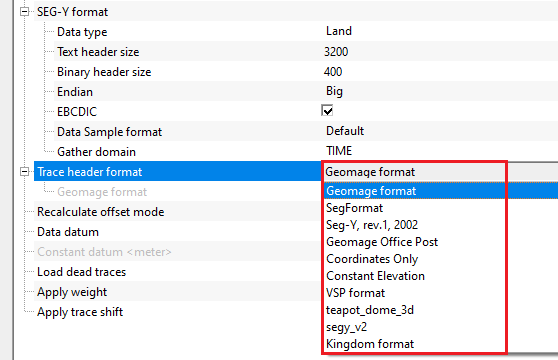
By default, Geomage format. This is a standard SEG-Y rev 1.0 format.
The headers value can be changed by opening the table of the headers. The header values can be changed by using various mathematical operations using the syntax:
http://www.partow.net/programming/exprtk/index.html
Geomage format
it is the default trace header format which is nothing but SEG-Y rev 1.0 2002 format.
Recalculate offset mode { No recalculation, Recalculate as 2D, Recalculate as 3D } - Offset recalculation according to source and receiver coordinates.
This allows to recalculate the offsets by using the source and receiver coordinate values. By default, No recalculation.
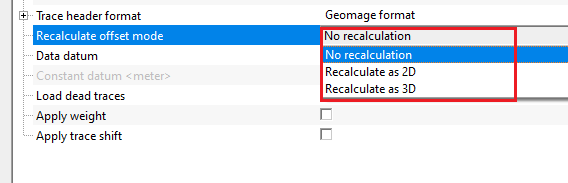
No recalculation - It won't calculate the offsets
Recalculate as 2D - It takes the source and receiver x,y coordinate values and calculates the offset
Recalculate as 3D - It is applicable to the 3D dataset. Similar to 2D, it computes the offsets by using source and receiver x,y coordinates.
Data datum { Datum trace header, Topography, Constant datum } - Seismic data datum type (Datum trace header, Topography, Constant datum)
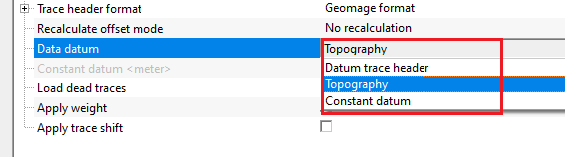
Datum trace header
it takes the datum values from the input trace headers
Topography - reads the input data from the topography level
Constant datum
assigns a constant datum value to the input trace headers. Specify a constant datum value.
Data datum - Constant datum
This option will be active if constant datum will be chosen in "Data datum"
Constant datum
specify a constant datum value.
Load dead traces { All traces. Mute dead traces, Live Only, Dead Only, All traces } - Allows to determine which traces type will be loaded (All traces,Mute dead traces, Live Only, Dead Only, All traces). this allows the user to decide what kind of traces to be read. Seismic traces have a trace identification number in their trace headers. Based on this, it'll decide whether to read all traces or leave the dead traces.
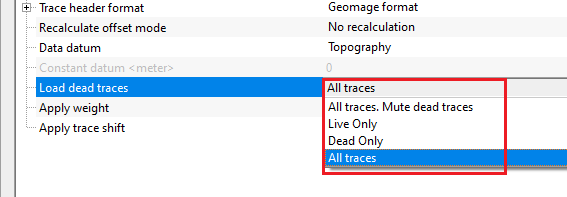
All traces, Mute dead traces - reads all the input traces but mutes/deletes the traces with a trace identification as dead (2)
Live only - reads traces with a trace identification as live (usually 1). By default, Live only.
Dead only - reads Dead traces with trace identification as Dead (2)
All traces - reads all the input traces
Apply weight - If this check box is checked, then amplitude weight written in trace header will be used for each trace. By default, FALSE (Unchecked).
Apply trace shift - If this check box is checked, then the shift value written in trace header will be used for each trace. By default, FALSE (Unchecked).
Settings
Skip
By default, FALSE(Unchecked). This option helps to bypass the module from the workflow.
Output data
SEG-Y data handle
generates Output SEG-Y data handle as a vista item for next procedure connections/references.
TraceNumCollection
generates the trace number collection as a vista item.
Information
Number of traces
displays the total number of traces in the current SEG-Y data.
Examples
Actions
There are no action items available for this module so the user can ignore it.
Video lesson
YouTube video lesson, click here to open [VIDEO IN PROCESS...]
Related articles
Yilmaz. O., 1987, Seismic data processing: Society of Exploration Geophysicist
 * * * If you have any questions, please send an e-mail to: support@geomage.com * * *
