Open seismic traces
Reading/Opening large seismic data
Theory
Open seismic traces module is useful when the input data is too big to load and requires lots of physical memory (RAM). It is fast and efficient compared to Read seismic traces module when dealing with large seismic data volumes. It doesn't generate any vista items. This module also doesn't generate trace headers however to get the trace headers information as a reference/connection to any module, the user should look for the option "Use trace vector on disk". This allows the data to get the "input traces on disk data handle".
Input data
Input data must be provided in the Parameters tab as Seismic file name.
Parameters
Seismic file name
choose the g-Platform internal file name from the drop down menu.
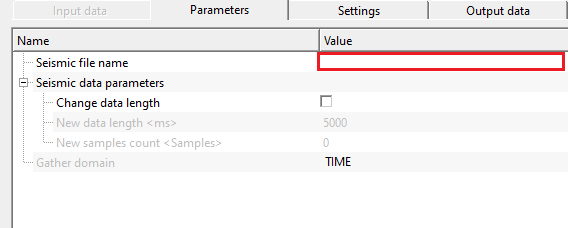
Seismic data parameters
in case the user wants to change the seismic data parameters, check this box to make the necessary changes.
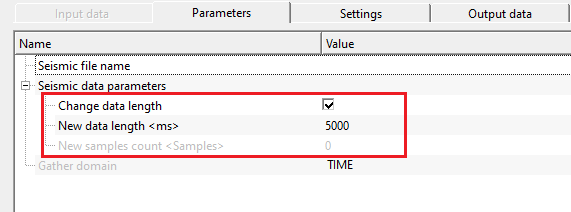
Change data length
it allows the user to change the current data record length to a new record length.
Change data length - true
By default, FALSE. If TRUE (Checked), provide the new record length in the following parameters.
New data length
specify the new record length.
New samples count
displays the total number of samples with respect to the new record length. User doesn't have any control.
Gather domain { TIME, DEPTH, FREQUENCY }
it automatically updates this parameter depending on the input seismic data file.
Settings
Skip
By default, FALSE(Unchecked). This option helps to bypass the module from the workflow.
Output data
Output DataItem
Output SEG-Y data handle
outputs Output SEG-Y data handle for connections/references to the next subsequent modules.
Output traces data handle
generates Output traces data handle as connections/references to the next modules.
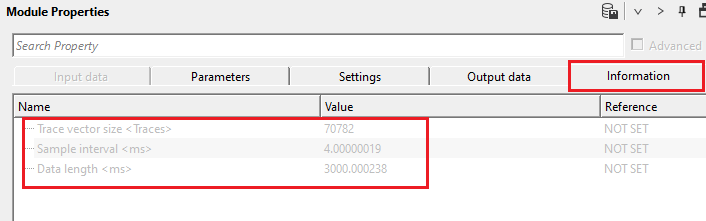
Information
Trace vector size
displays the total number of traces of the input seismic file
Sample interval
displays the sample interval of the input seismic file
Data length
displays the record length of the input seismic file
Examples
In this example workflow, we try to connect the Input traces on disk data handle since this module doesn't generate any trace headers information. In order to connect/reference Input traces on disk data handle, the must check the option ""
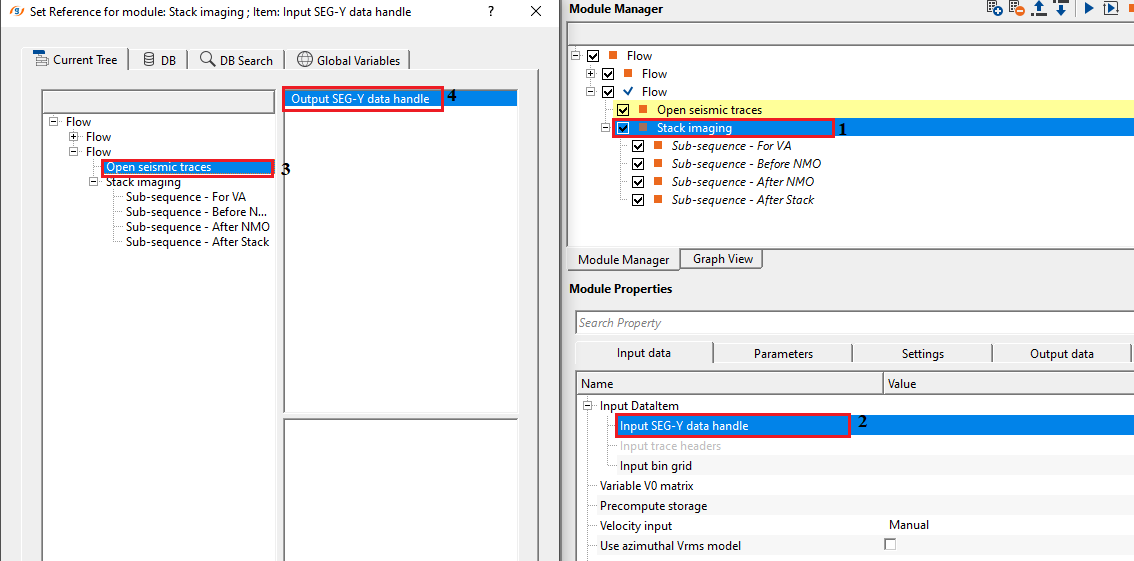
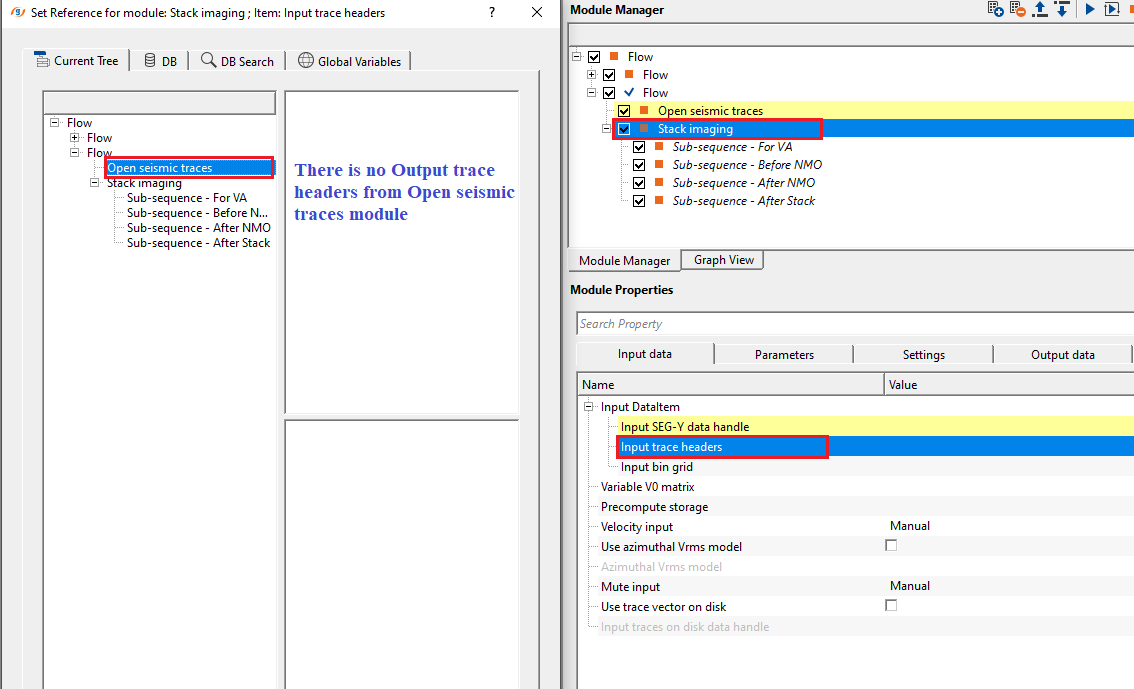
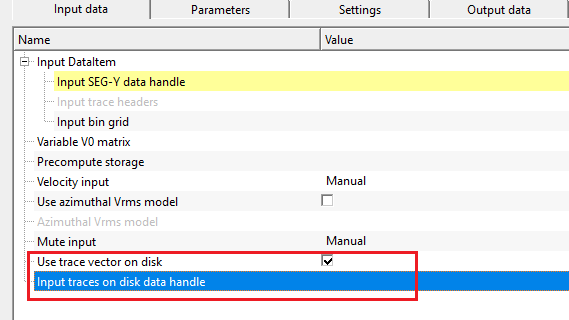
In order to connect/reference to the Output trace headers, the user must check the option "Use trace vector on disk" in the input data tab. This will activate the "Input traces on disk data handle".
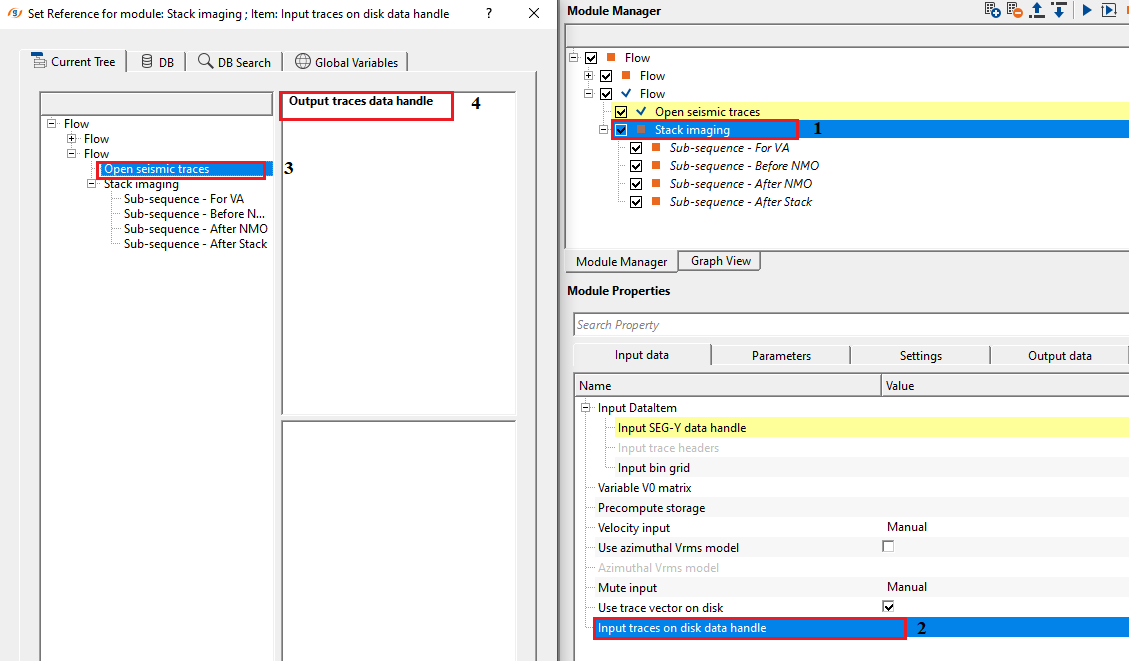
Now the user can connect/reference the Input traces on disk data handle to Output traces data handle.
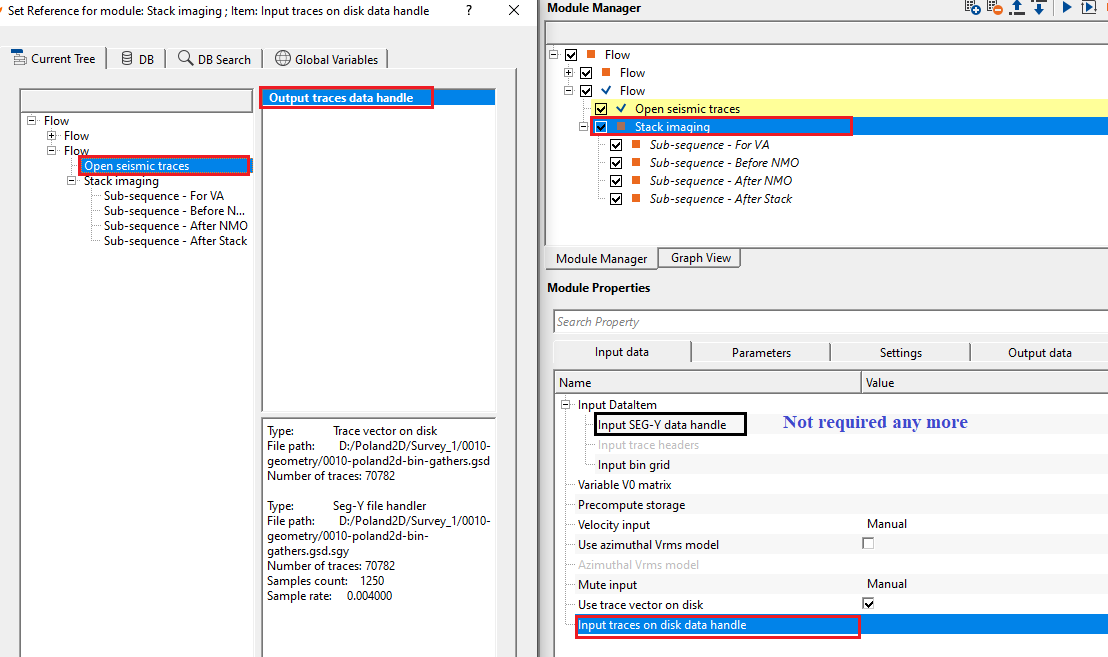
In this case, the user don't have to connect/reference to the Input SEG-Y handle to Output SEG-Y handle as shown previously. Only Output traces data handle will be sufficient.
Actions
There are no action items available for this module
Video lesson
YouTube video lesson, click here to open [VIDEO IN PROCESS...]
Related articles
Yilmaz. O., 1987, Seismic data processing: Society of Exploration Geophysicist
 * * * If you have any questions, please send an e-mail to: support@geomage.com * * *
