Regularization 3D - midpoint consistent - real to virtual
Geometry regularization using Virtual geometry
Theory
Regularization in 3D seismic processing reorganizes irregularly sampled field data into a uniformly spaced 3D grid (inline, crossline, and time/depth). This ensures data compatibility with processing algorithms (e.g., migration, inversion) that assume regular sampling. Midpoint consistency ensures that traces sharing the same midpoint (midway between source and receiver) are grouped and interpolated spatially and azimuthally without bias.
In this scheme, real coordinate system geometry is regularized by user defined offset and azimuth combinations virtual geometry by using either real (Cartesian) or Polar coordinate system.
Input data
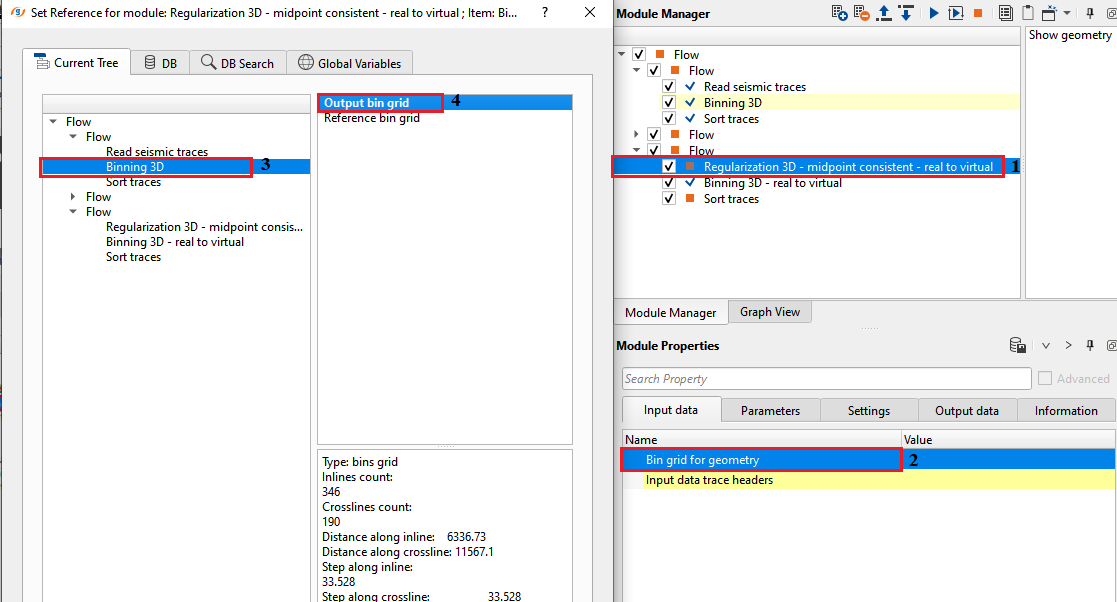
Bin grid for geometry
connect/reference to output bin grid for geometry purpose.
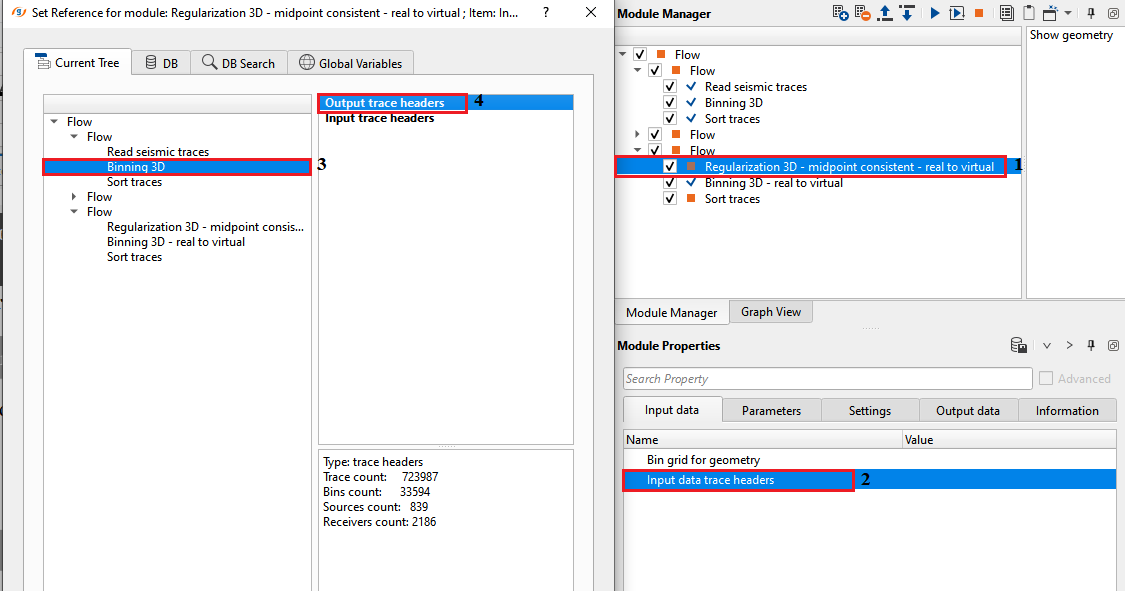
Input data trace headers
connect/reference to Output trace headers for getting the trace headers information.
Parameters
Creation type { Real, Polar }
select the appropriate regularization scheme from the drop down menu. By default, Polar.
Real - it creates the regularization as per the input data or real world coordinate (Cartesian coordinate) system.
Polar - creates the regularization based on the polar coordinate systems
Midpoint aperture
specify the distance from the center of the bin to the maximum distance to look for the source-receiver combinations.
Trace aperture
Forcibly create zero offset
by default, TRUE (Checked). It will creates the zero offsets by taking considering of the user defined Offset step.
Azimuth step
define the azimuth step to create the azimuth sectors.
Offset step
specify the offset step size.
Settings
Number of threads
One less than total no of nodes/threads to execute a job in multi-thread mode. Limit number of threads on main machine.
Skip
By default, FALSE(Unchecked). This option helps to bypass the module from the workflow.
Output data
Trace headers
generates output trace headers as a vista item.
Information
Min fold
displays minimum fold information
Max fold
displays maximum fold information
Average fold
displays average fold information.
Examples
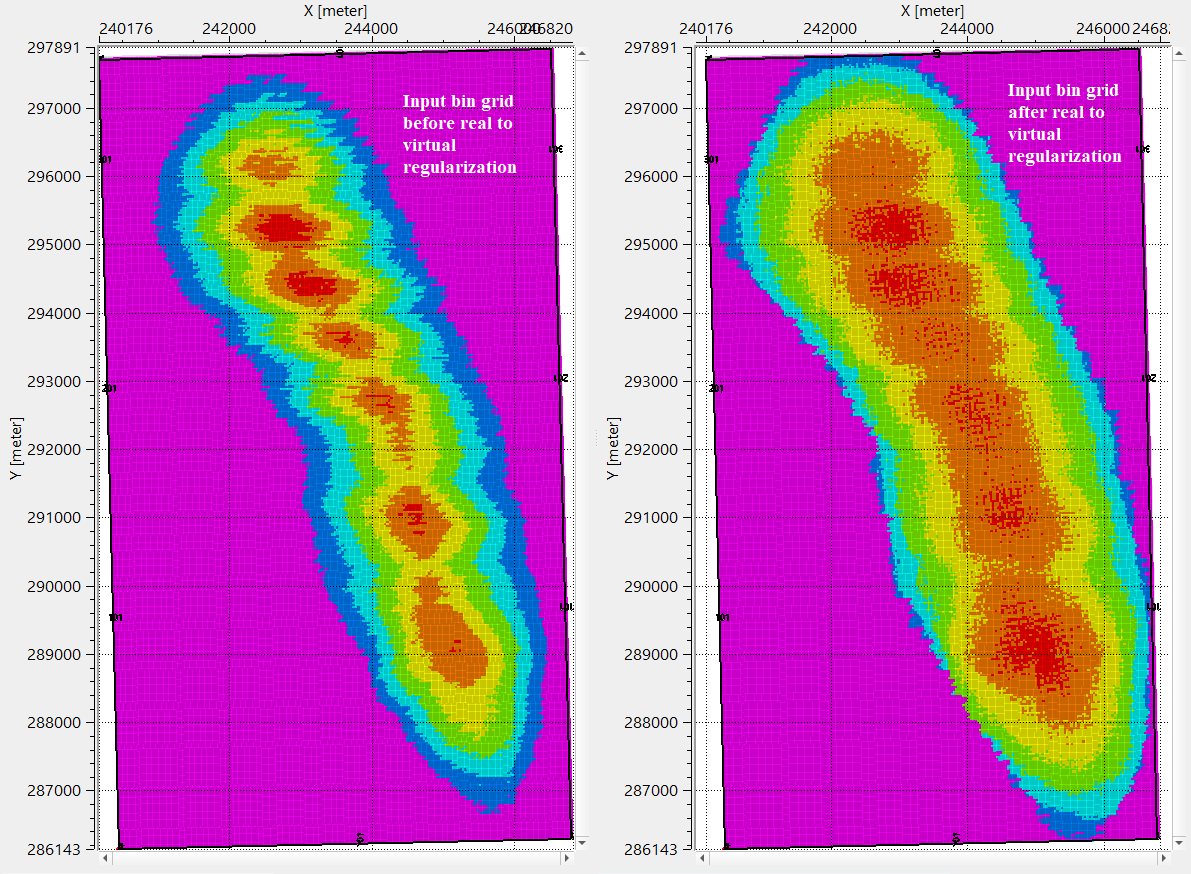
In this example workflow, regularization of the input data is carried out by using real to virtual regularization scheme.
Actions
Show geometry
click this action item to display the geometry.
Video lesson
YouTube video lesson, click here to open [VIDEO IN PROCESS...]
Related articles
Yilmaz. O., 1987, Seismic data processing: Society of Exploration Geophysicist
 * * * If you have any questions, please send an e-mail to: support@geomage.com * * *