LMO
Linear Move Out (LMO) - constant-velocity linear time shift to flatten linear seismic events such as direct waves and refractions.
Theory
Linear Moveout (LMO) is a correction that removes or applies a linear time shift proportional to offset, using a constant reference velocity. Unlike NMO, LMO assumes a straight-line (linear) relationship between travel time and offset and does not account for hyperbolic moveout.
LMO is primarily a diagnostic and preparatory correction, not a final moveout correction.
When do we use LMO?
- Before velocity analysis, to approximately align linear events
- For refraction analysis and first-break alignment
- To flatten direct waves, head waves, and linear noise
- As a preconditioning step before NMO or FK filtering
Why do we use LMO?
- Simple and computationally efficient
- Enhances coherence of linear events
- Helps separate linear noise from hyperbolic reflections
- Provides a constant-velocity reference for QC and analysis
Calculation of LMO correction is made according to following formula:
T = \frac{x}{v(N)}
Where
T - Time after LMO correction or static correction in ms
x - offset
v(N) - velocity at any given N
N - value, normally with distance as its unit of measure
Input data
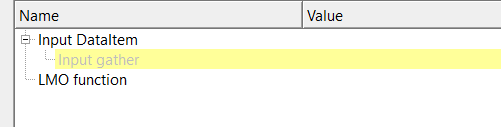
Input DataItem
Input gather
provide the input gather for LMO correction. Connect/reference to Output gather.
LMO function
in case the LMO option from the parameters is LMO function, then the user should provide the LMO function as an input.
Parameters
LMO { V const, LMO function } - selects the LMO type from the drop down menu. Select whether LMO is applied using a single constant velocity or a time-dependent LMO velocity function.
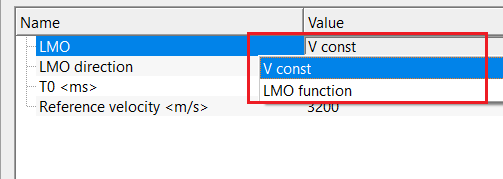
V const - applies LMO using one constant reference velocity for all times and offsets.
LMO function - uses a time-variant velocity function to apply LMO correction.
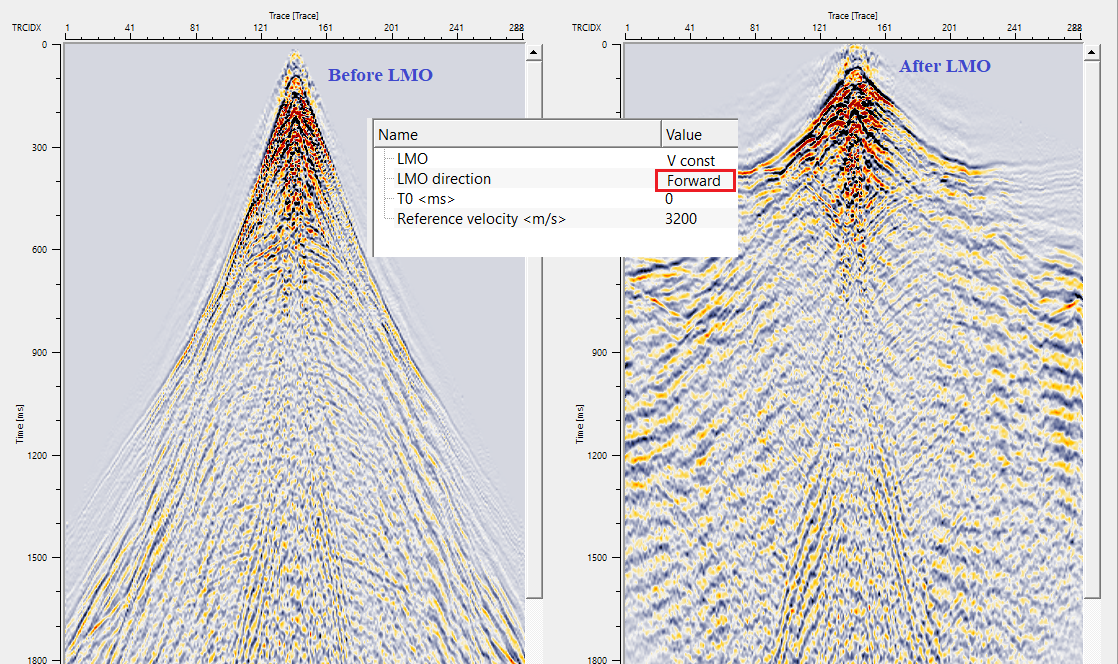
LMO direction { Forward, Reverse } - select from the drop down menu, whether LMO correction should be applied or removed. By default, Forward.
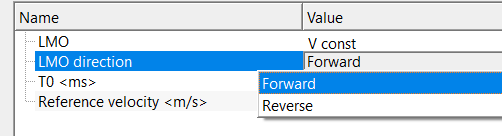
Forward - applies linear moveout correction
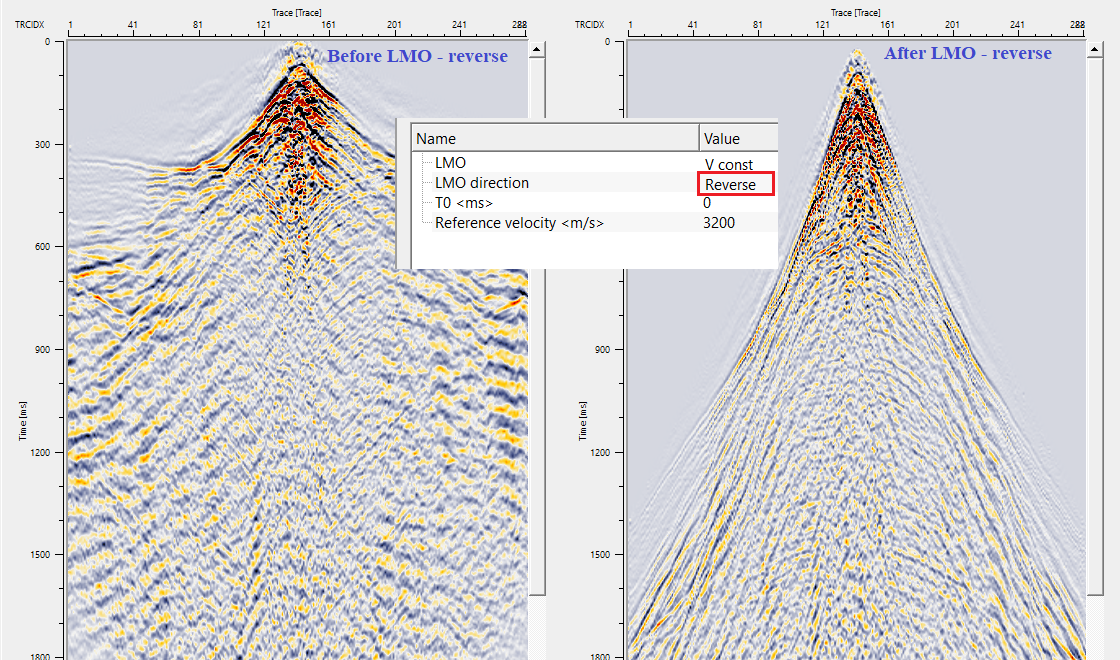
Reverse - removes a previously applied linear moveout correction.
T0 - reference zero-offset time used as the baseline for LMO shifting. By default, 0 ms.
Reference velocity - constant velocity used to compute linear time shifts with offset. By default, 2000 m/s
Settings
Auto-connection
By default, TRUE(Checked).It will automatically connects to the next module. To avoid auto-connect, the user should uncheck this option.
Bad data values option { Fix, Notify, Continue }
Bad value fix - This is applicable whenever there is a bad value or NaN (Not a Number) in the data. By default, Notify. While testing, it is good to opt as Notify option. Once we understand the root cause of it, the user can either choose the option Fix or Continue. In this way, the job won't stop/fail during the production.
Notify
It will notify the issue if there are any bad values or NaN. This will halt the workflow execution.
Fix
It will fix the bad values and continue executing the workflow.
Continue
This option will continue the execution of the workflow however if there are any bad values or NaN, it won't fix it.
Number of threads
One less than total no of nodes/threads to execute a job in multi-thread mode. Limit number of threads on main machine.
Skip
By default, FALSE(Unchecked). This option helps to bypass the module from the workflow.
Output data
Output DataItem
Output gather
outputs LMO corrected gather (forward/reverse) as an output as well as a vista item.
Information
There is no information available for this module.
Examples
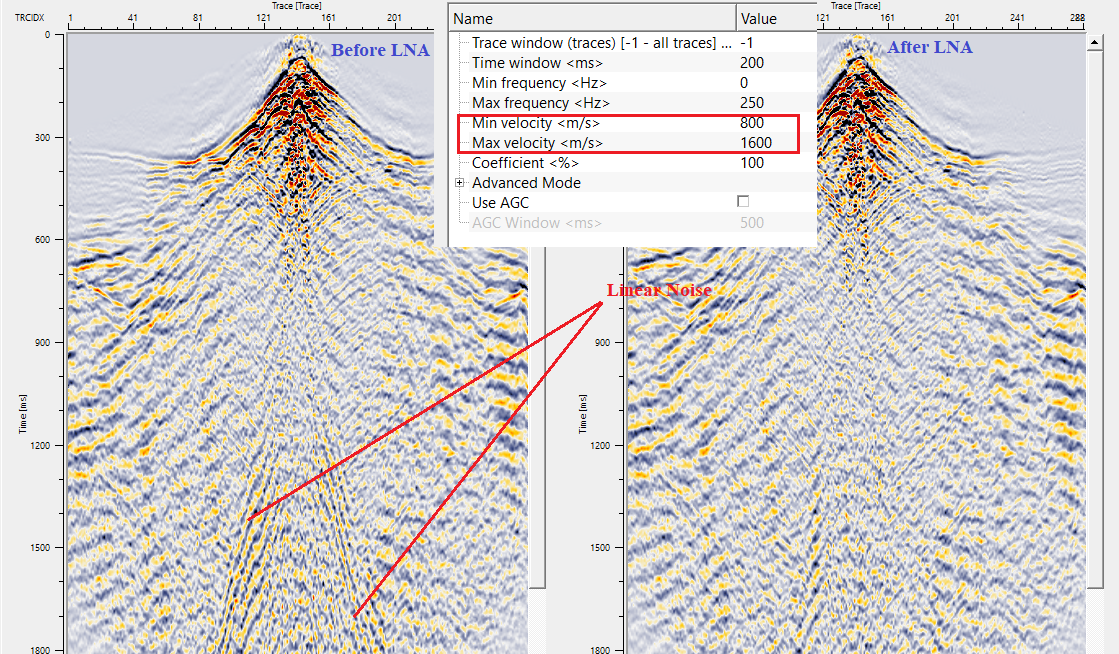
In this example workflow, we are applying forward LMO first, followed by LNA to attenuate some of the linear noise. Later, we use reverse LMO to bring back the input gather to it's original position.
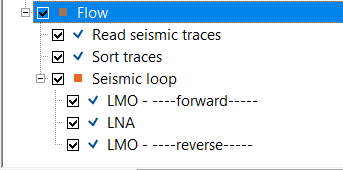
Adjust the parameters as per the input data requirements.
Apply Linear Noise Attenuation (LNA) with an appropriate parameters to attenuate the linear noise.
Finally reverse the LMO correction by changing the mode.
Actions
There are no action items available for this module. so the user can ignore it.
Video lesson
YouTube video lesson, click here to open [VIDEO IN PROCESS...]
Related articles
Yilmaz. O., 1987, Seismic data processing: Society of Exploration Geophysicist
 * * * If you have any questions, please send an e-mail to: support@geomage.com * * *