Dix (2D)
2D RMS velocity [time domain] conversion into Interval velocity [depth domain] (PSDM stage)
Theory
Velocity conversion from the time domain to the depth domain is a crucial step in seismic data processing, enabling accurate subsurface imaging. In the time domain, seismic velocities are typically represented as root-mean-square (RMS) velocities, which describe the average velocity of seismic waves as they travel through multiple layers of the Earth's subsurface. However, for depth imaging and structural interpretation, interval velocities - representing the velocity within individual geological layers - are required. The conversion from time to depth is achieved using the Dix formula, which extracts interval velocities from RMS velocities by considering the changes in travel time and velocity at different depths.
The Dix formula is given by:
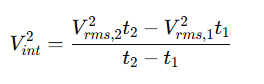
where Vint is the interval velocity between two depth levels, Vrms1, and Vrms2 are the RMS velocities at two-way travel times t1 and t2, respectively. This equation allows for the estimation of interval velocities by analyzing the changes in RMS velocities with respect to time. Since RMS velocities are derived from seismic stacking processes, the Dix formula enables geophysicists to transform these velocities into a depth-consistent representation, which is essential for constructing accurate geological models.
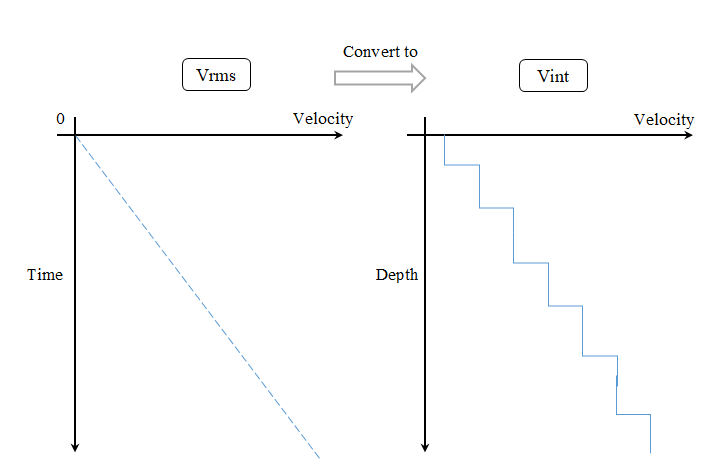
Applying the Dix formula is particularly important in complex geological settings where velocity variations significantly impact seismic wave propagation. Proper velocity conversion helps in depth migration, well-tie calibration, and hydrocarbon reservoir characterization. However, errors in RMS velocity picking or assumptions about layer homogeneity can introduce inaccuracies in interval velocities. To improve precision, additional techniques such as tomographic inversion and well-log calibration are often employed.
 There are two new modules for velocity conversions - Vint from Vrms (2D data Dix 1D inversion) and Vint from Vrms (3D data Dix 1D inversion), we recommend you use them.
Input data
Gather - IN - Input RMS velocity gather (uploaded into RAM).
Connect your RMS (root-mean-square) velocity gather here. This gather must be in the time domain, with each trace representing the stacking velocity function at a particular CMP location. The module reads the entire gather into memory before processing, so ensure that the gather size is within the available RAM. The gather must use the velocity display settings (VistaGatherSettingsVelocity).
Parameters
Settings
Skip - switch-off this module (do not use in the workflow).
When Skip is enabled, the module is bypassed entirely and passes its input data through unchanged. Use this option to temporarily disable the Dix conversion step without removing the module from the processing workflow, for example when comparing results with and without velocity conversion.
Output data
Gather OUT
output interval velocity.
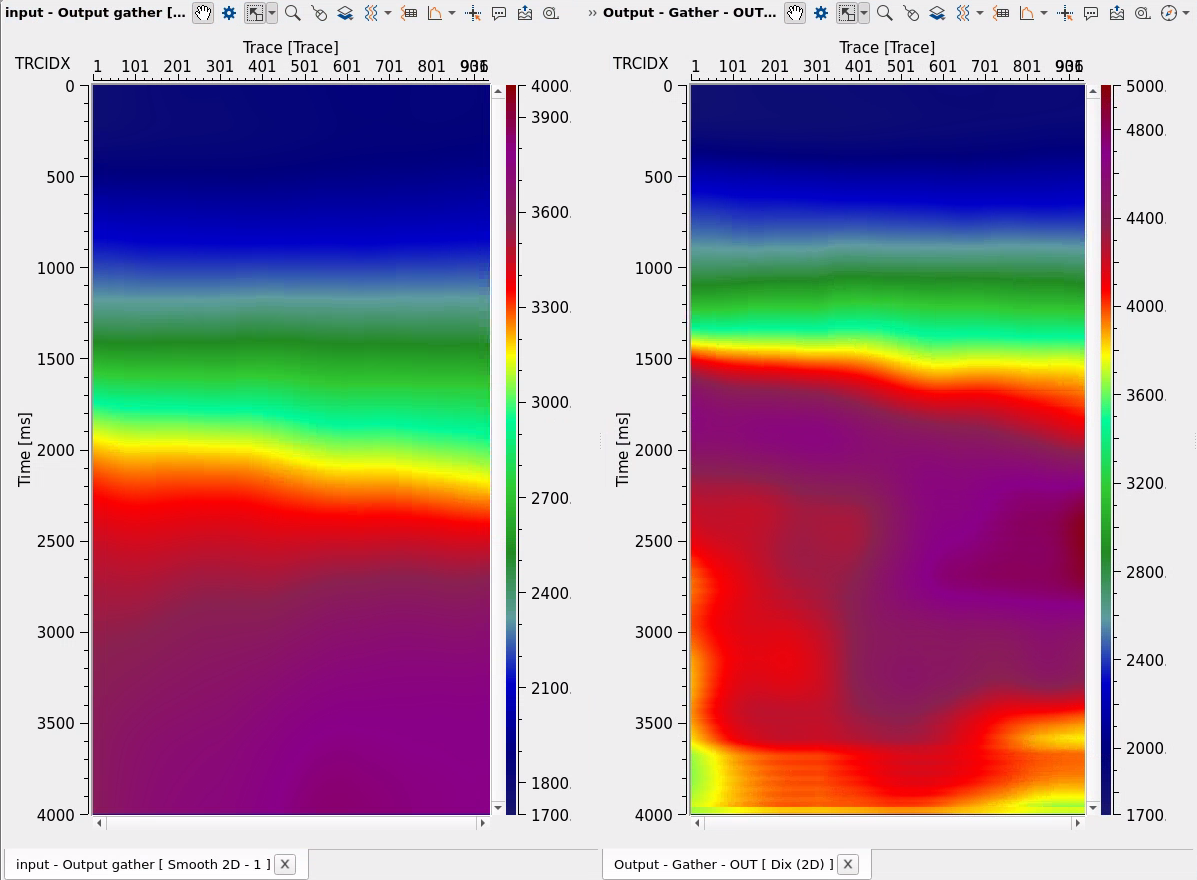
The output is a gather of interval velocity traces in the time domain — one interval velocity function per CMP location corresponding to each input trace. Each sample represents the seismic velocity within the thin layer centered at that two-way travel time, derived from the Dix conversion of the input RMS velocities. Output velocity values are automatically clamped to the physically meaningful range of 1000 to 7000 m/s. Any computed interval velocity falling outside this range — which can occur due to noisy or inconsistent RMS velocity picks — is clipped to the nearest bound. If the Dix formula produces a negative or zero value (which would result in an imaginary velocity), the sample is set equal to the previous valid sample value, ensuring a geophysically stable output.
Information
This module has no configurable parameters. The Dix conversion is applied automatically to each trace in the input velocity gather using the sample interval derived from the gather itself. There are no user-adjustable settings for smoothing, clamping limits, or solver options in this module. If you need greater control over the conversion — for example, to apply velocity corridor constraints, smoothing, or iterative inversion — use the newer Vint from Vrms (2D data Dix 1D inversion) module instead.
Actions
This module has no custom actions. Processing starts automatically when the workflow is executed.
Examples
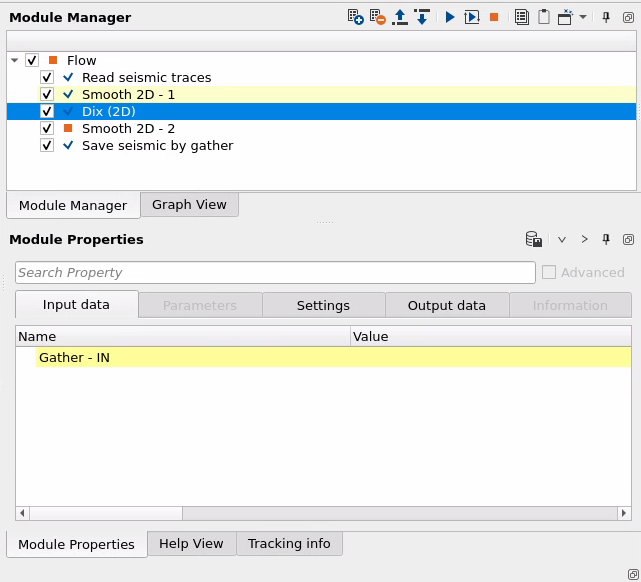
There in an example for conversion Vrms into Vint via Dix (2D) module:
Related articles
 If you have any questions, please send an e-mail to: support@geomage.com
References
Dix, C. H., 1955, Seismic velocities from surface measurements: Geophysics, 20, 68-86.