Wavelet detection
Detecting wavelet from the seismic data
Theory
Wavelet detection is about estimating one of the unknowns (the wavelet) by making intelligent assumptions about the other (the reflectivity).
We never have direct access to the pure wavelet in recorded seismic data. Typical seismic record is like Seismic Trace = Wavelet * Reflectivity Series + Noise
where the Reflectivity Series (the Earth's response) and the Wavelet are both unknown.
Methods of Wavelet Detection
Here are the primary techniques, from simple to advanced.
1. Direct Measurement
- How it works: The source signature is physically recorded.
Pros: Provides the most accurate estimate of the actual wavelet radiated from the source.
Cons: Does not account for changes the wavelet undergoes as it travels through the shallow subsurface (the "ghost" effect from the sea surface, near-surface filtering). This is often called the far-field signature.
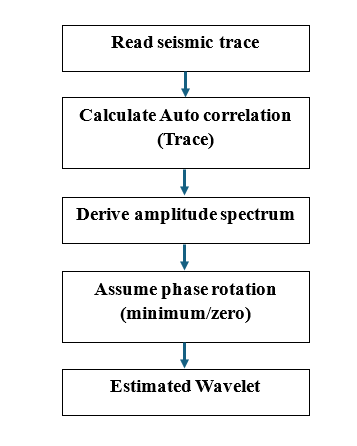
2. Statistical Estimation (Auto-correlation Method)
This is the most common method when no direct measurement is available.
- How it works:
3. Well Log-Based (Deterministic) Method
How it works:
Solve for the wavelet: Use a mathematical process (typically least-squares inversion) to find the wavelet that, when convolved with the log-derived reflectivity, best matches the actual seismic trace.
Pros: Yields the actual wavelet embedded in the data, inclusive of all recording and propagation effects.
Cons: Requires a good well with quality logs, and the result is only strictly valid at the well location.
Typical Workflow in Processing
- Initial Estimate: Use statistical estimation (auto-correlation method) on a large window of stacked data (e.g., a whole seismic line) to get an average minimum-phase wavelet.
- Well Tie Calibration: If wells are available, use the deterministic method to extract a more accurate wavelet. Compare the synthetic seismogram (wavelet * well reflectivity) with the real seismic to judge the quality.
- Phase Determination: Perform constant phase rotation tests to determine if the data is truly minimum phase or has a residual phase component. The goal for interpretation is often a zero-phase section.
- Design Deconvolution: Use the estimated wavelet (or its properties) to design the deconvolution operator (e.g., the matched filter / Wiener filter) that will compress it to a spike or a desired band-limited shape.
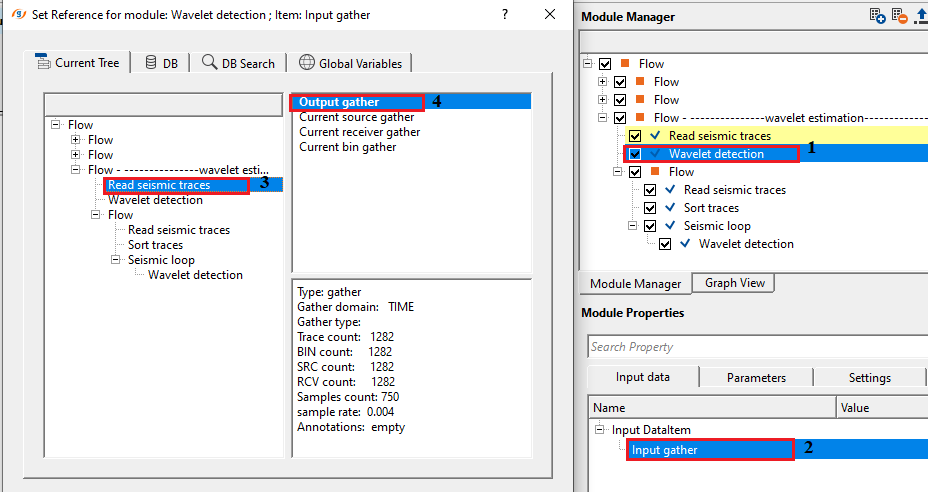
Input data
Input DataItem
Input gather
input gather can be either a pre or post stack gather. Connect/reference the Output gather to detect the wavelet.
Parameters
Freq smooth
specify the frequency smoother value. Applying a frequency smoother across amplitude spectrum gives a better/stable wavelet without any ringing etc. Since the input gather could be noisy/spiky, it is advisable to apply a frequency smoother to get a better wavelet estimate. By default, 1.
Convert to minPhase
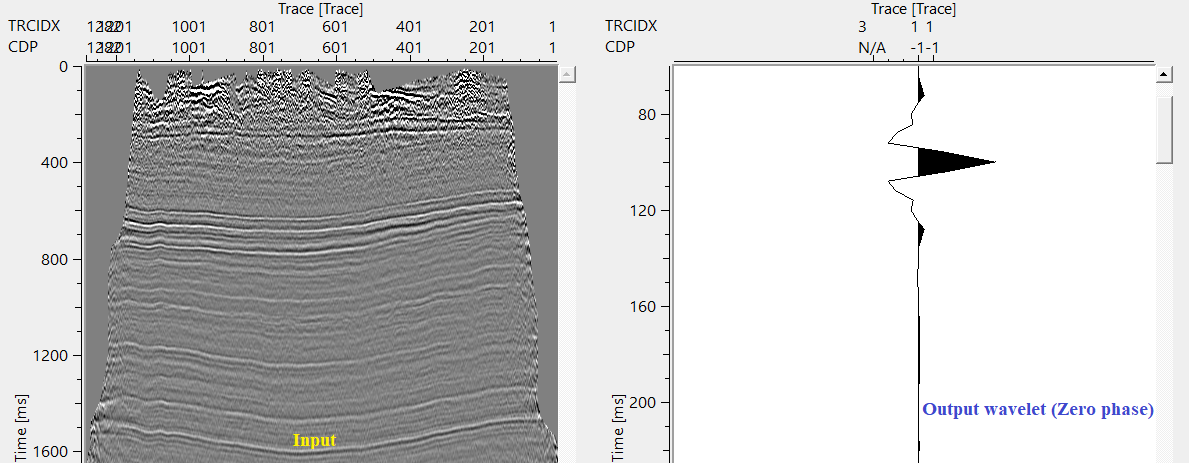
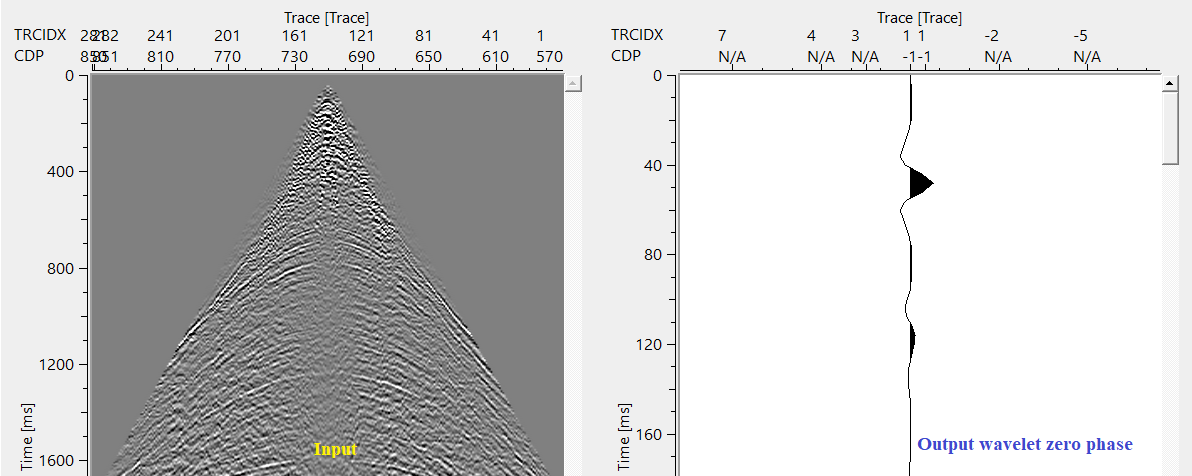
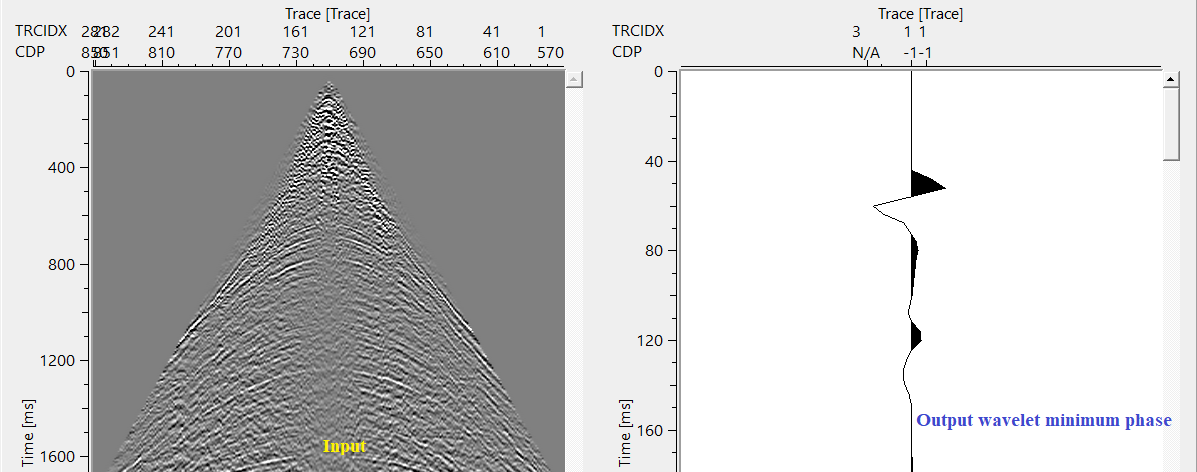
by default, FALSE (Unchecked). The default wavelet detected by module generates the Zero phase wavelet. If the user wants the output wavelet as a minimum phase, then check this option. Usually deconvolution expects the input data in minimum phase wavelet. If the user objective is to perform some deconvolution operations, check this option to get the minimum phase wavelet.
Wavelet time begin
specify the output wavelet start time. By default, it starts from Zero time (0 ms).
Settings
Auto-connection
By default, TRUE(Checked).It will automatically connects to the next module. To avoid auto-connect, the user should uncheck this option.
Bad data values option { Fix, Notify, Continue }
This is applicable whenever there is a bad value or NaN (Not a Number) in the data. By default, Notify. While testing, it is good to opt as Notify option. Once we understand the root cause of it,
the user can either choose the option Fix or Continue. In this way, the job won't stop/fail during the production.
Notify
It will notify the issue if there are any bad values or NaN. This will halt the workflow execution.
Fix
It will fix the bad values and continue executing the workflow.
Continue
This option will continue the execution of the workflow however if there are any bad values or NaN, it won't fix it.
Calculate difference
This option creates the difference display gather between input and output gathers. By default Unchecked. To create a difference, check the option.
Number of threads
One less than total no of nodes/threads to execute a job in multi-thread mode. Limit number of threads on main machine.
Skip
By default, FALSE(Unchecked). This option helps to bypass the module from the workflow.
Output data
Output DataItem
Output gather
generates the wavelet as an output.
Gather of difference
obsolete. There won't be any gather difference.
Information
There is no information available for this module so the user can ignore it.
Examples
In this example workflow, we use pre and post stack gather to detect the wavelet.
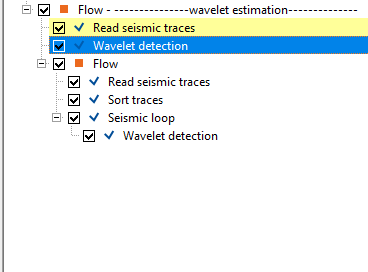
In the above workflow, we initially read a post stack gather by using Read seismic traces and change the parameters of Load data to RAM from No to YES. We connect/reference this output gather to Wavelet detection module as an input gather.
Adjust the parameters and execute the module. Initially we execute the module with default parameters except the start time since the start time is starting from Zero and we would like to look at below 0 ms.
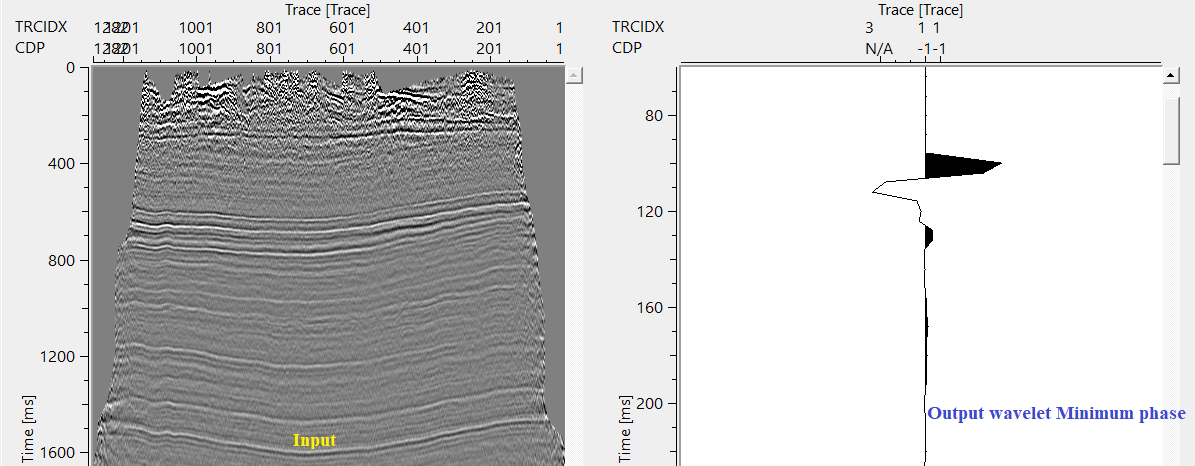
Same way, take any pre-stack data and detect the wavelet. Pay attention to the quality of the input data. If the input data gather is noisy/spiky then the expected output wavelet may not be good.
Actions
There are no action items available for this module.
Video lesson
YouTube video lesson, click here to open [VIDEO IN PROCESS...]
Related articles
Yilmaz. O., 1987, Seismic data processing: Society of Exploration Geophysicist
 * * * If you have any questions, please send an e-mail to: support@geomage.com * * *