The Jobs tab is the primary interface for viewing and managing all currently running and previously submitted jobs on the Coalition Server.
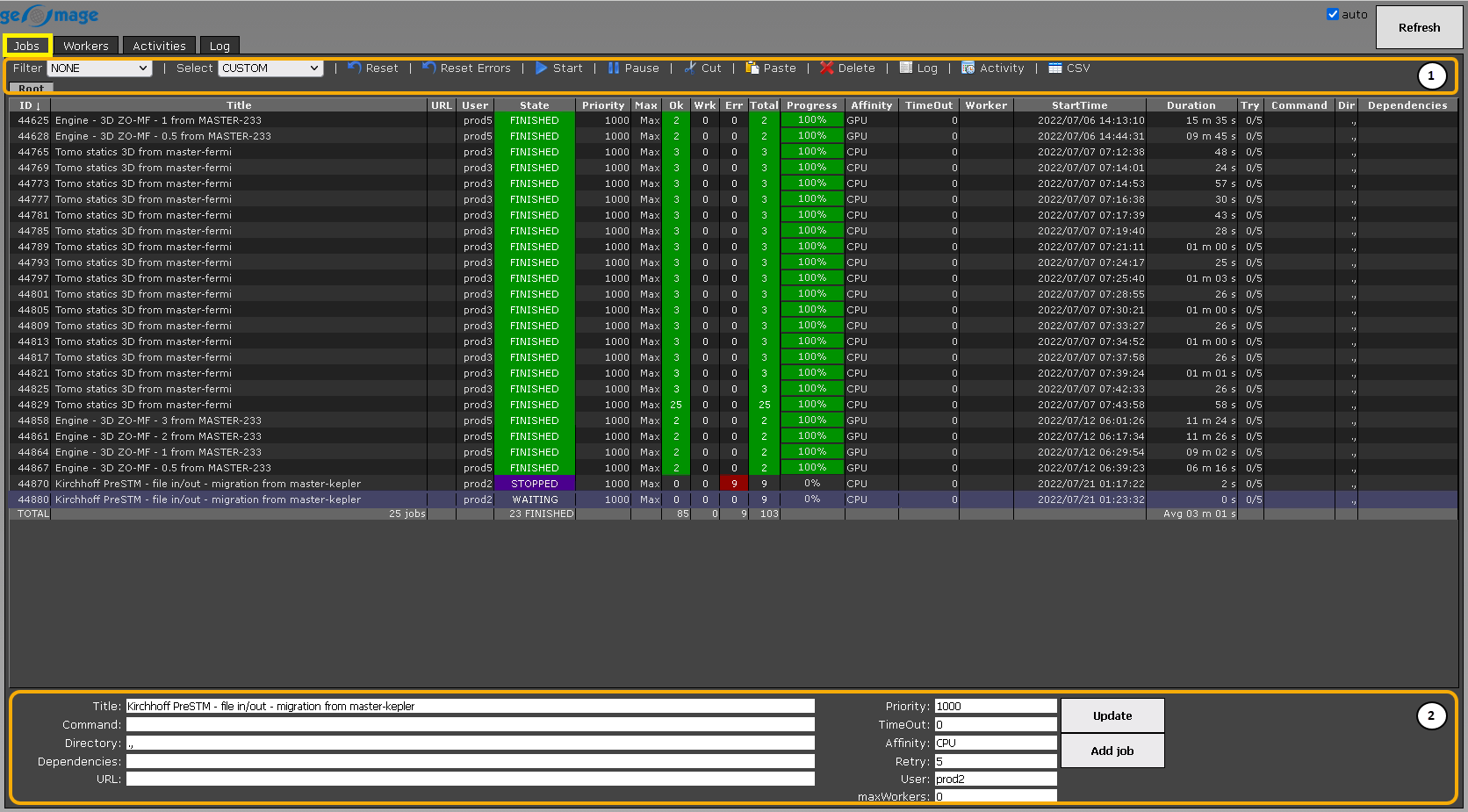
In the upper-right corner, there is a Refresh button  along with a checkbox to enable automatic refreshing.
In the list of jobs the user can monitor the status (State) of submitted tasks, including execution (StartTime) and duration (Duration) time , completion percentage (Progress), the User submitted the task, the ID of the task, and more.
The tab also consist of a Ribbon bar (1) at the top and a Management section (2) at the bottom of the window.