Once the Coalition Server is configured and its IP address and port are known, it can be accessed via a web browser using the specified IP address and port.
The Coalition Server web interface consists of four tabs: the main tab Jobs (1), Workers (2), Activities (3) and Log (4).
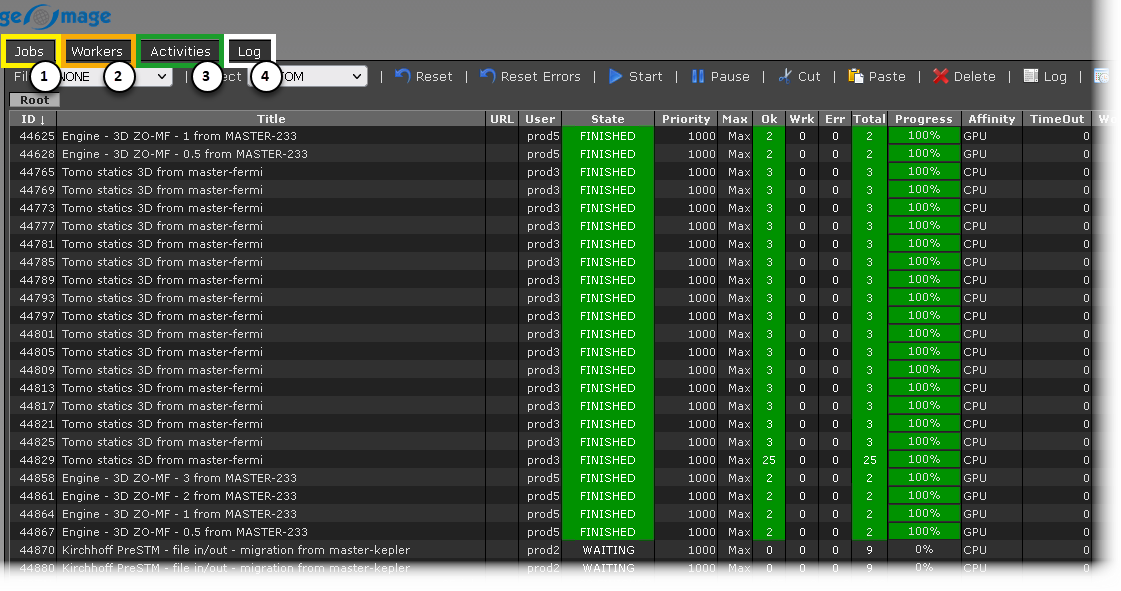
(1)Jobs – View and manage all currently running and previously submitted jobs, along with their respective statuses.
(2)Workers – View and manage the list of available computational nodes on the Server.
(3)Activities – View server activity for the selected time period.
(4)Log – View the detailed log for a task.