The Output View of the Jobs Manager Panel allows the user to check the status of the finished tasks.
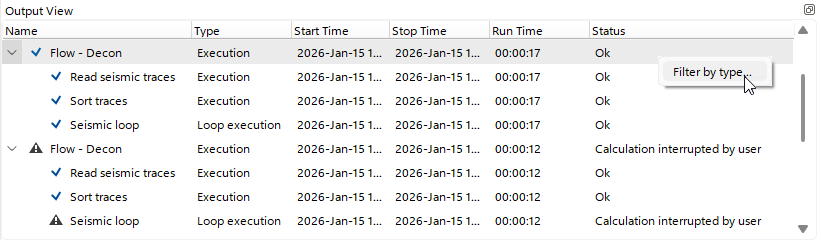 In the Output View, the user can check whether tasks completed successfully
  and, if not
  , use the drop-down list to see at which stage of the workflow an error occurred.
In this view, the user can see the task Type, Start and Stop Times, total Runtime, and a description of the task Status.
Using the Right-Click context menu, the user can filter the view by task Type.
With the shortcut button  the user can unpin the current Output View from the g-Navigator window.