The Progress View of the Jobs Manager Panel allows the user to monitor currently running tasks.
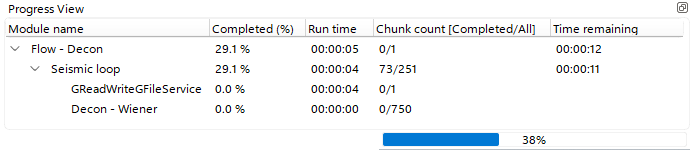 In the Progress View, the user can monitor Completion Percentage, Elapsed Execution Time, and the Estimated Remaining Time to task completion.
When a task is submitted from g-Navigator, a progress bar appears in the bottom-right corner of the window.
With the shortcut button  the user can unpin the current Progress View from the g-Navigator window.