On start of g-Platform the application checks (on a daily basis) if a new version was uploaded to repository of Geomage. In case there is a newer version than installed an appropriate message will appear with suggestion to install the update.
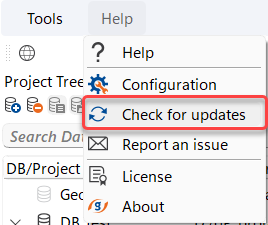
In addtion, when needed, User can get the latest version of g-Platform by clicking on Help menu and selecting Check for updates as shown on the image
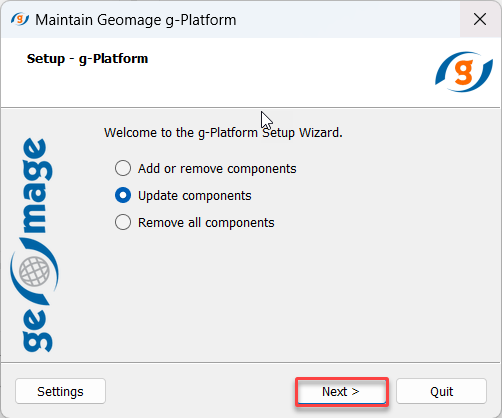
That will initiate sequence of installing the product. Please proceed with Update components option.