Export table
Exporting table values as an external text file
Theory
Export Table module writes tabular data generated by the Create Table module to external file formats. It enables seismic geometry and trace-header information to be shared, archived, or analyzed outside the processing system without modifying the original seismic data or tables.
The input table must be created prior to export.
 Exporting large full trace-header tables may require significant disk space. The Export Table module does not alter table contents or seismic headers. Regenerate tables after any header or geometry modification before export
Typical Applications
- Exporting source, receiver, and bin geometry for reporting
- Importing header data into spreadsheets, databases
- Performing advanced QC and custom analysis outside the software
Supported Inputs
- Source tables
- Receiver tables
- Bin (CMP) tables
- Trace tables
Output
The module produces one external file containing the contents of the selected table. Exported files include column headers and row data exactly as stored in the table.
Input data
Table in
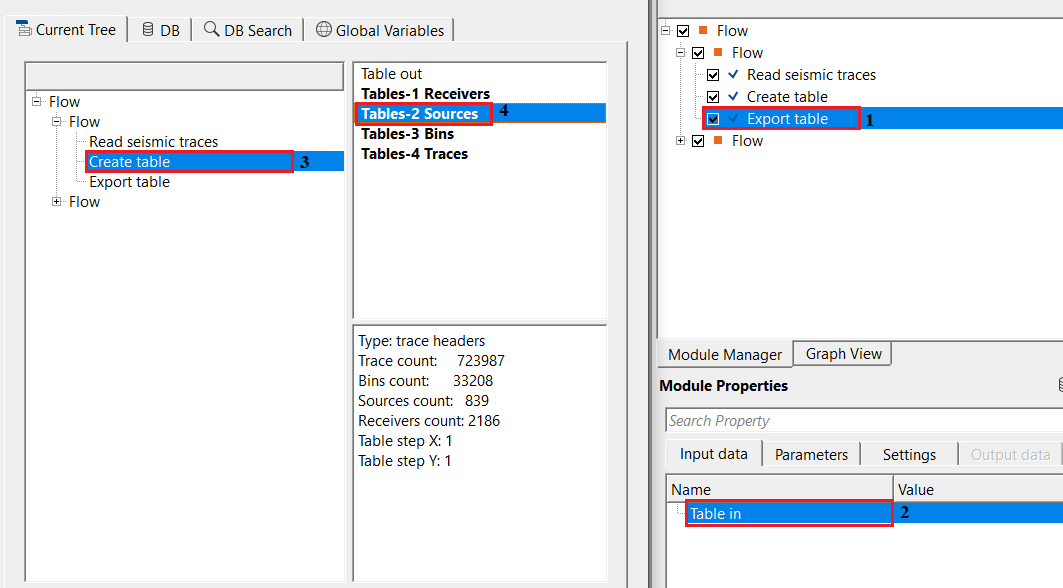
connect/reference to the table. This table is typically either from Create table module or any module which generates the tabular information.
Connect this input to the output table connector of a Create Table module or any other module that produces a table output — for example, geometry analysis or fold-map modules. The table connector exposes the column structure and all row data that will be written to the output file. The module accepts all four table types generated by Create Table: Sources, Receivers, Bins, and Traces. Only one table can be exported per module instance; to export multiple tables simultaneously, add one Export Table module for each table type.
Parameters
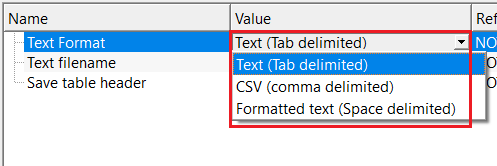
Text Format { Text (Tab delimited), CSV (comma delimited), Formatted text (Space delimited) }
select the output table file text format from the drop down menu. By default, Text (Tab delimited).
This setting controls the character used to separate columns in the output text file. Choose the format that best matches how the file will be used after export. The default is Text (Tab delimited).
Text (Tab delimited) separates columns with a tab character. This is the default and is well suited for importing into text editors or programs that recognise tab-separated files. It is a reliable interchange format that avoids conflicts with numeric values that contain commas or decimal points.
CSV (comma delimited) uses a comma as the column separator. This format is directly recognised by spreadsheet applications such as Microsoft Excel and LibreOffice Calc without requiring an import wizard. Choose CSV when the exported table will be opened in a spreadsheet for further analysis, quality control, or reporting.
Formatted text (Space delimited) uses three-space padding between columns to produce a human-readable fixed-width appearance. This option is useful for printing or reviewing the table in a plain-text viewer where visual alignment of columns improves readability.
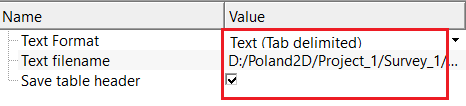
Text filename - specifies the name and location of the output text file. If the file already exists, it will be overwritten.
Enter the full path and filename for the exported file. Use the file browser button to navigate to the target directory and specify the filename. The file extension should match the selected Text Format — use .txt for tab-delimited and space-delimited formats, and .csv for comma-delimited format. If the specified file already exists on disk, it is overwritten without warning when the module executes. Ensure sufficient disk space is available; large trace-header tables containing many thousands of rows can produce multi-megabyte files.
Save table header - writes/displays the table column names as the first row of the exported file. Recommended for spreadsheet, database use.
When this option is enabled (default: true), the module prepends the output file with a version line ("Version: 1") and any available table metadata, followed by a row of column names. The column name row acts as a header that identifies each data column by its seismic trace header name or geometry attribute label. This makes the exported file self-describing, which is strongly recommended when the file will be opened in a spreadsheet or imported into a database. When disabled, only numeric data rows are written without any column labels, which may be required by some custom scripts or post-processing tools that expect a headerless input.
Settings
Number of threads
One less than total no of nodes/threads to execute a job in multi-thread mode. Limit number of threads on main machine.
Controls how many CPU threads are used during execution. Because Export Table writes a single sequential output file, this setting has minimal impact on export speed. Reduce this value if other processes running on the same machine need CPU resources during the export.
Skip
By default, FALSE(Unchecked). This option helps to bypass the module from the workflow.
When checked, the module is bypassed and no output file is written. The workflow continues execution from the next connected module. Use this to temporarily disable the export step during testing or when the output file is not yet required, without removing the module from the workflow.
Output data
There are no output data vista items available for this module. The actual output table file name should be provided in the Parameters tab.
The module writes all table rows and columns to the file specified in the Text filename parameter. The output file contains one data row per table entry, with columns separated according to the chosen Text Format. If Save table header is enabled, the file begins with a version identifier, optional metadata lines, and a row of column names before the data rows. No downstream module connector is available — the output exists only as the file written to disk.
Information
There are no custom action items for this module.
Examples
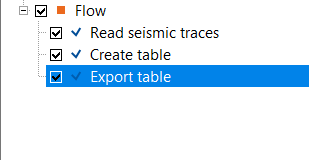
In this example workflow, we are exporting a table which was created by "Create table" module. There are another procedures/module where tabular information is available, those tables can also be exported by using Export table module.
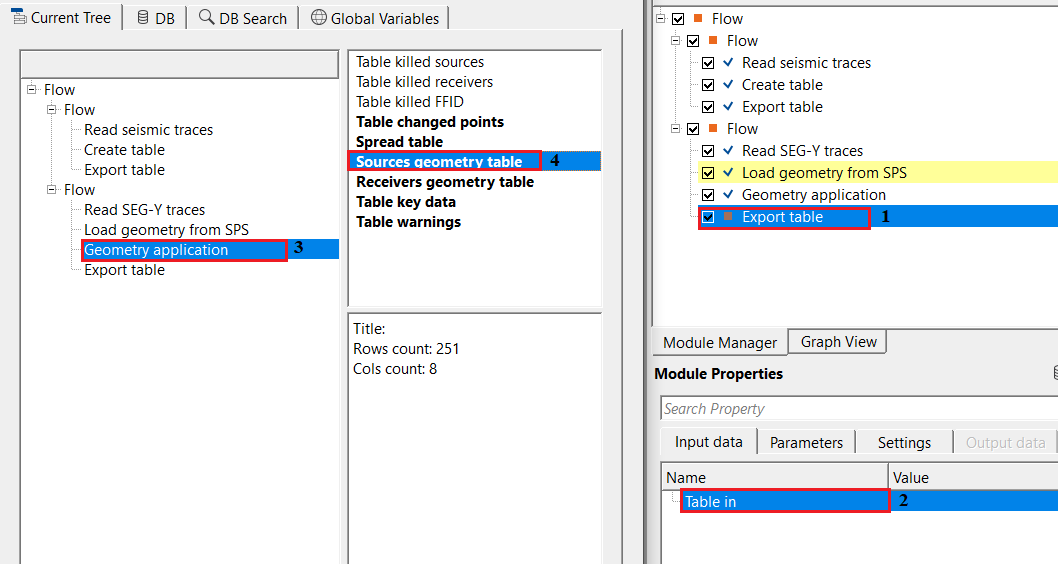
Reference/connect Table in to Create table output tables. i.e. choose any one from the available options as shown below.
In the parameters tab, choose the desired the format and provide an output file name. Also, check the option to store the headers information. This will be useful in identifying the headers in the text file.
Check the output file name and see how it looks like
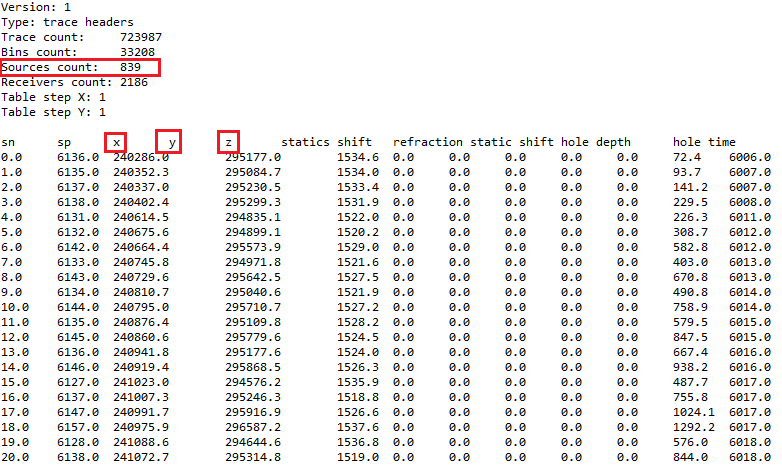
Likewise, the user can export any tables using the Export table module for further usage.
There are other modules where the user can get the tables and export them using Export table module.
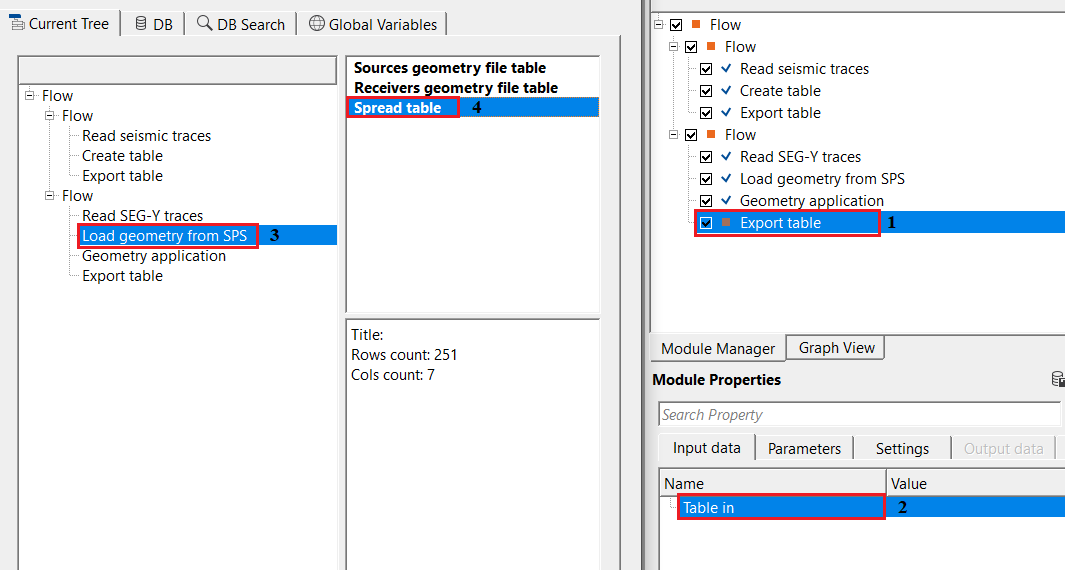
Another example
Actions
There are no action items available for this module so the user can ignore it.
Video lesson
YouTube video lesson, click here to open [VIDEO IN PROCESS...]
Related articles
Yilmaz. O., 1987, Seismic data processing: Society of Exploration Geophysicist
 * * * If you have any questions, please send an e-mail to: support@geomage.com * * *