Enumerate files in folder
Searches files in a folder based on user defined criteria
Theory
Enumerate Files in Folder module is used to scan a specified directory and generate a list of files based on user-defined search criteria. It supports file discovery using name masks or explicit file names and can optionally search sub-folders and detect sequential files.
This module is commonly used in automated workflows, batch processing, and data import pipelines where multiple files must be identified and processed in a controlled order.
Input data
All the input data information should be provided in the Parameters tab only.
Parameters
Find by mask - enables file discovery using a filename pattern (mask).
When set to TRUE, the module searches the specified root directory for files whose names contain the text string given in the File mask field. This is the most common mode and is suitable when you know the naming convention shared by all target files but do not need to specify each file individually. When set to FALSE, you supply a single reference file and the module automatically determines the search directory and file extension from it.
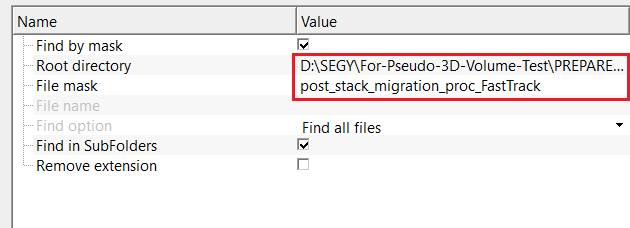
Find by mask - true
if this option is TRUE (Checked), searches for files matching the specified file mask within the root directory.
In this mode the two sub-parameters Root directory and File mask become active. The module scans all files found in the root directory (and optionally its sub-folders) and keeps only those whose file name contains the mask string as a substring. For example, a mask of line_01 would match line_01_raw.sgy, survey_line_01_stack.sgy, and any other file that contains that text in its name.
Root directory
specifies the top-level folder where the file search begins.
Enter the full path to the directory that contains (or is the parent of) the seismic files you want to enumerate. The search always starts from this directory. If Find in SubFolders is enabled, all nested sub-directories are also scanned. If no files are found here, check that the path is correct and that the File mask matches the actual file names.
File mask
defines the filename pattern used for matching files (e.g., *.sgy, *.dat)
Enter any text string that should appear somewhere in the file name. The matching is done as a simple substring search — any file whose name contains this string (case-sensitive on Linux) will be included in the output list. The default placeholder value is file_mask; replace it with the actual pattern before running the module. For example, entering .sgy will collect all SEG-Y files in the directory, while entering a survey line name will restrict the list to files belonging to that line.
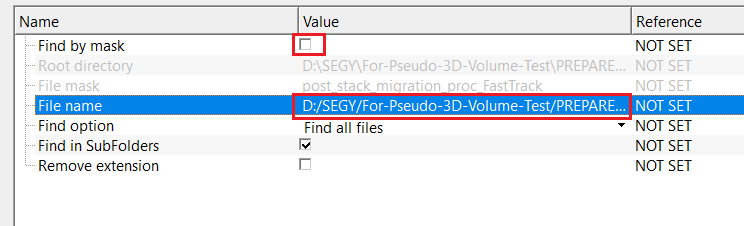
Find by mask - false
if this option is FALSE (Unchecked), searches for a specific file using an explicit filename instead of a mask.
In this mode the File name and Find option sub-parameters become active. The module uses the directory and file extension of the reference file you provide to scope the search, then applies the Find option filter to decide which of the discovered files to include in the output list. This mode is particularly useful when you want to collect a numbered sequence of files that share a common base name (for example, all files of the form shot_001.sgy, shot_002.sgy, etc.).
File name
specifies the exact name of the file to be found.
Provide the full path to one representative file in the dataset. The module uses this path in two ways: it derives the search directory from the file's folder location, and it uses the file extension (e.g., .sgy) to restrict the search to files of the same type. The file browser accepts .sgy and .segy formats.
Find option { Find all files, Find only sequential files }
controls how matching files are selected.
Find all files - includes all files matching the criteria
Find only sequential files
includes only files with sequential numbering
This parameter is only active when Find by mask is FALSE. Default is Find all files.
Find all files — returns every file in the reference directory that has the same extension as the File name. Use this option when you want to collect all seismic files in a folder regardless of their exact names.
Find only sequential files — restricts the output to files that share the same base name as the reference file, differing only in the trailing numeric suffix. For example, if the reference file is shot_001.sgy, this option will collect shot_001.sgy, shot_002.sgy, shot_003.sgy and so on, but exclude unrelated files such as receiver_001.sgy. Use this option when multiple numbered datasets reside in the same folder and you need to isolate one sequence.
Find in SubFolders - enables recursive search within all sub-directories under the root directory.
Default is TRUE. When enabled, the module descends into every sub-folder beneath the root directory and includes matching files found at any depth. Set this to FALSE when your target files are located only in the root directory itself and you want to avoid picking up unintended files stored in nested sub-folders. For large directory trees with many sub-folders, turning this off can also speed up the enumeration step.
Remove extension - removes the file extension from the output filenames.
Default is FALSE. When enabled, each path stored in the output StringCollection has its extension stripped (everything from the last period onward is removed). Enable this option when downstream modules or scripts expect bare file paths without an extension, for instance when building file name stems for output naming conventions. Leave it disabled (the default) when downstream tools require the full file name including the extension, such as when feeding paths directly into a SEG-Y reader.
Settings
Skip
By default, FALSE(Unchecked). This option helps to bypass the module from the workflow.
When set to TRUE, the module is skipped entirely during workflow execution and no file enumeration is performed. The StringCollection output will remain empty. Use this option to temporarily disable the file scan step without removing the module from the workflow, for example when testing a workflow with a manually pre-populated file list.
Output data
StringCollection
provides all the collection of files in a table.
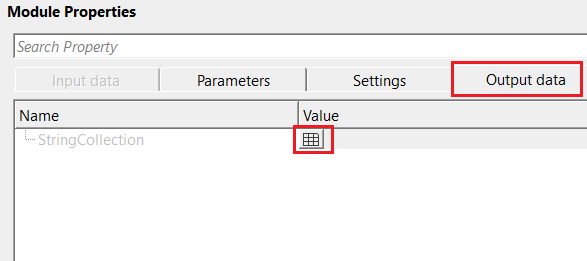
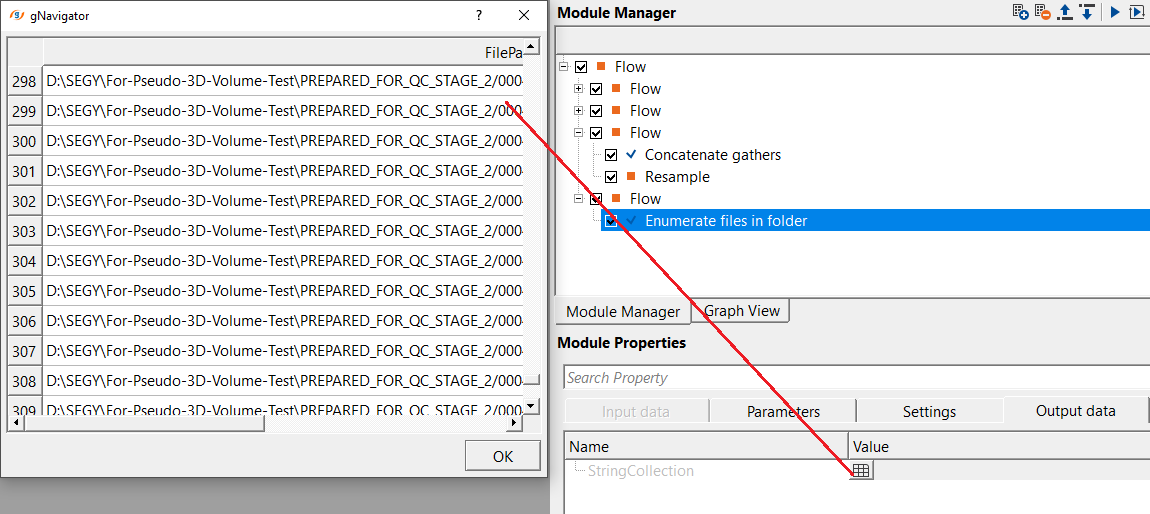
The StringCollection is the sole output data item of this module. It is a structured list where each row holds the absolute path to one discovered file. After executing the module, click the table icon in the Output data tab to inspect the collected paths. The list is ordered by the file system traversal order. If Remove extension is enabled, each path in the collection will have its file extension stripped. Downstream modules that process multiple files in a loop should connect their input file path parameter to this collection.
Information
StringCollection — the complete list of file paths discovered during the scan. Each entry in the collection is a full absolute path to one file. After execution, open the Output data tab and click the table icon next to StringCollection to view and inspect all discovered paths. The number of rows in the table equals the number of files found. This collection is the primary output that downstream modules (such as batch SEG-Y readers or format converters) should connect to in order to iterate over all discovered files.
Examples
In this example, we are reading files from a directory by using a file mask.
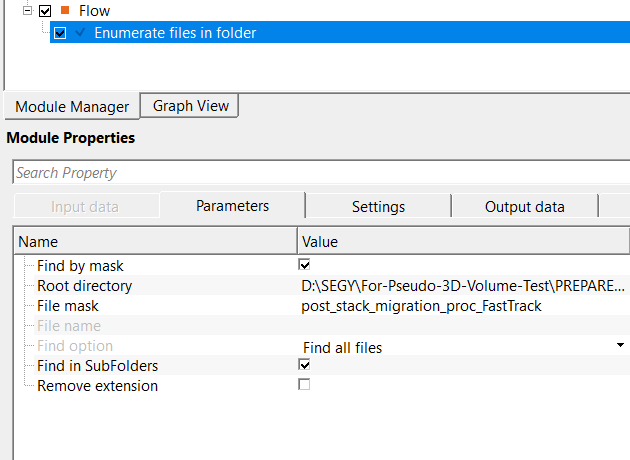
Here, we've used post_stack_migration_pro_FastTrack as a mask. This mask will be used in the root directory and take all the files which contains this mask and finds all the files.
Once the user finished with the parameterization, execute the module. After that, go to Output data tab and click on the table icon. It will display collection of files.
Actions
There are no action items available for this module.
Video lesson
YouTube video lesson, click here to open [VIDEO IN PROCESS...]
Related articles
Yilmaz. O., 1987, Seismic data processing: Society of Exploration Geophysicist
 * * * If you have any questions, please send an e-mail to: support@geomage.com * * *
