Generate filename
Theory
This module generates a file name that can be used in other modules. It is particularly useful when performing batch processing over many seismic lines, allowing consistent and automated file name creation for both reading and saving datasets. It integrates with modules such as Save SEG-Y, Save seismic, Save seismic by gather to produce output file names automatically. This module can use values from a collection (such as a Float array or Integer array) referenced by positional placeholders in the Name field:
%1 - for the first parameter,
%2 – for the second parameter, and so on.
For example we’ve loaded a SEG-Y file that's called input.sgy and applied AGC using a 500ms window. We can then generate an output file named input_AGC_0_5.sgy using this module.
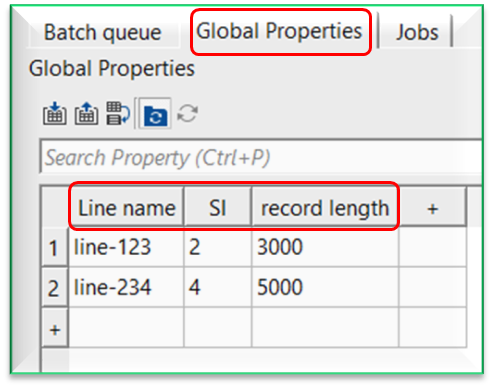
 the user can use any of the variable values (Line name, SI, record length etc.) defined in the Global Properties in the output file name creation or search operation.
 .
.
Input data
There is no input data information is required.
Parameters
Filename type { Internal, External }
select whether the file to be generated is stored in the g-Platform internal database or on the external file system. Choose Internal for native g-Platform formats managed within the project database (such as seismic data, velocities, or mutes). Choose External for files on disk in formats such as SEG-Y. The selection controls which set of sub-parameters is displayed below. By default, Internal.
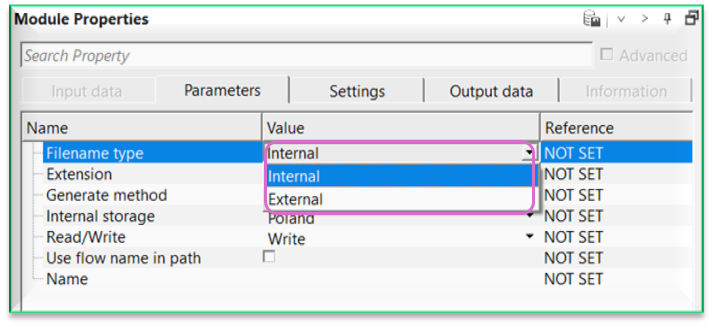
Filename type - Internal
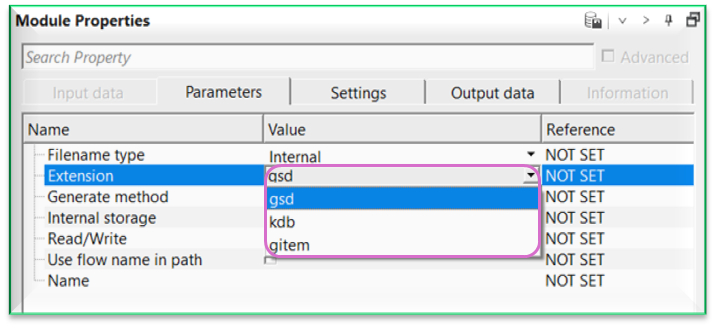
Extension { gsd, kdb, gitem }
if the file name type is an internal file, then select the internal file extension. For seismic data, it is usually ".gsd", for any items like velocities, mutes, statics etc it is ".gitem", for database files, it is ".kdb". By default, it is "gsd"
Internal storage { Poland }
select the internal storage location (database) where the file will be stored or read from. The available storage names are populated automatically from the storages configured in the current project. In most single-project setups, only one storage entry is listed. This parameter is only visible when Filename type is set to Internal.
Output internal filename
displays the resolved internal file name after the module is executed. This field shows the full path within the g-Platform database that downstream modules (such as Save seismic) will use to write or read data.
Read/Write { Write }
controls whether the generated file name is intended for writing a new file or reading an existing one. Set to Write when the downstream module will save data to this location. Set to Read when the downstream module will load data from this location. By default, Write.
Use flow name in path
when enabled, the processing flow name is automatically included in the internal file path. This helps organize output files by flow when multiple processing flows share the same project database. When disabled, the file is placed directly under the storage root folder. By default, unchecked (disabled).
Generate method { Generate, Search }
this option allows the user to either generate an output file name or search the internal database for a specific file name. By default, Generate.
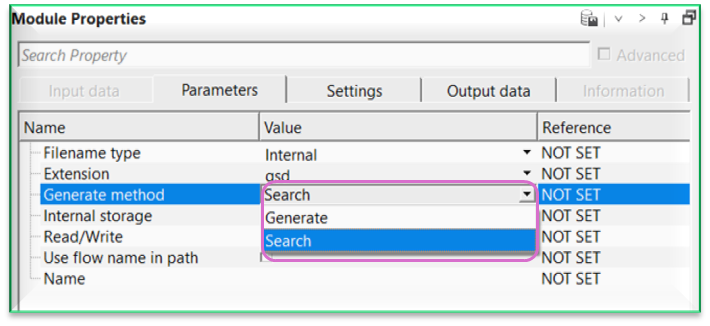
Generate - it will generate an internal file name.
Search - it searches for the user specified internal file name within the database. If the user specified file name isn't existing in the database, it will throw an error message.
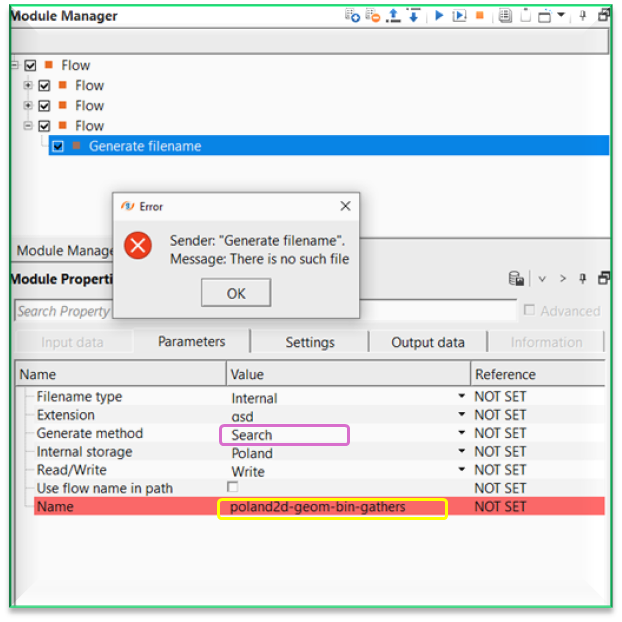
Filename type - External
Extension
type the file extension for the external file, without a leading dot. For example, enter sgy or segy for SEG-Y files. The extension is appended automatically to the full output file path. By default, sgy.
Path
enter the folder path on disk where the external file will be read from or written to. Use an absolute path (for example, C:/SeismicData/Line01). The full output file path is assembled as: Path / Name . Extension.
Output external filename
displays the complete resolved file path after the module is executed. This is the full path including directory, file name, and extension, which downstream modules such as Save SEG-Y will use as their output target.
Name
enter the base file name (without extension or path). This name is combined with the Extension and Path (for external files) or the Internal storage and flow path (for internal files) to form the complete file reference. You may use Global Properties variables in this field by typing = followed by % and the variable name (for example, =LineName%). Pressing Enter resolves the variable to its actual value from the Global Properties table and confirms the name. By default, filename.
Settings
Skip
By default, FALSE(Unchecked). This option helps to bypass the module from the workflow.
Output data
Displays the output file name. This output file name will be displayed after executing the module ONLY.
Information
There is no information available for this module.
Examples
In this example, the user wants to generate a file name by using some or all of the Global Properties variable parameters.
For this, we select the option "Generate" option from the Generate method.
To use these Global Properties variables, the user should place "=" symbol inside the Name parameter followed by %. This will bring the variable and the corresponding values from the Global Properties.
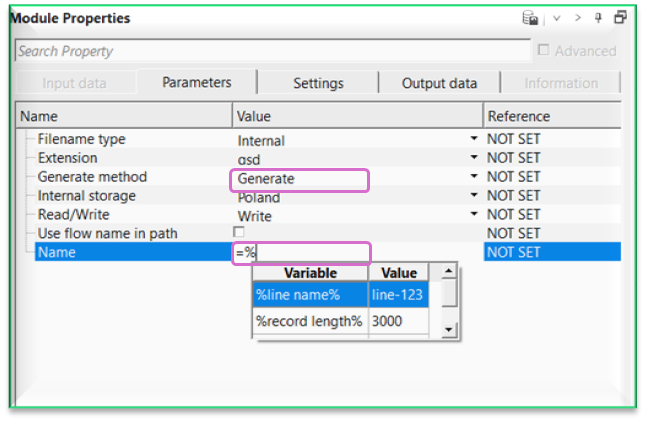
Now choose one of the variable name from the drop down menu or type in the name. If the user chooses from the drop down menu, and hit Enter then it will automatically adds the % towards the end of it.
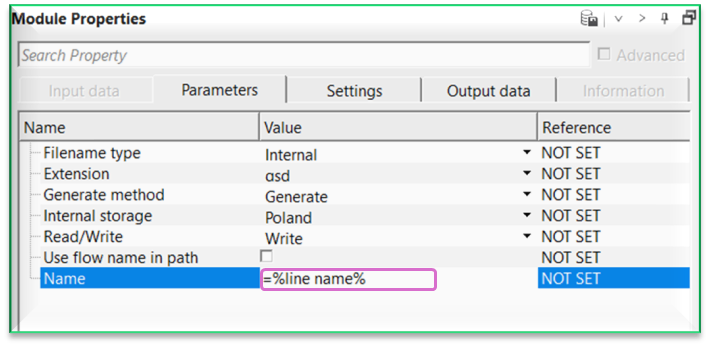
Now hit/press Enter and the Name filed will be replaced with the actual value present in the Global Properties table.
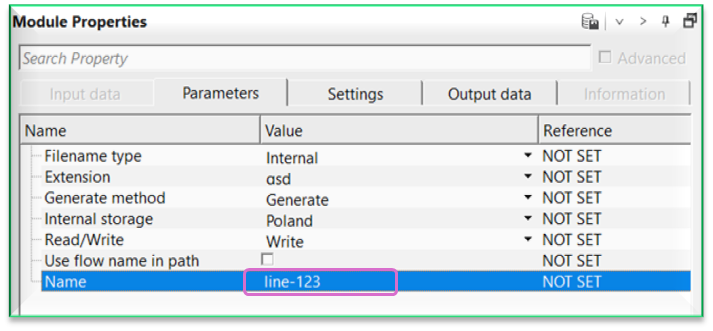
Likewise, the user can use some or all of the variables present in the Global Properties or add the user desired name after this.
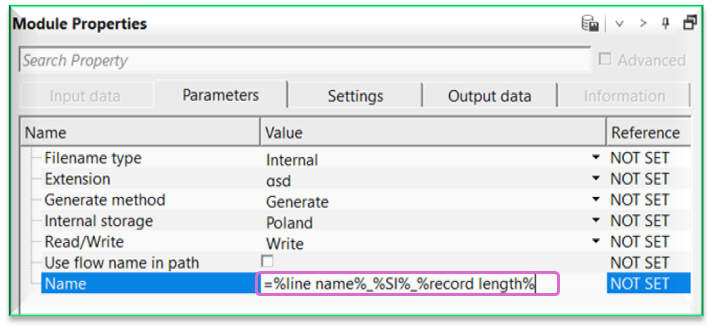
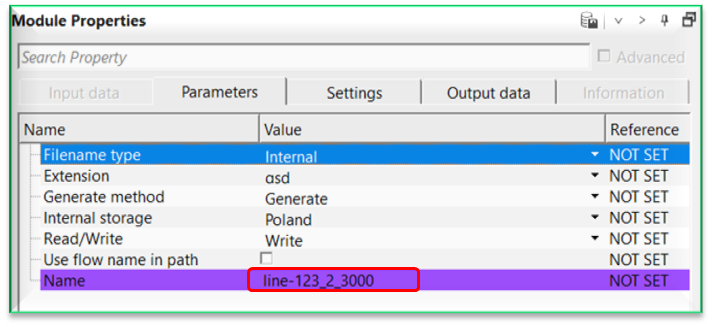
The moment user hits/press the Enter button, it gives the file name and the background color changes to PURPLE.
The last thing to perform is to execute this module. It will generate the file name and the user can see it the output file name in Output data tab.
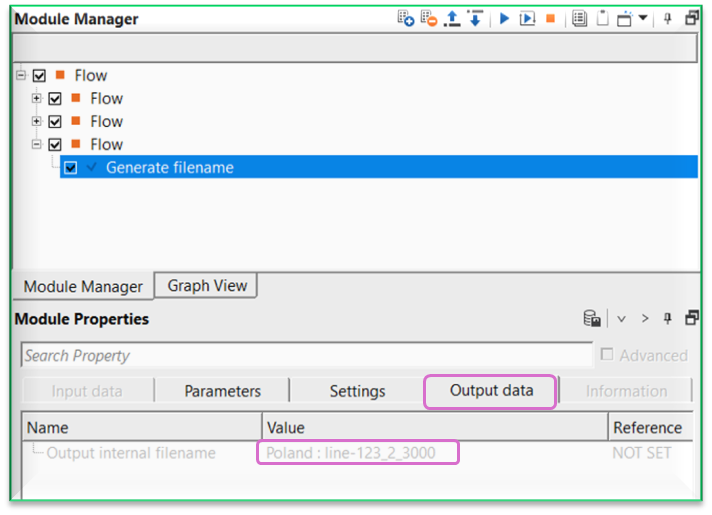
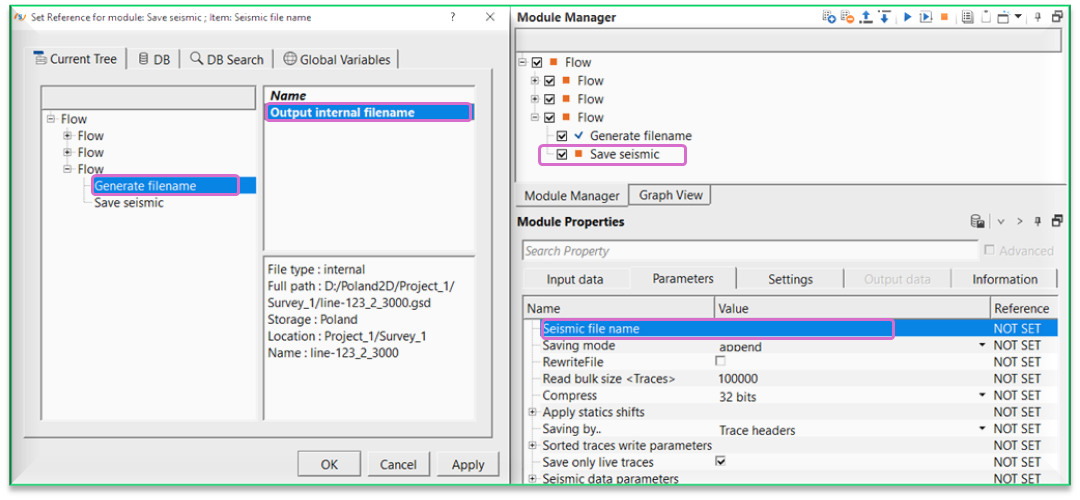
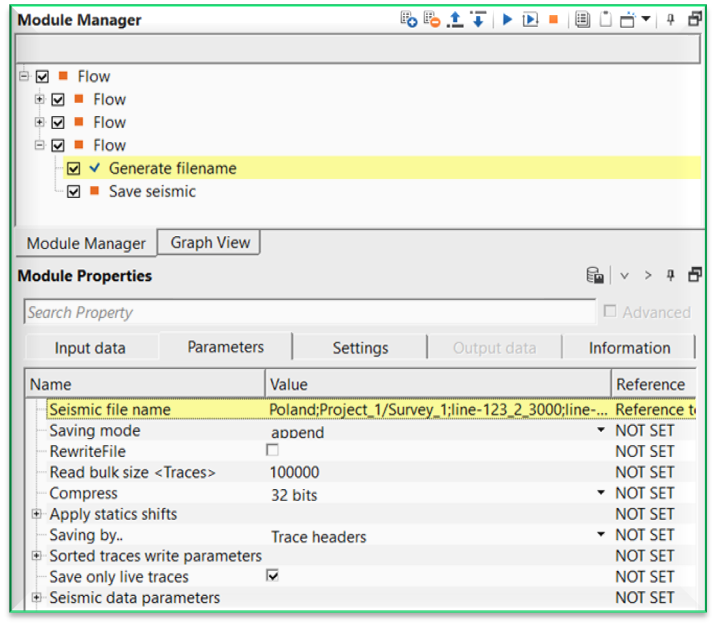
Once the file name is generated, the user can use this file to connect/reference to seismic file name of Save seismic module. Likewise, the user can use it for an external file name like .sgy or .segy for Save SEG-Y module.
Actions
There are no action items available for this module.
Video lesson
YouTube video lesson, click here to open [VIDEO IN PROCESS...]
Related articles
Yilmaz. O., 1987, Seismic data processing: Society of Exploration Geophysicist
 * * * If you have any questions, please send an e-mail to: support@geomage.com * * *