Flow
To create a workflow by using Flow
Theory
Flow module initiates a sequence of processing modules. This is the first module added by default when the user creates a workflow inside the g-Platform main window. Whenever the user adds any module, it will automatically adds below the Flow module.
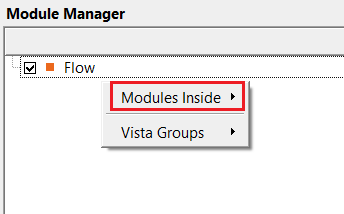
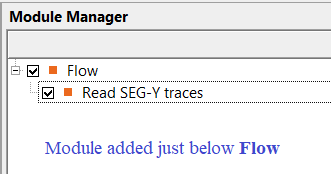
After the Flow module, the user can add other modules to build workflows to suit your objectives.
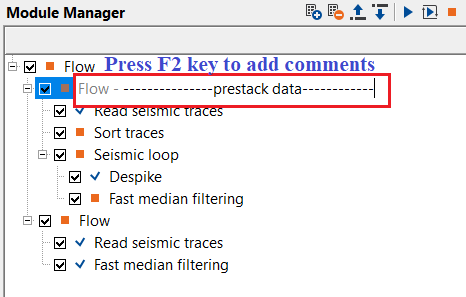
The workflow can include a number of different tasks by inserting additional Flow modules. Users can add a comment to any Flow entry or module within a workflow by pressing the F2 key.
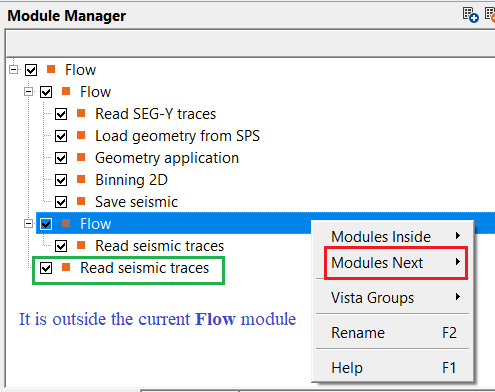
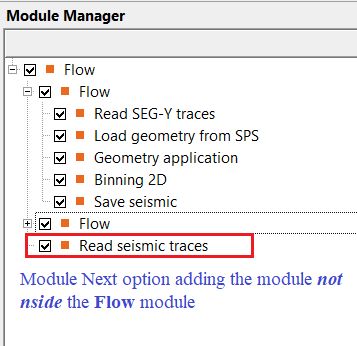
Inside a Flow, the user can add as many nested Flow modules as needed. When a second Flow module is added within an existing Flow and the user then adds another module, g-Platform offers two placement options: Modules Inside and Modules Next.
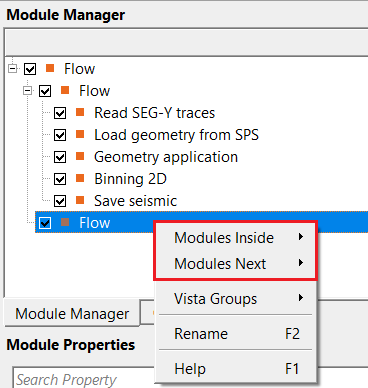
If the user chooses Modules Inside, it will add the next module below the current/selected Flow.
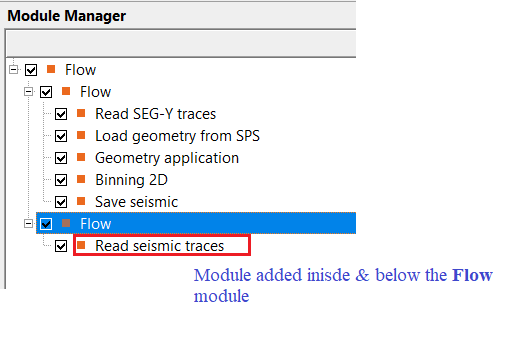
In case the user selected Modules Next, the next module will be added outside the Flow module.
When the user selects the Flow (background color changes to blue) and double-clicks or presses the Execute button, g-Platform executes the entire workflow from top to bottom, processing each child module in sequence.
Any nested Flow that has its Skip option enabled will be bypassed automatically, and execution continues with the next module in the workflow.
The top-level (root) Flow supports local variables, which are named values (String, Integer, or Float type) that can be referenced by parameter expressions throughout any module in the workflow. Local variables are defined on the root Flow and can be used to parameterise a workflow for batch runs or repeated execution with different settings. They are visible and editable in the Parameters tab of the root Flow only.
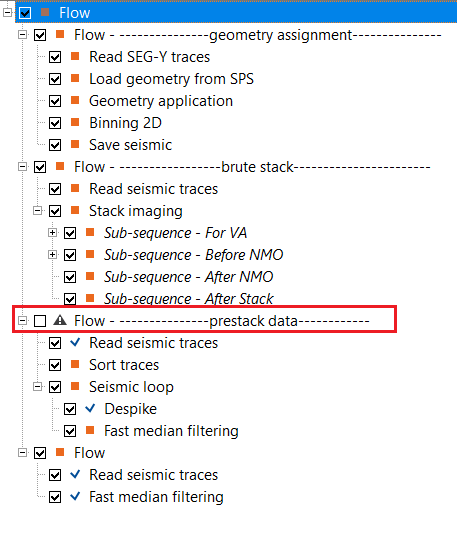
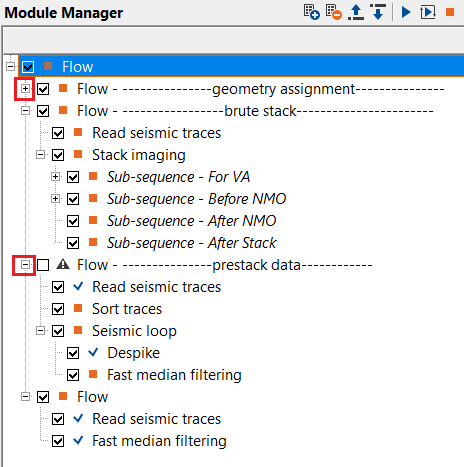
In this above image, if we observe, there is a Flow at the top. Below the Flow, we've added multiple Flow(s). The user can expand or collapse these individual workflows by simply clicking on the + icon right before the Flow.
Input data
There are no input data requirements for this module and this tab is disabled.
Parameters
There are no parameters associated with this module.
Settings
Run scripts
enables execution of external shell scripts immediately before and after the workflow runs. This is particularly useful for automating cluster management tasks, such as starting remote processing nodes before the workflow begins and shutting them down once it completes.
By default, this option is unchecked (disabled). When enabled, two additional fields become visible: Script before run and Script after run. The script file must exist on disk at the specified path; if the file is not found, g-Platform will log an error and skip execution of that script.
Script before run
the full path to a script file that will be executed immediately before the workflow starts. A typical use case is a script that starts remote computing nodes on a cluster or cloud environment before processing begins. The script is launched as a detached process, so g-Platform does not wait for it to complete before proceeding.
Script after run
the full path to a script file that will be executed immediately after the workflow finishes. This is commonly used to shut down remote cluster nodes or trigger downstream notifications once processing is complete. Like the pre-run script, this is launched as a detached background process.
Skip
when enabled, the entire Flow and all modules it contains are bypassed during execution. By default, this option is unchecked (the Flow executes normally). Use this option to temporarily disable a sub-workflow without deleting it, for example to compare results with and without a particular processing branch.
Output data
There are no output data as a vista item.
Information
There are no custom action items available for this module. All workflow control is performed through the Parameters tab (Run scripts, Skip) and by directly interacting with the workflow tree in the main g-Platform window.
Examples
Actions
There are no action items available for this module.
Video lesson
YouTube video lesson, click here to open [VIDEO IN PROCESS...]
Related articles
Yilmaz. O., 1987, Seismic data processing: Society of Exploration Geophysicist
 * * * If you have any questions, please send an e-mail to: support@geomage.com * * *