Generate string
Theory
Generate String module creates a formatted text string that is typically used as a seismic file name, dataset identifier, or workflow label in later stages of seismic data processing.
This module operates in conjunction with the Generate Filename module and uses the generated filename or components of it to construct standardized naming conventions required for automated workflows especially when we are working on Batch processing.
Input data
Collection
this option allows the user to connect/reference to the input string value(s). To add input values, the user should click on  icon.
icon.
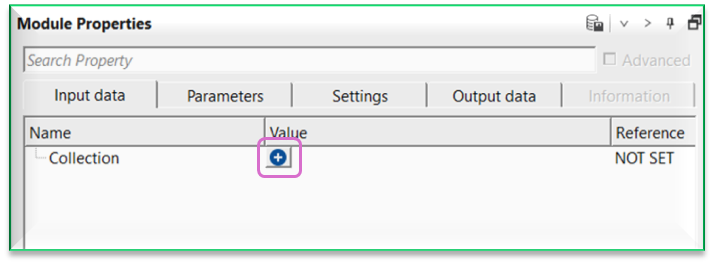
Input values
String
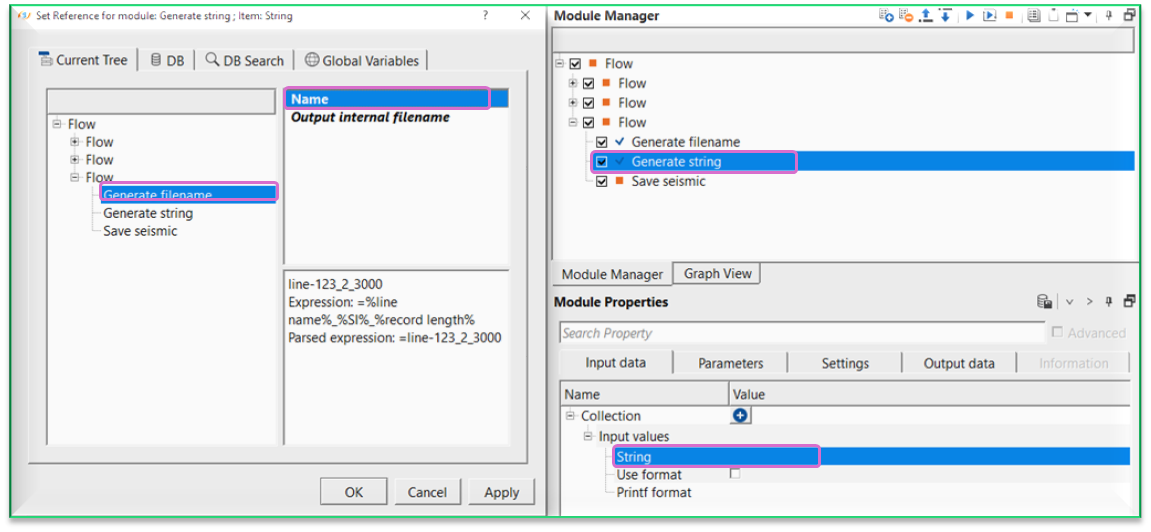
connect/reference to the string/file name. Usually we connect/reference this to Name of Generate file name module
Use format
when checked, enables the Printf format field for this input entry, allowing the connected value to be reformatted before it is substituted into the output string. By default this option is unchecked (disabled), and the input value is inserted as-is. Enable this option when you need precise control over the appearance of a numeric or text value — for example, to zero-pad an integer line number or to limit the number of decimal places on a coordinate.
Printf format
a C-style printf format specifier that controls how the connected input value is converted to text. This field is active only when Use format is checked and a non-empty format string is provided. Common examples: %05d formats an integer with five digits and leading zeros (e.g., line number 42 becomes 00042); %.2f formats a floating-point number to two decimal places. If the format string is invalid or incompatible with the data type of the connected value, the module will report an error. Leave this field empty when formatting is not required.
Parameters
String
provide the string name. By default, it will take %1 as a string which is connect/reference to the String value in the Input data item. If the user wants to add anything extra to the existing input string value, the user can mention it.
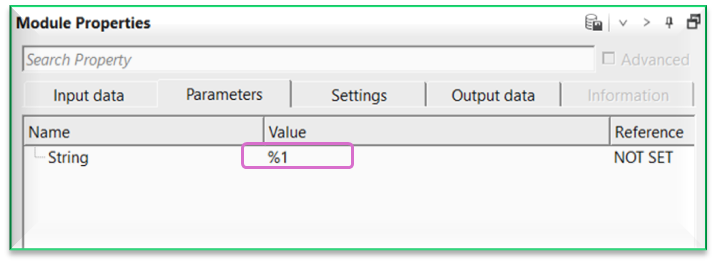
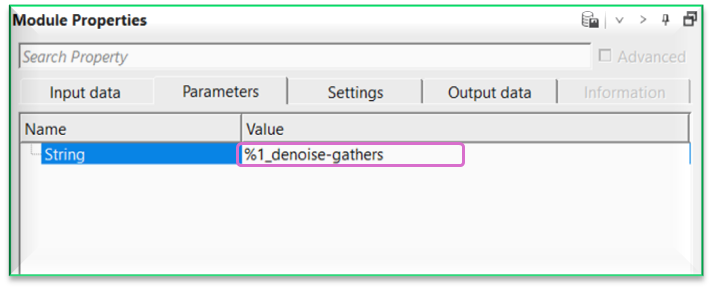
For example, the input string value is line-123_2_3000. This is represented by %1 in the Parameters tab. However, if the user wants to add something else to this, simply add the text next it like %1_denoise-gathers. Now the string becomes line-123_2_3000_denoise-gathers
Settings
Skip
By default, FALSE(Unchecked). This option helps to bypass the module from the workflow.
Output data
Output string
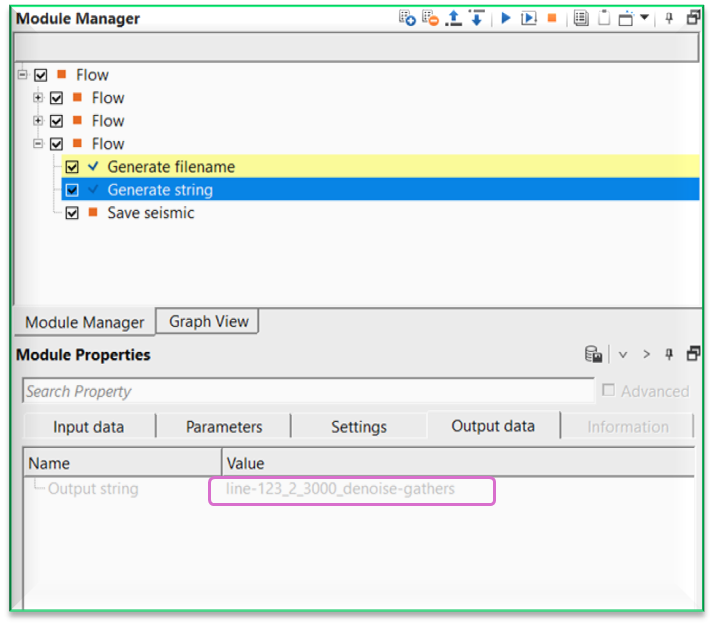
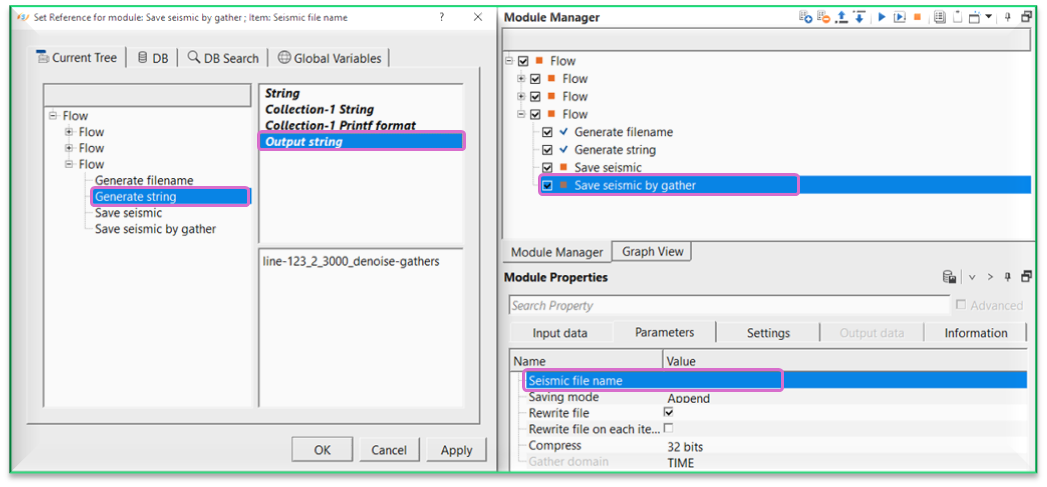
displays the final assembled string produced by the module after all variable substitutions and optional printf formatting have been applied. This value is read-only and is updated each time the module is executed. Connect this output to downstream modules — such as Save seismic by gather or Save seismic — to use the generated text as a seismic file name or dataset label.
Information
There is no information available for this module.
Examples
In this example workflow, we connect/reference the Name/Output file name string generated by "Generate filename" module and connect/reference to Generate string module.
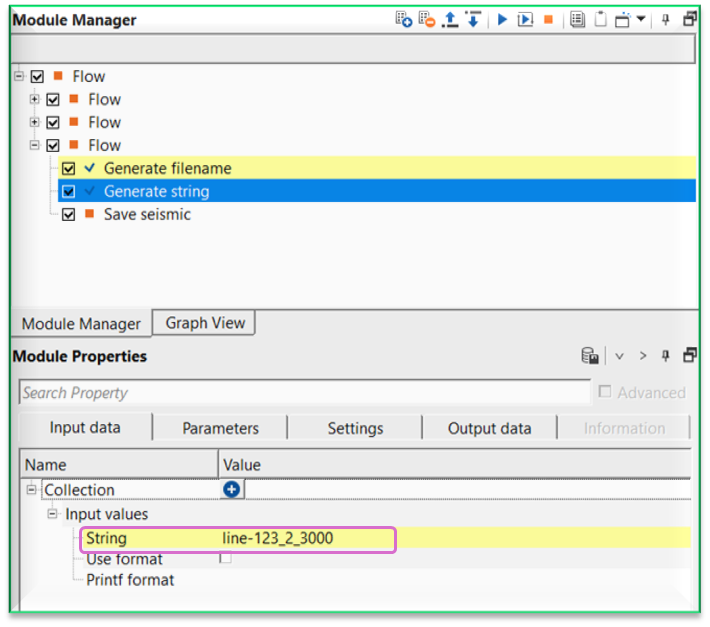
In the parameters tab, as we described earlier, the string will become %1_denoise-gathers which translates into line-123_2_3000_denoise-gathers. To generate the string, the user has to execute the module and check the output string name in the Output data tab.
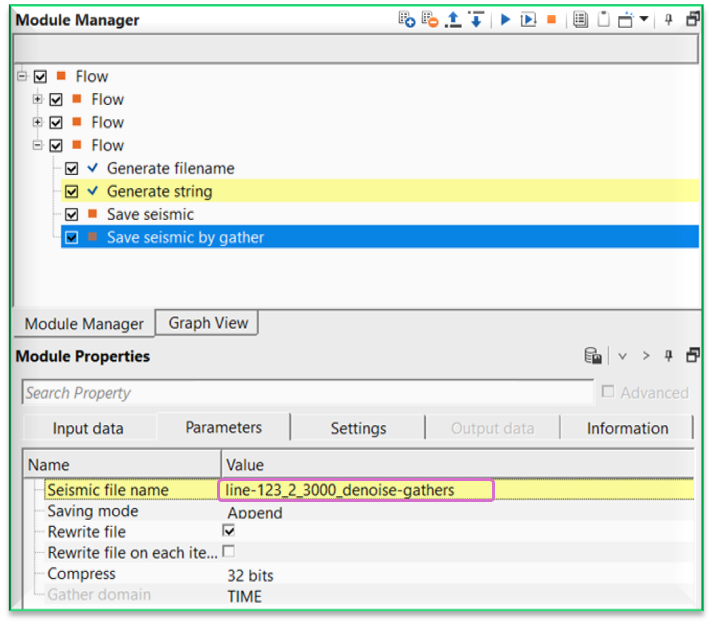
This string can be used in Save seismic by gather or Save seismic module as a "Seismic file name".
Actions
There are no action items available for this module.
Video lesson
YouTube video lesson, click here to open [VIDEO IN PROCESS...]
Related articles
Yilmaz. O., 1987, Seismic data processing: Society of Exploration Geophysicist
 * * * If you have any questions, please send an e-mail to: support@geomage.com * * *
