Integer array
Generates Integer arrays for parameter testing
Theory
Create collection of integer numbers with given step.The module used for automation parameter testing (there are sequence of modules - Integer array, Generate file name).
This module is very useful when the user do parameter testing. User can set up a particular parameter with different values like (prediction interval and predictive distance for deconvolution testing). User can put the start and end values of Predictive length as 4 to 16 ms with a step size of 4ms. This will generate 4 sets of output data.
 This module MUST be used in combination with Loop, Generate string, Generate File name.
Input data
There are no input parameters available for this module.
Parameters
Start
specify the starting value
The first integer value in the generated sequence. For example, set this to 4 if you want the sequence to begin at 4. The value must be a whole number — no decimal values are accepted. When used to test a deconvolution prediction interval, this would be the minimum parameter value you want to test.
Stop
specify the stop/end value
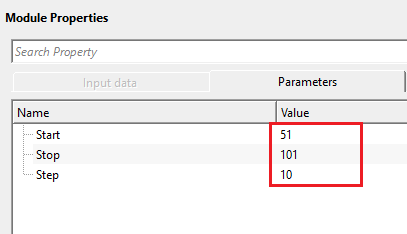
The last integer value in the generated sequence (inclusive). The module generates all values from Start up to and including Stop, advancing by the specified Step size. For example, with Start=51, Stop=101, Step=10, the module produces the values 51, 61, 71, 81, 91, 101 — a total of six iterations.
Step
specify the step size
The increment between consecutive values in the sequence. Step must not be zero — the module will report an error if Step is set to 0. Use a positive Step to generate an ascending sequence (Start to Stop), or a negative Step to generate a descending sequence (Start down to Stop). The total number of iterations equals the number of values produced: floor((Stop - Start) / Step) + 1.
Settings
Skip
By default, FALSE(Unchecked). This option helps to bypass the module from the workflow.
Output data
Collection
this displays the collection of integer values which were mentioned in the parameters tab.
After executing the module, the Output tab displays the complete list of integer values that will be fed into the processing loop. Connect this Collection output to the corresponding input of a Loop module. The Loop module then iterates once for each value in the collection, and a Get item module placed inside the loop retrieves the current integer value at each iteration, which can then be referenced (connected) to any integer parameter of a processing module — such as a window size or filter length.
Information
There is no information available for this module so the user can ignore it.
Examples
In this example workflow, we are testing despike parameters especially the horizontal window (traces) parameters. We are testing set of values from 51 to 101 with a step size of 10 traces. The procedure remains the same as explained in the Float array.
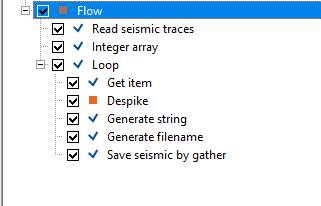
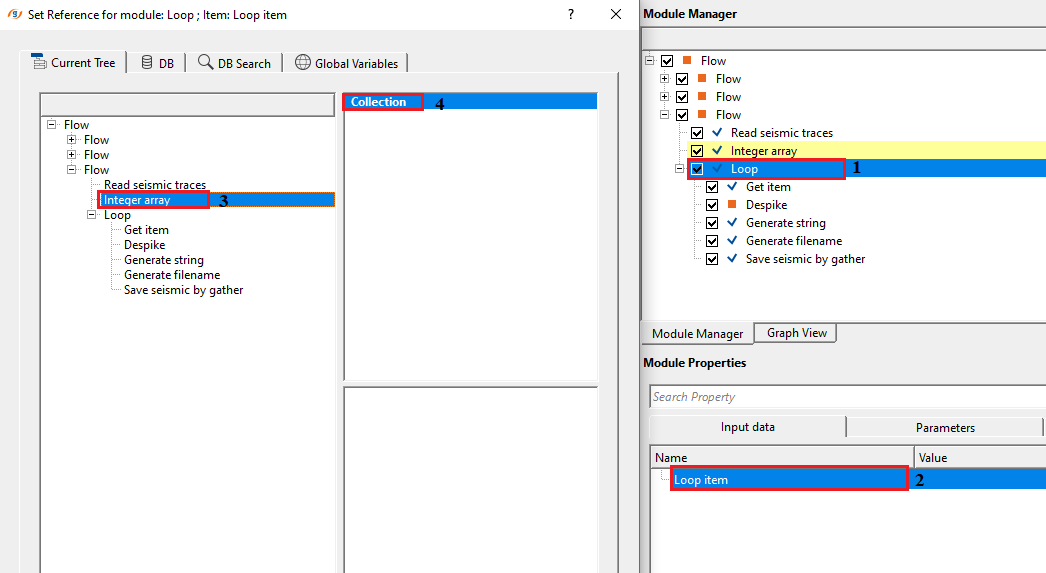
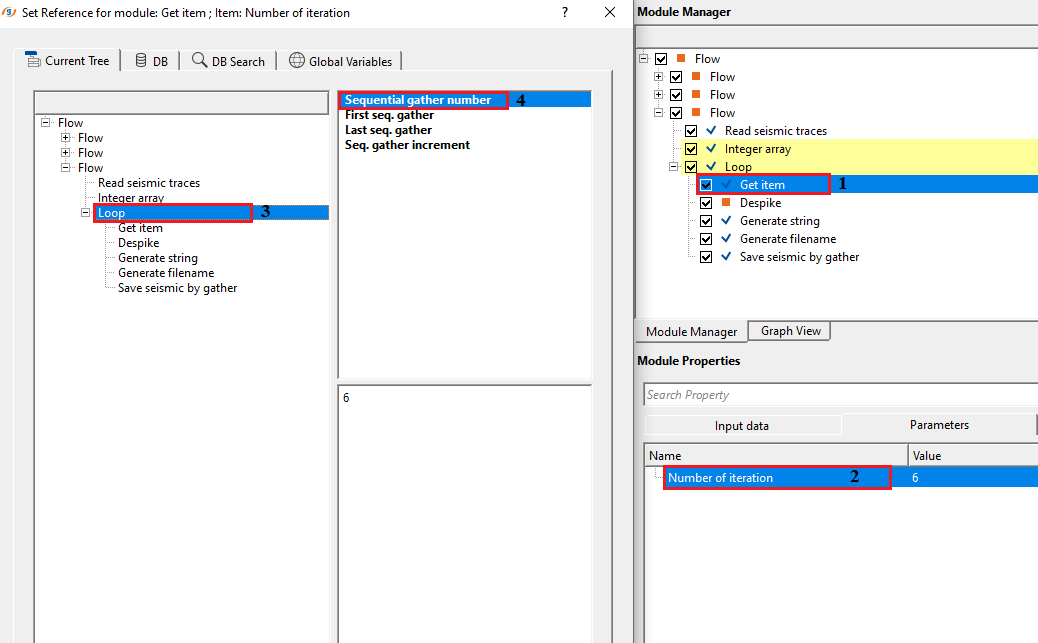
Now we need to connect/reference the collections from the Integer array module to the Loop module
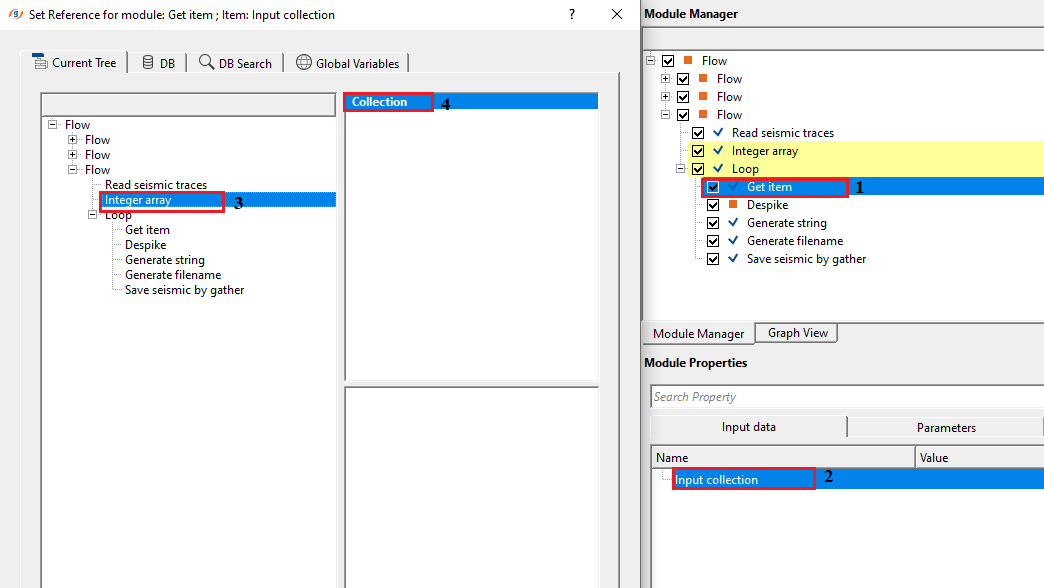
Inside the Loop, we add Get item, This will fetch the sequence numbers from the Loop module.
Next, we make the connection/reference to Output gather from Read seismic traces module to Input gather of Despike module.
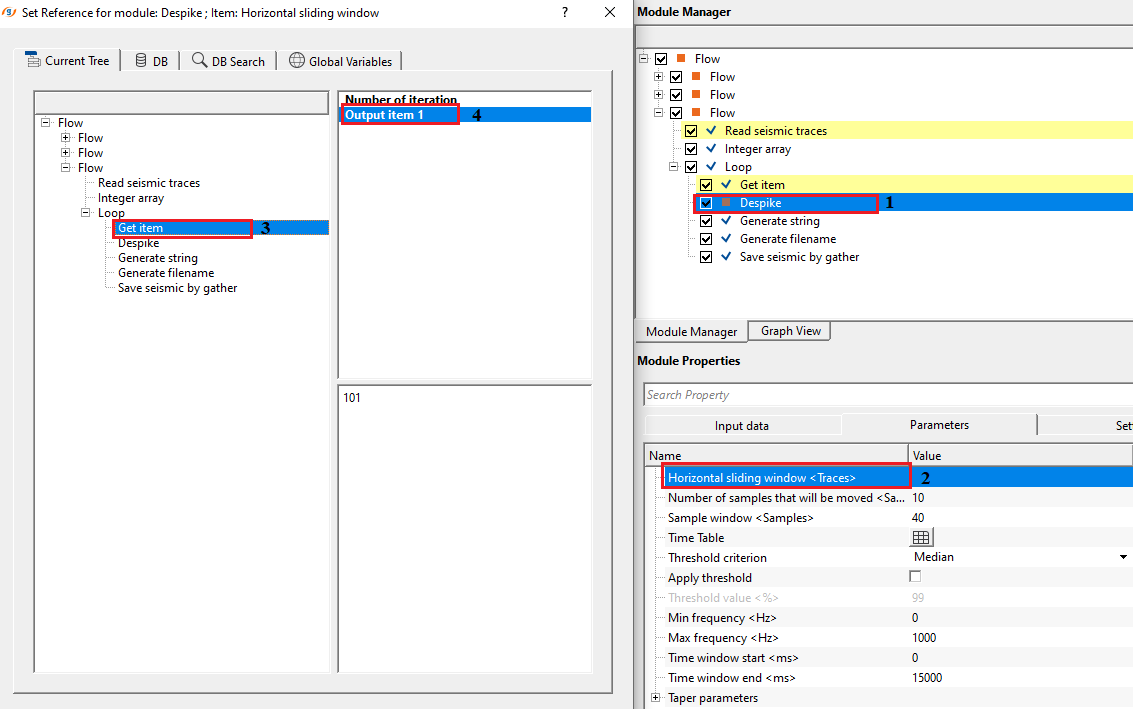
We make the connection/reference to Horizontal sliding window (traces) to Output item 1 of Get item.
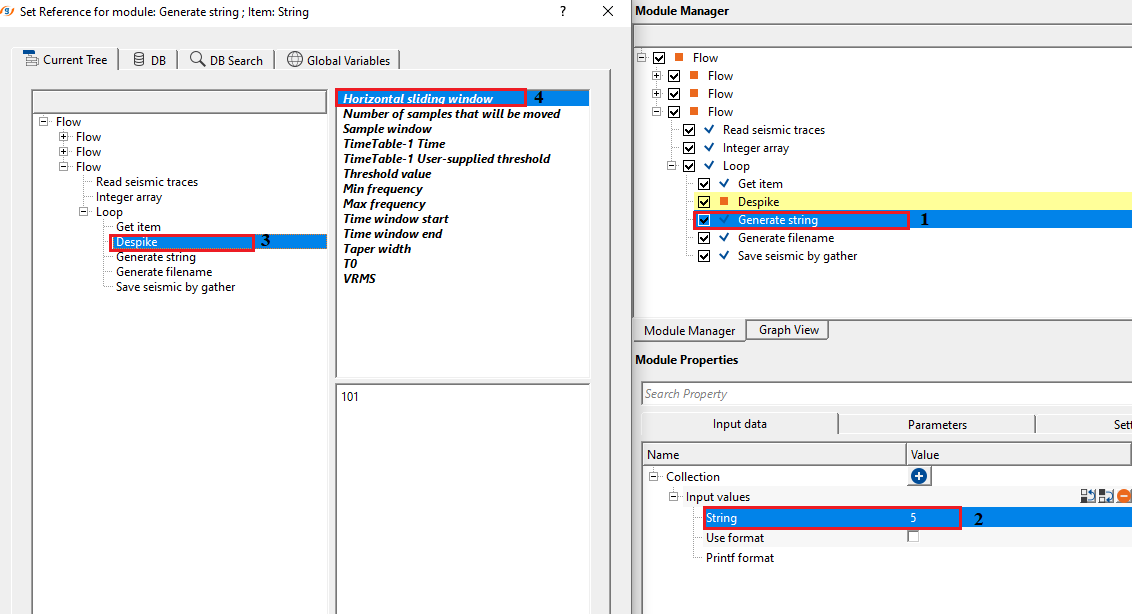
Since we are testing multiple parameter values, we'll generate strings for each parameter as a separate file name. For that, we first generate the string and later create the file name by using "Generate filename" module.
The user has to specify the string name in the Parameters tab.
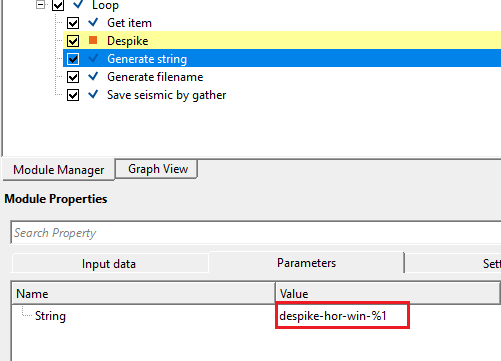
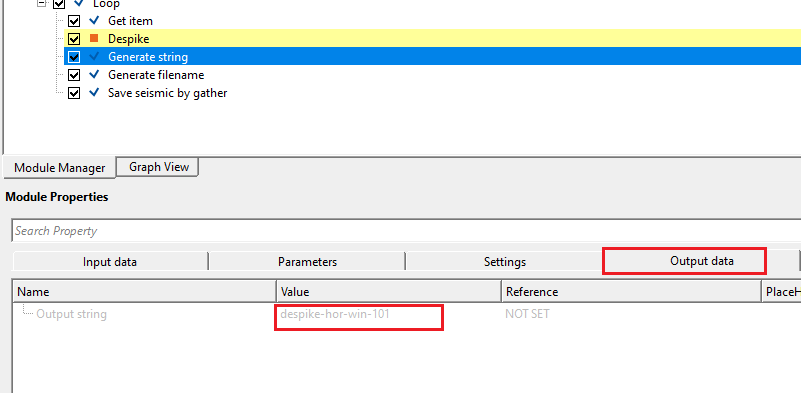
This will generate a string and the user can check this under Output tab.
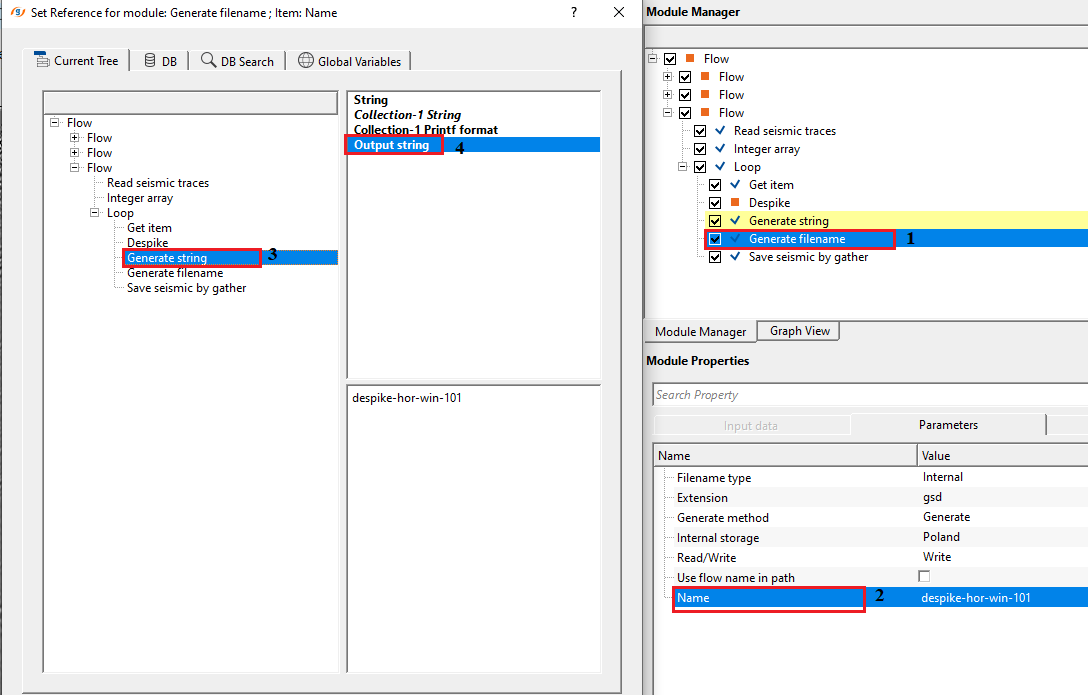
Later, this output string is referenced/connected to Filename of the Generate Filename module.
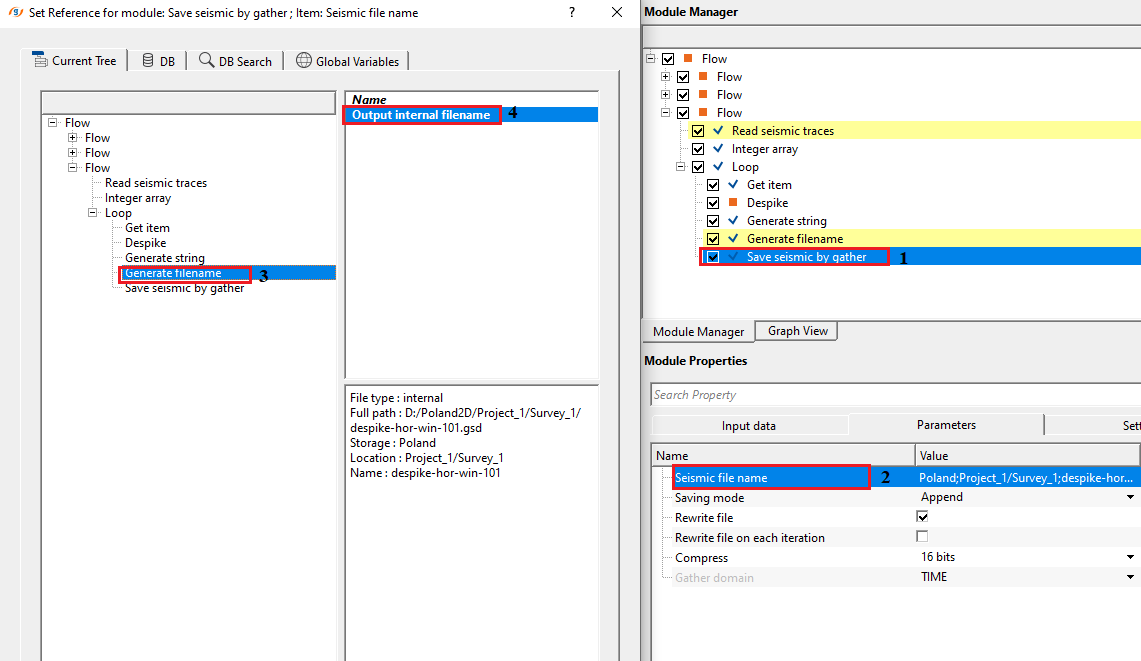
At the end, the user has to connect/reference the Output gather from Despike module to Input gather of Save seismic by gather module. And lastly, filename is connected/referenced to Output file name of Save seismic by gather module.
After completing all the connections/references, select Loop module and click on Execute all modules button. This will run in a loop and output 6 datasets.
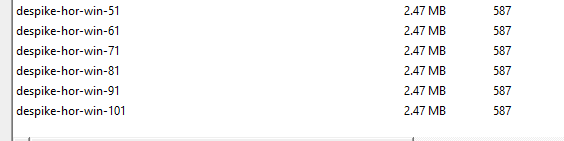
To QC all these 6 datasets, read all of them using Read seismic traces and display each of the Output gather. Compare the results and choose the best parameter.
Actions
There are no action items available for this module.
Video lesson
YouTube video lesson, click here to open [VIDEO IN PROCESS...]
Related articles
Yilmaz. O., 1987, Seismic data processing: Society of Exploration Geophysicist
 * * * If you have any questions, please send an e-mail to: support@geomage.com * * *