Stack
Trace stacking
Theory
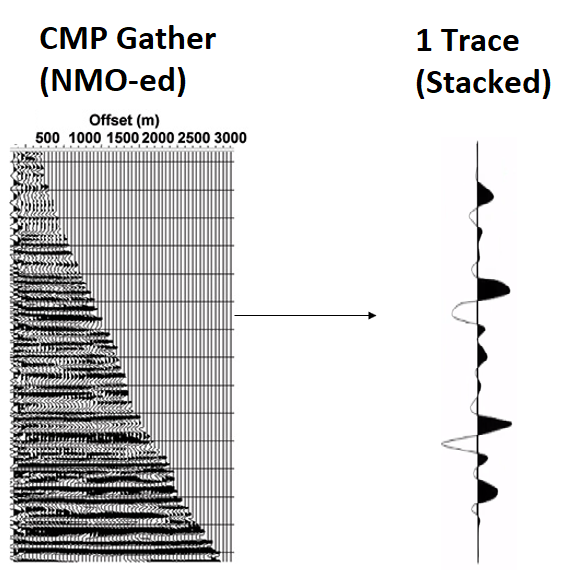
This module calculates stack. For each gather it calculates sum of traces and divide by number of non-zero traces in the gather. Pay attention that output is only 1 stacked trace in accordance with input gather, so we should use Set gather module for gathering all stacked traces together for displaying them (see test example).
Input data
Input Gather - input seismic gather, NMO-corrected (not strict, but reasonable), any sorting (usually CMP gather).
Parameters
Skip headers check
By default, FALSE (Unchecked). If checked, it will check the headers information.
Current record index iterator - Used for seismic loop because gathers in seismic loop are saved in direct mode but we need to save it in a certain order.
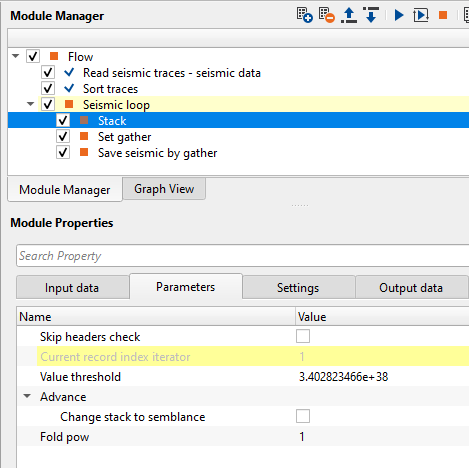
Value threshold - Threshold parameter, do not change it, keep the default value.
Advance
this section deals with advanced parameters. If the user wants to create the semblance instead of stack, check the parameters accordingly.
Change stack to semblance
By default, FALSE (Unchecked). If checked, it calculates semblance instead of stack:
Fold pow
By default, 1. Fold power is a stacking weight function that uses number of contribution traces as an exponent to enhance or control the influence of stacking.
Fold power = 1; means normal stacking where all the folds are considered
Fold power > 1; means higher fold areas are down weighted
Fold power < 1; means higher fold areas are emphasized.
Settings
Auto-connection
By default, TRUE(Checked).It will automatically connects to the next module. To avoid auto-connect, the user should uncheck this option.
Bad data values option { Fix, Notify, Continue }
This is applicable whenever there is a bad value or NaN (Not a Number) in the data. By default, Notify. While testing, it is good to opt as Notify option. Once we understand the root cause of it, the user can either choose the option Fix or Continue. In this way, the job won't stop/fail during the production.
Notify
It will notify the issue if there are any bad values or NaN. This will halt the workflow execution.
Fix
It will fix the bad values and continue executing the workflow.
Number of threads
One less than total no of nodes/threads to execute a job in multi-thread mode. Limit number of threads on main machine.
Skip
By default, FALSE(Unchecked). This option helps to bypass the module from the workflow.
Output data
Output DataItem
Output gather
generates an output of 1 stacked trace.
Examples
A test seismic data set is the Poland 2D (land) line, you Poland 2D line that is accessible on the internet free or it is also included to the g-Platform installation (C: \Program Files (x86)\Geomage \gPlatform \demodata\ Poland_2D_Vibroseis_LINE_01).
An example of the workflow for stack (input gathers are NMO corrected, and no need muting), use default parameters,
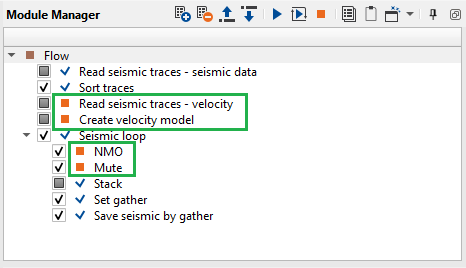
The following example in case if we input data is not NMO corrected and we should apply muting:
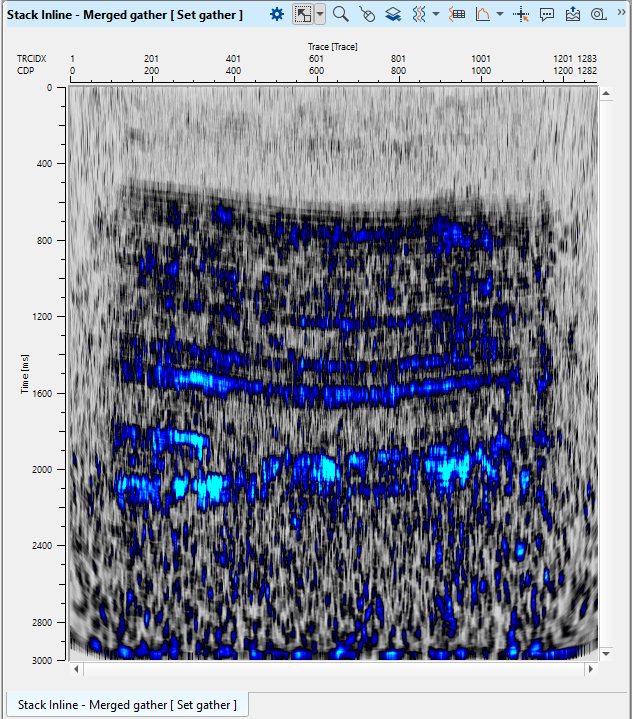
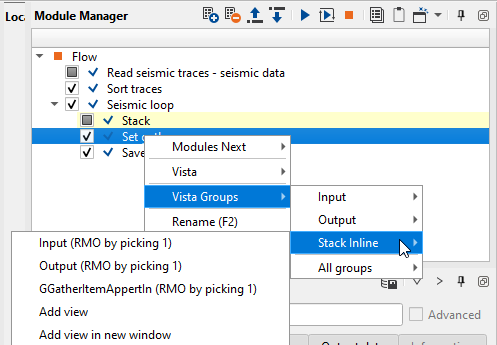
Execute Seismic loop and open Stack inline vista from Stack module:
All stacked traces were accumulated by Set gather module:
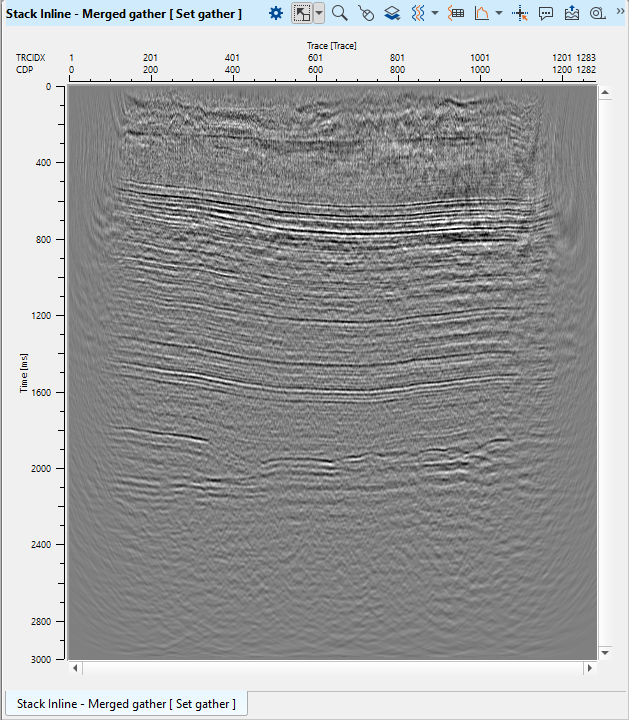
Save the entire stack section after Set gather by using Save seismic by gather.
Video lesson
YouTube video lesson, click here to open [VIDEO IN PROCESS...]
Related articles
Yilmaz. O., 1987, Seismic data processing: Society of Exploration Geophysicist
 If you have any questions, please send an e-mail to: support@geomage.com