Sorting the gather as per user criteria


Raw seismic data contains many trace headers information. There are few trace headers are generated after assigning geometry and/or binning. The default trace headers like Shot point number, FFID, Channel etc are available in the raw seismic data. Sorting the seismic data is necessary to form a gather. This gather can be either a shot gather, receiver gather, cmp gather or offset gather. It depends on how the user arranges the traces as a group.
A gather is the collection of traces grouped according to user criteria. If the user wants to see the data in common shot domain, it should be grouped as FFID or shot point number. Similarly for receiver and cmp gathers.
Why do we need to sort the data?
During the acquisition, the data may be sorted in a common shot domain. However, during the processing, the user wants to visualize the data in different gather domains. The objective of this exercise could be anything like denoise, stacking, velocity analysis, statics computation etc.

Input DataItem
Input gather - connect/reference to output gather. Output gather must be in active position (bold text). This is possible when the input gather is in loaded to RAM or it is active when the output gather is inside seismic loop etc.

Work mode { Normal, Random, Pseudo-random } - there are three modes to operate the module.
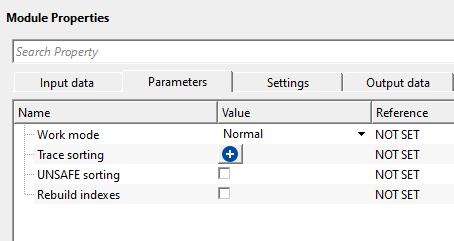
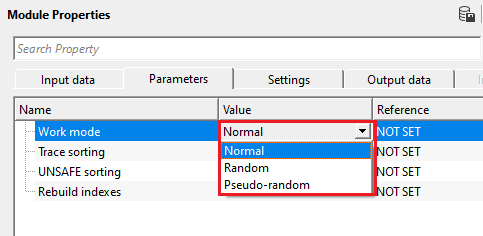
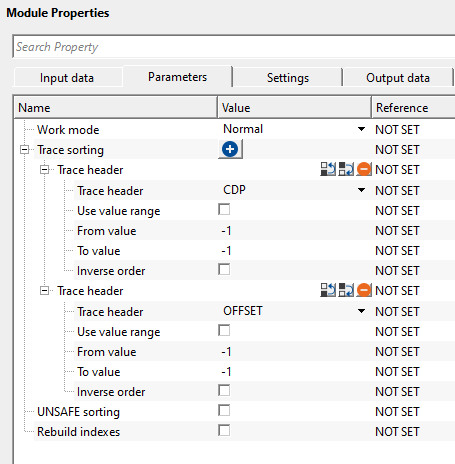
Work mode - Normal - this is a straight forward sorting method. The user should click + icon to generate the Trace sorting headers. Select the desired trace header as per the user sorting requirement. User can add as many as trace headers as they want.
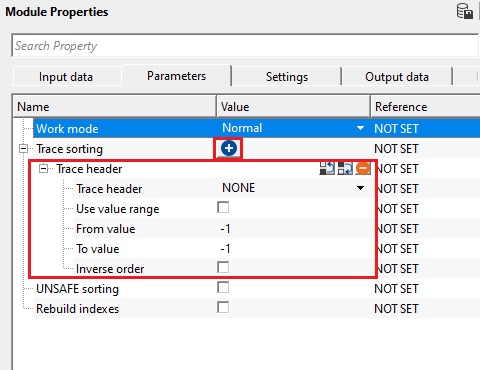
Trace sorting - click on the  icon to get option to add trace headers. If the user wants more trace headers, they must click on icon again.
Trace header - by default, NONE. Select the desired trace header from the drop down menu.
Use value range - by default, FALSE (Unchecked). If the user wants to use any specific trace headers values, check this option otherwise ignore it.
From value - if the above option (Use value range) option is TRUE(Checked), specify the from/starting value of the selected Trace header. By default, -1.
To value -if the above option (Use value range) option is TRUE(Checked), specify the to/ending value of the selected Trace header. By default, -1.
Inverse order - it will sort the trace header values in the inverse order.
Work mode - Random - this option allows the user to randomly sort the data. It doesn't require any specific trace headers to select/choose. However, everytime the user sorts the data randomly,the output data will be different.
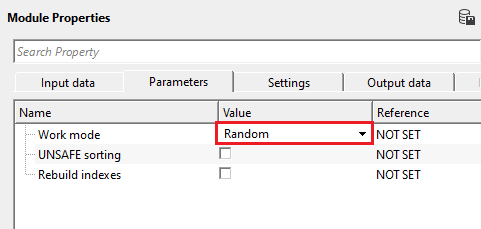
Work mode - Pseudo-random - this is similar to Random sorting however if the user provides the seed number (positive integer), it will sort the data and remembers it. Next when the user provides the same seed number, it will sort the data in the same order as it was sorted earlier with the same seed number. In case, the user wants to generate the seed number randomly instead of manual entry, just click n the Generate seed number action item from the action items menu. It automatically generates random seed number.
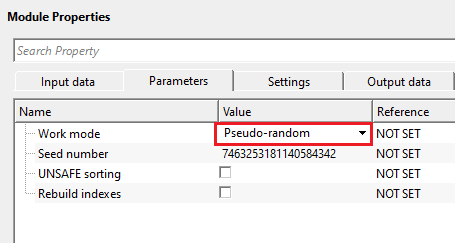
Seed number - provide a random positive integer number. It could be either the user supplies it or generates by clicking the Generate seed number option from the action items menu. This seed number is used for pseudo random sorting. For a single seed number, the sorting remains the same every no matter how many times the user sorts the data. For different seed numbers, different sorting happens. Unlike in Random sorting, you won't get the same sorting.
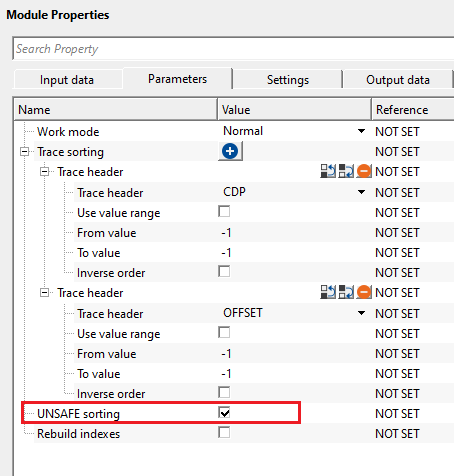
UNSAFE sorting - this option is not recommended. By default, FALSE (Unchecked). If the user checks this option, it will sort both the input and output gather as same as the user defined sorting order of the trace header. When the user checks this option, it doesn't take extra memory resources when launching both input and output vista items (gather).
Rebuild indexes - it rebuilds trace index after sorting. By default, FALSE (Unchecked).

Auto-connection - By default, TRUE(Checked).It will automatically connects to the next module. To avoid auto-connect, the user should uncheck this option.
Number of threads - One less than total no of nodes/threads to execute a job in multi-thread mode. Limit number of threads on main machine.
Skip - By default, FALSE(Unchecked). This option helps to bypass the module from the workflow.

Output DataItem
Output gather - generates output sorted gather.

There is no information available for this module so the user can ignore it.

In this example, we read a 2D seismic data by using Read seismic traces module. In the Read seismic traces module, we loaded the data to RAM. It is okay for smaller datasets however it is not recommended (load data to RAM) for large 3D volumes.
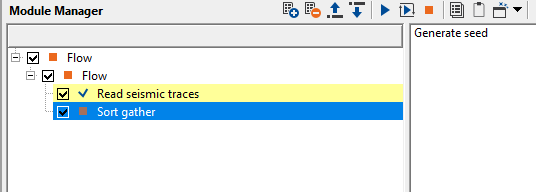
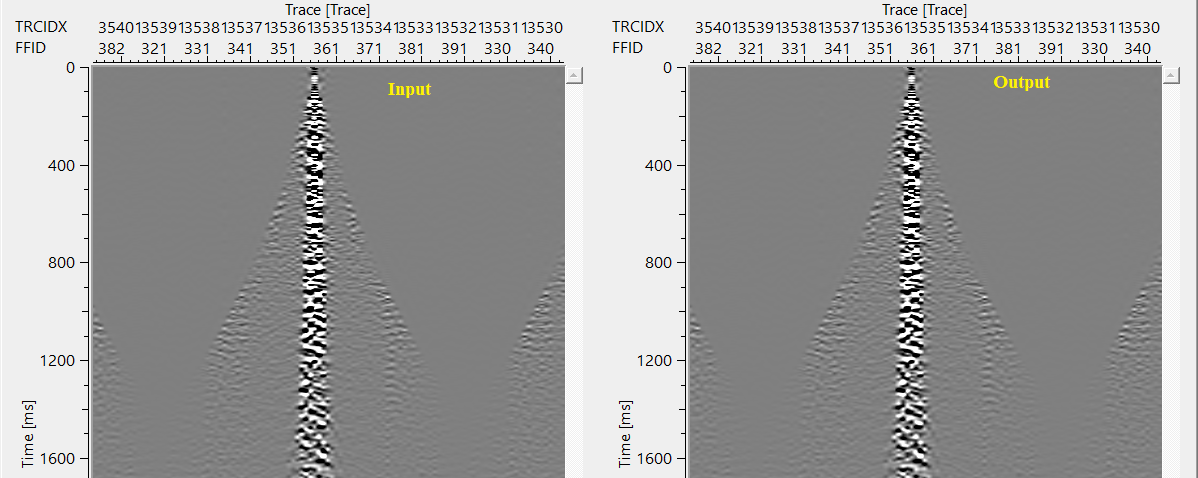
Here, we are explaining Pseudo random sorting. Here, we provide a random seed number. It will sort the data randomly but each time the output gather remains the same as long as the user provides the same seed number. It changes the sorting order once the user changes the seed number to a different number.
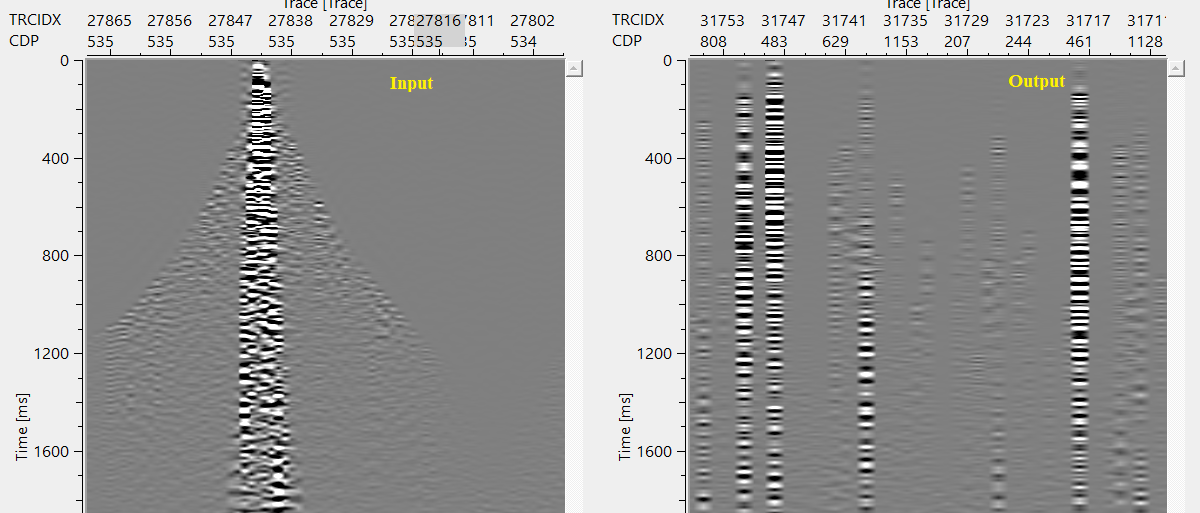
In the above example, we put the seed number as 1. When we change this seed number from 1 to 255, it will display a different sorted gather.
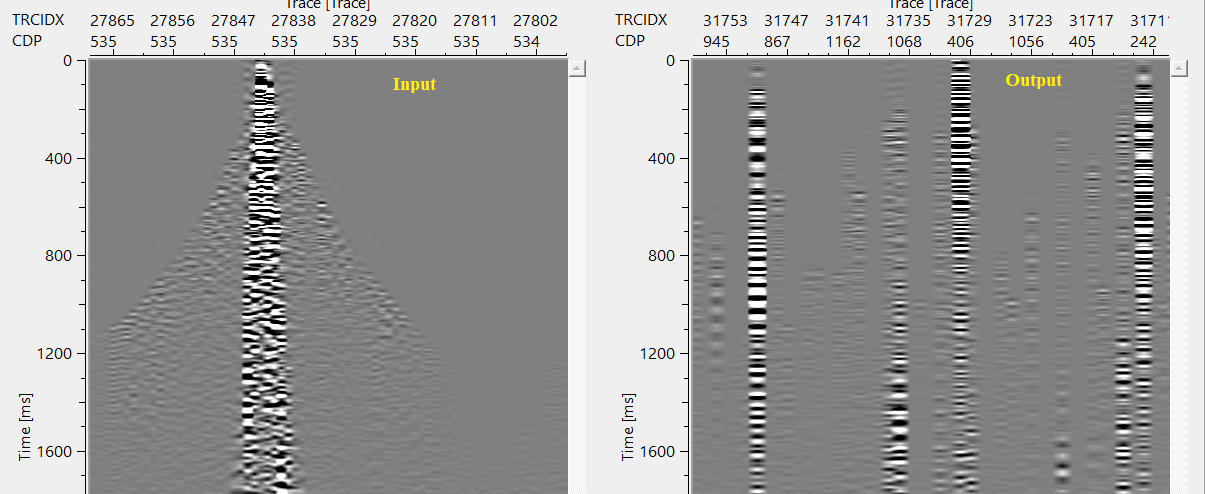
Random sorting - This options will always displays a different sorted gather and it never display the same gather.
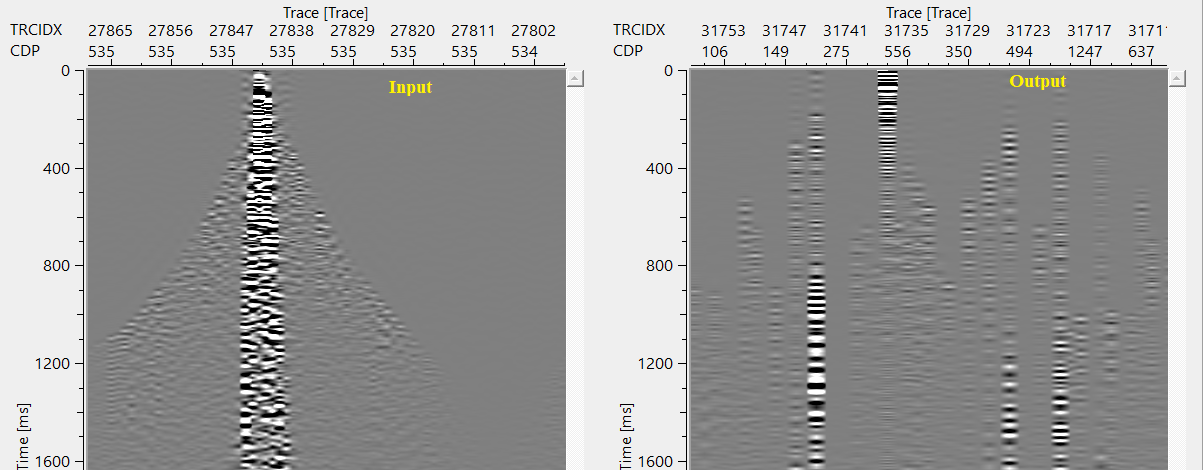
Once the user executes the Random sorting working mode and the user executes again, it will not display the same gather again.
Normal sorting - this will sort the data as per the user selected/preferred trace header
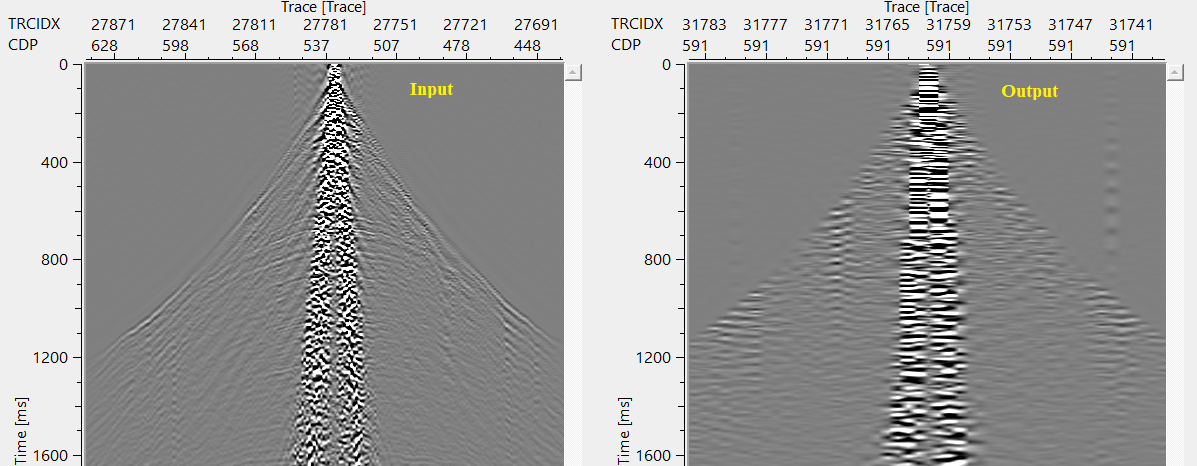
UNSAFE Sorting:
When the user checks this option, it will automatically sorts the input gather as well as output gather as per the user defined trace sorting header.


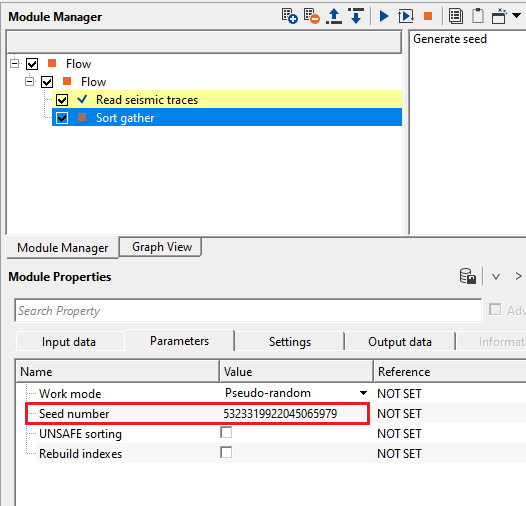
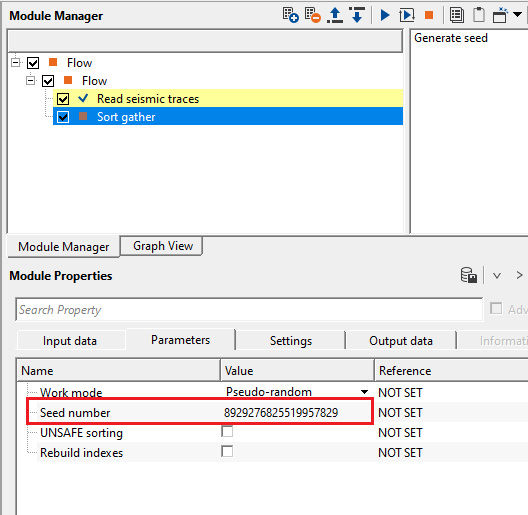
Generate seed - this allows the user to generate seed number for the Pseudo Random working mode. For each click, it generates different seed number.
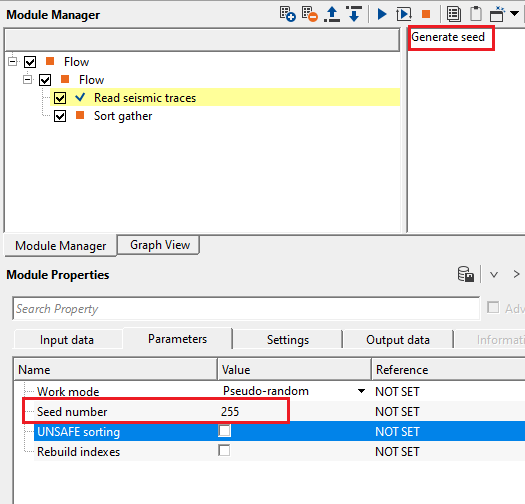
In the above image, current seed number is 255. When the user clicks "Generate seed", it automatically generates a new seed number every time the user click on "Generate seed".

YouTube video lesson, click here to open [VIDEO IN PROCESS...]

Yilmaz. O., 1987, Seismic data processing: Society of Exploration Geophysicist
 * * * If you have any questions, please send an e-mail to: support@geomage.com * * *
