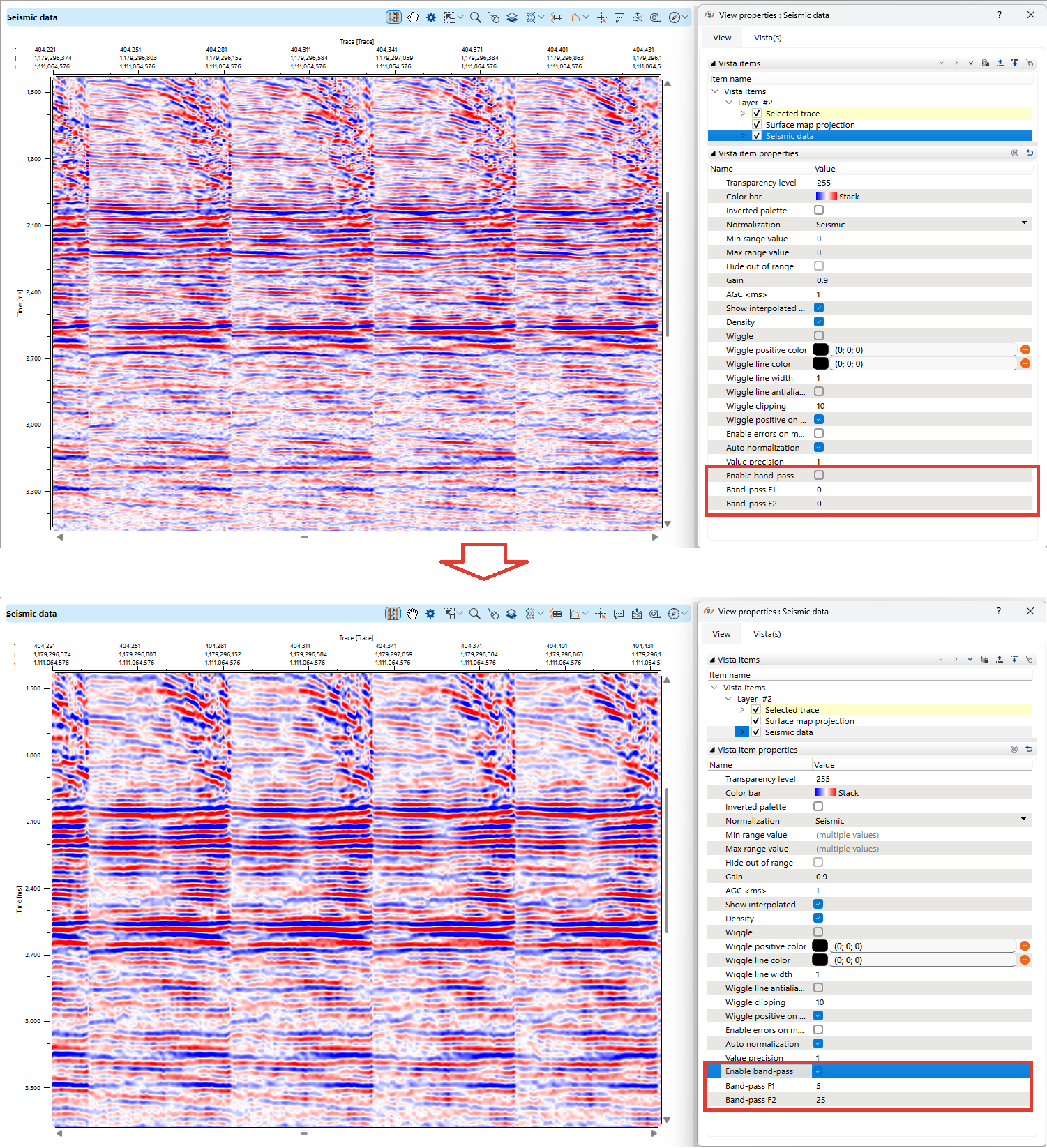
Band-pass filtering can be enabled through the View Properties panel in the seismic data visualization interface.
Find the "Enable band-pass" option and activate it.
•Band-pass F1: Sets the lower cutoff frequency, removing very low-frequency noise.
•Band-pass F2: Defines the upper cutoff frequency, eliminating high-frequency noise.
•Adjust these values based on the desired frequency range for enhanced seismic visibility.
Band-pass filtering is a visual-only setting and does not modify the input seismic data.