Once the Database exists, the user can activate it by Double-Clicking it or by using the corresponding shortcut button  .
.
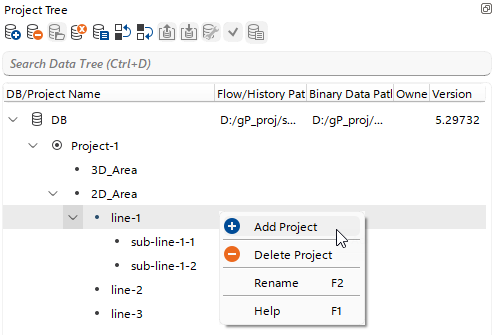 When the database is active, the user can create a Project within it using the shortcut button
  or the Right-Click context menu to store processing workflows, datasets, and other related items.
It is important to note that a Project is a highly flexible concept in g-Platform, allowing the user to build a multi-hierarchical structure for organizing a processing project.