g-Platform™ doesn't require any 3rd party database software. All project data is stored on local or server disks using the Windows/Linux file system.
To create a New Project's Database, click the corresponding shortcut button  . This opens the Import/Create Database pop-up dialog window.
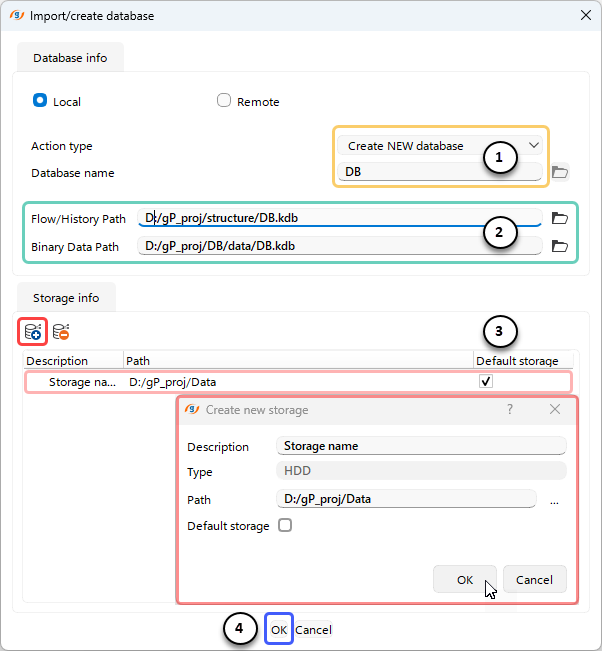
(1) In this dialog, the user can choose to create a new database or import an existing one and specify the database name.
(2) The user can also define the paths for storing workflows and history data, as well as binary data.
(3) Using the shortcut button  , the storage folder can be selected from a pop-up dialog.
(4) Finally, click OK to create the database.
Once the database is created, the user can view it along with all its properties in the Project Tree section of the main g-Platform management window.
