Module name Convert SEG-D to SEG-Y
To read SEG-D data in g-Platform™ the user should choose the module "Convert SEG-D to SEG-Y" module. This will first read all the SEG-D files and then convert these SEG-D files into a single SEG-Y file. Later the user should use "Read SEG-Y traces" module to load/read the seismic data.
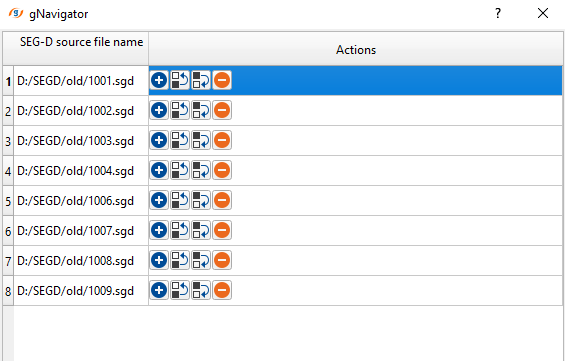
In the Input data tab, to read Input files, click on the  icon. It will open a new window. Click inside of the SEG-D source file name in the 1st row. It will display an icon
  . Click on the icon. Now browse the input SEG-D file and select all of them by holding the Shift key and click OK.
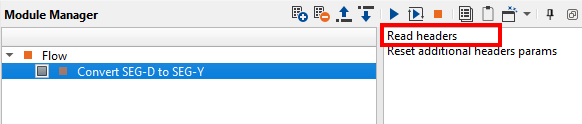
Click on the "Read headers" option from the action items menu on the right hand side of the "Convert SEG-D to SEG-Y" module. It will read all the headers. Prior to that pay attention to the parameters and fill in the details as per the input data.
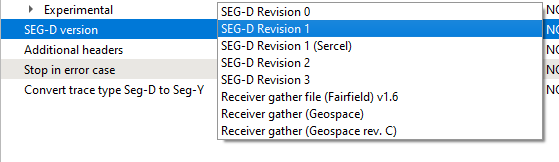
In the Output file field, the user should specify the Output file name prior to run/executing the Convert SEG-D to SEG-Y module. g-Platform supports the following SEG-D versions. If it is not in the list, we can implement the new version(s).
. 
After inputting all the necessary parameters and clicking the "Read headers" option from the action items menu, the user can to visualize the contents of the SEG-D files by following the same method as we described earlier in the Read SEG-Y traces module.
Right click/MB3 on Convert SEG-D to SEG-Y -> Vista Groups -> All Groups -> In current window
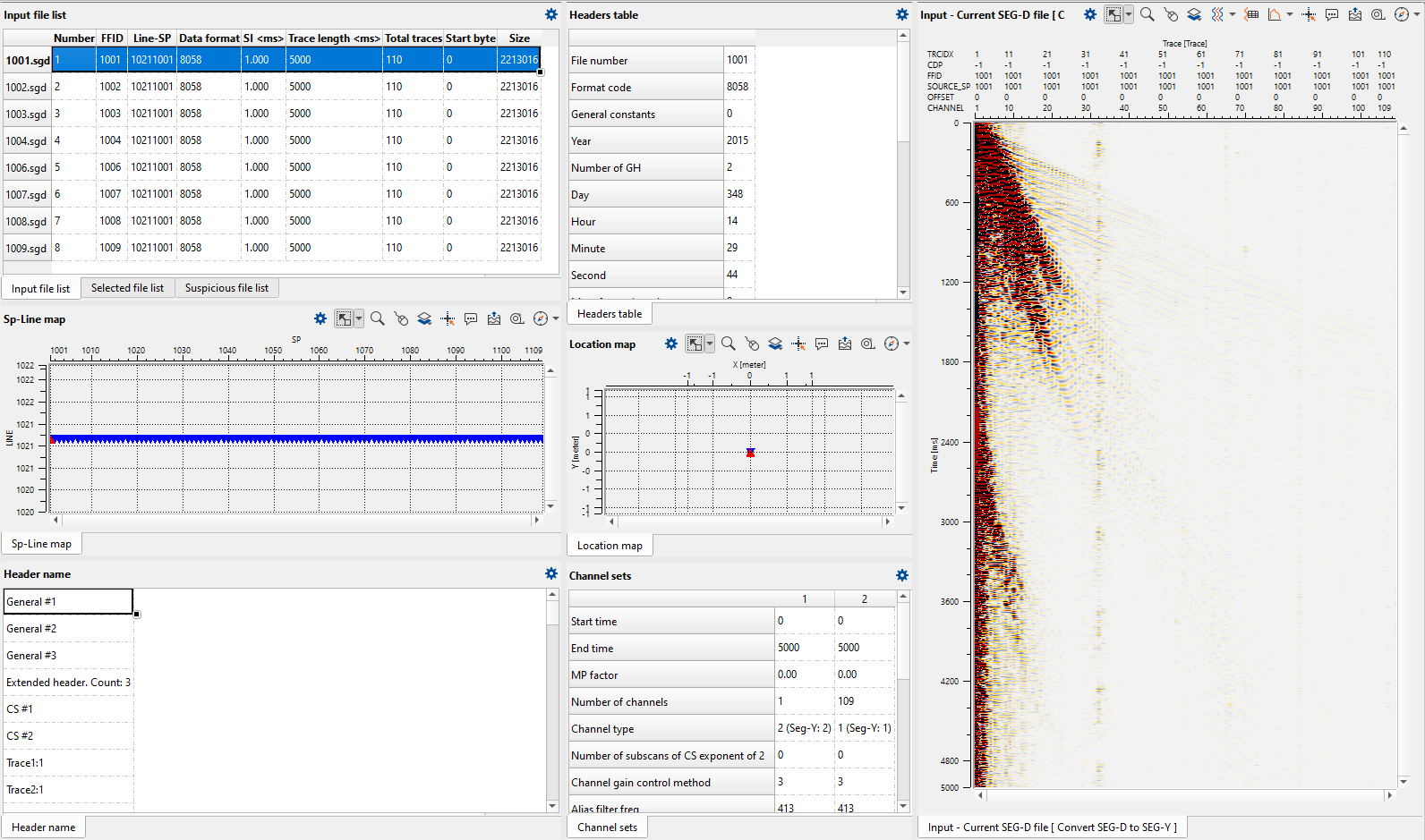
These vista items display all the necessary information related to the selected file. There are various tables/tabs.
Input file list |
List out all the input SEG-D files |
Sp-Line map |
Displays the Shot Points |
Header name |
Displays the General, Extender and trace headers. When the user selects the General #1 then the contents of the General #1 will be displayed in Headers table |
Headers table |
Displays the headers information |
Location map |
Location map of the line if the navigation information is already in the trace headers |
Channel sets |
Displays how many channels are there and their information |
Input - Current SEG-D file |
Displays the current selected SEG-D file seismic view |
Selected file list |
Displays the selected file list |
Suspicious file list |
If any input files are having bad trace headers information or corrupted those files list will be displayed here |