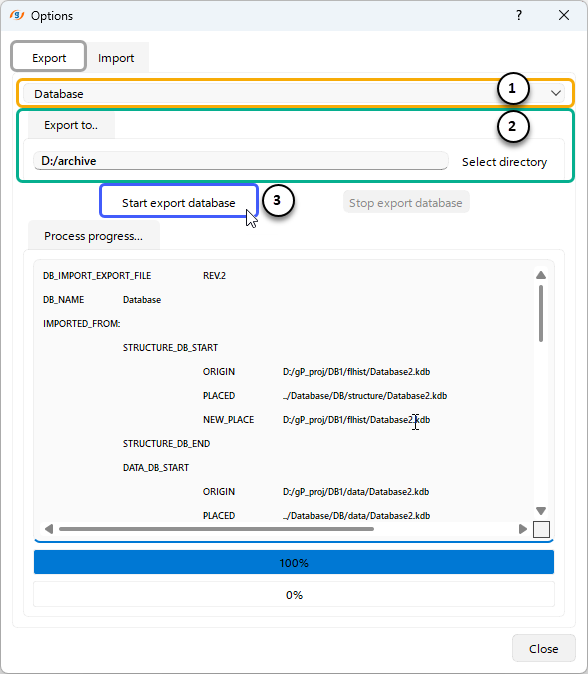
To Export a database from g-Platform, open the Export tab in the Import/Export dialog window.
(1) Specify from the drop-down list the Database to export
(2) Specify the path to store the Export files.
(3) Click "Start export database" to begin the export operation.