The Input Data tab of the Module Properties section is used to set input references for the module.

To Create the required connections between modules in the workflow, the user needs to Double-Click the appropriate Input DataItem, Input trace headers, or similar element with the Left Mouse Button. This action opens a Dialog Window where the user can select the required input (reference).
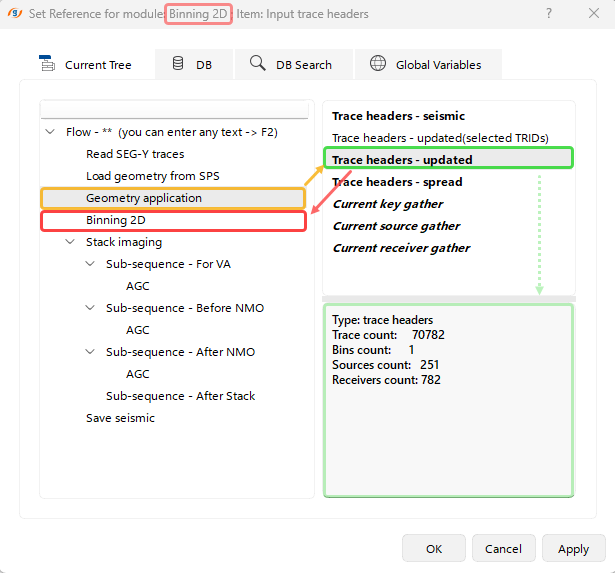 In this example of the Dialog Window, the Updated Trace Headers produced by the Geometry application module are set as the input for the Binning 2D module.
In this Dialog Window, the user can also select the reference input not only from the Current Workflow Tree (active tab), but also from other environments.
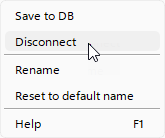 To Remove set references, the user can use the right-click context menu on the selected Input Item from the Input Data tab and select Disconnect.