In the Module Properties section of the Workflow Manager Panel, the user can configure all required processing parameters for the selected module in the Module Manager and review general output information.
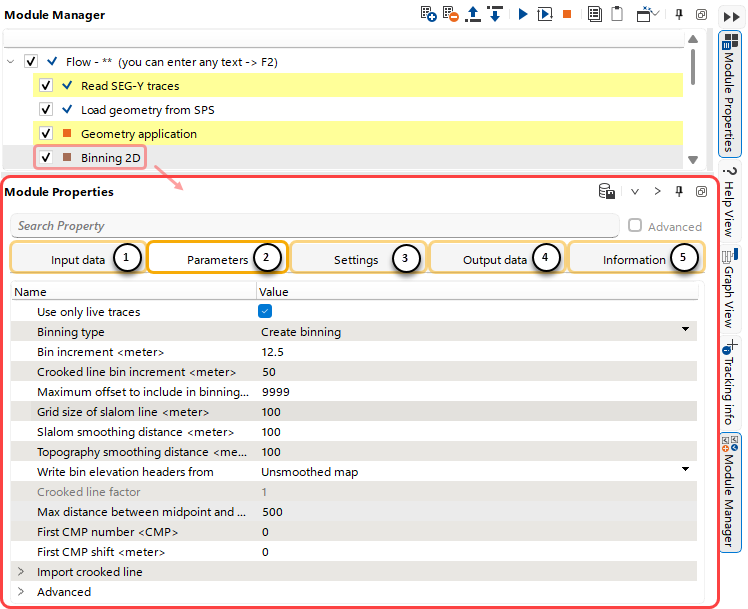 The Module Properties section consists of five functional tabs:
(1)Input data - Set input references for the Module.
(2)Parameters - Configure the Main processing parameters for the Module.
(3)Settings - Configure Additional computational parameters for the Module.
(4)Output data - View representations of the Module's outputs.
(5)Information - View general numerical information about the Module's output.
The Module Properties section also includes a Search Bar  for quick searches within the current tab.
Using the Shortcut Buttons  , the user can perform quick actions within the active tab of this section.
 Save selected Item to the DB.
 Expand all lists within the current tab.
 Collapse all lists within the current tab.

 Unpin the current Module Properties section from the g-Navigator window.