The Workflow Manager Panel of the g-Navigator window allows the user to create, configure, and submit workflows.
By the default view settings the Workflow Manager Panel consists of the following sections: Module Manager (1), Graph View (2), Module Properties (3), Help View (4), Tracking Info (5).
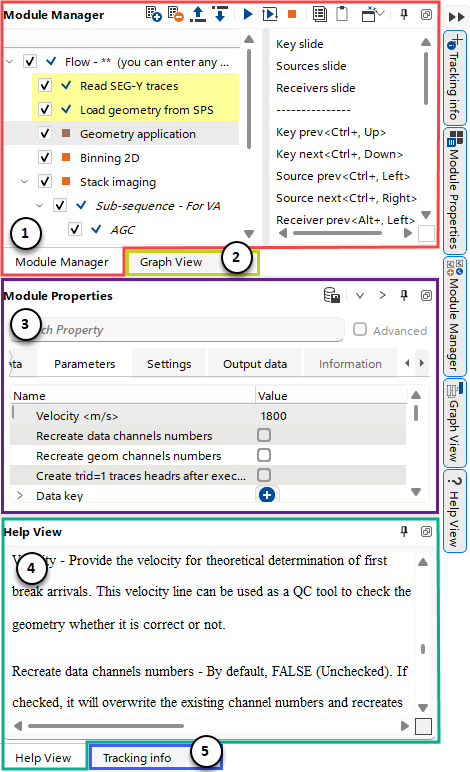
(1)Module Manager – Build processing workflows from existing modules and interact with the Client Manager Area to evaluate results.
(2)Graph View – Visual block-diagram representation of the current workflow.
(3)Module Properties - Configure parameters of the selected processing module.
(4)Help View - Context-sensitive Help Viewer for processing modules.
(5)Tracking Info - Displays interactive numerical information from the selected Vista.