In the Jobs tab of the Batch Manager section, the user can monitor the status and view detailed reports for each submitted workflow and active g-Navigator sessions.
The Jobs tab consists of the following sections: shortcut buttons (1), search bar (2), and the list of reports of all submitted workflows and active g-Navigator sessions (3).
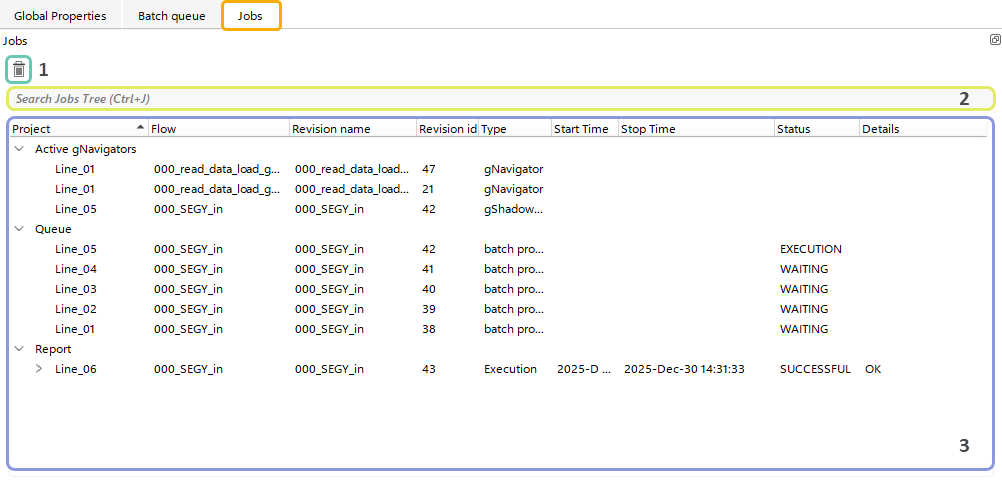
With Shortcut button (1) the user can Delete any selected workflow report from the list of Reports (3).
The user can also use the Search bar (2) to perform a search within the report list.

For quick access to the search bar, the user can press Ctrl + J.