Local Variables are defined in the main Flow module at the top of the workflow, in the Parameters tab of the Module Properties section.
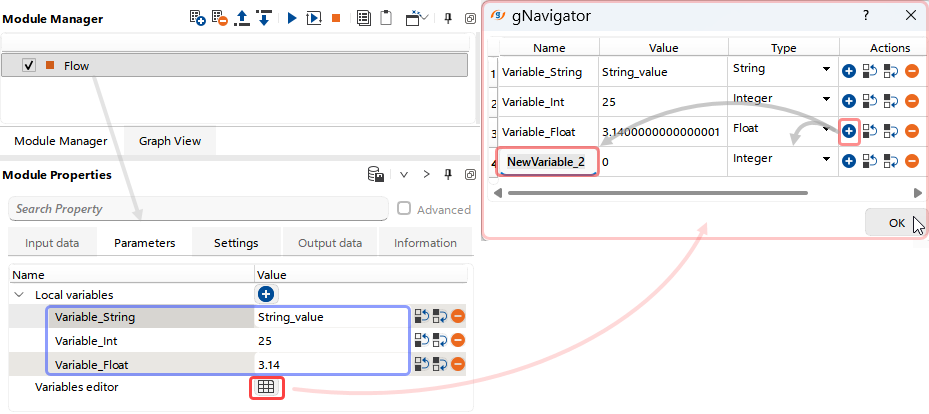
Three types of variables are available: String, Integer, and Floating Point. The user can add or remove variables using the corresponding buttons 
 , and reorder them using the Move Up
  and Move Down
  controls.
Using the Variables Editor dialog (Flow → Parameters → Variables Editor  ), users can create, remove, and define the type of Local Variables.
In the list of local variables within the Parameters section (Flow → Parameters → Local variables), users can assign values to variables. These values can be defined as constants or set as references to other variables — both Local and Global.
Local Variables are implemented in the Module Properties section using the = and $ symbols. The = symbol is placed at the beginning of a parameter, and the variable name is enclosed within $ symbols inside the parameter value.
It is often useful option to reassign the type of a Global Variable by mapping it to a Local Variable.