In the the Workers tab the user can view and manage all nodes (workers) available on the Server. These workers may be CPU- and/or GPU-based and are organized by available clusters.
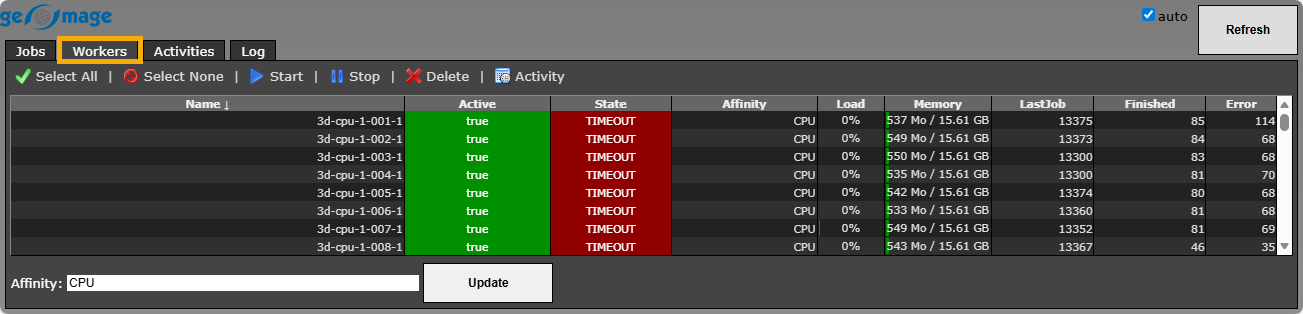 At the bottom of the tab, the Affinity field allows the user to change the computational resource type for the selected worker(s) using the corresponding button
  .
.
The tab also consist of a Ribbon bar  at the top to perform quick actions for the selected worker(s):
|
Select all available workers on the Server. |
|
Unselect workers on the Server. |
|
Run the selected worker(s). |
|
Stop the selected worker(s). |
|
Remove the selected worker(s) from the list. |
|
Open the Activities tab for the selected worker(s). |




