In the Activities tab, the user can view activity for all jobs and workers, or filter the view to a specific job or worker (node) available on the Coalition Server.
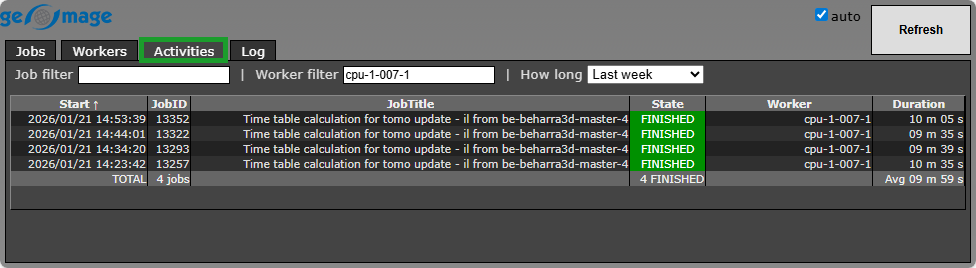 At the top of the tab, there are three fields that allow the user to specify the job, worker, and time period for which activity on the server is displayed.
Job filter |
Filters the activity list by Job ID. |
Worker filter |
Filters the activity list by Worker (node). |
How long |
Filters the activity list by a predefined time range, from Last 10 minutes up to Last 6 months. By default, All is seleted (no time filter applied). |
The user can open the Activities tab for a selected job or worker (node) directly from the corresponding Jobs or Workers tab using the appropriate shortcut button  .
.