Create velocity gather from Vrms model
Creates velocity gather from an internal/external Velocity(RMS) model
Theory
Create Velocity gather from Vrms Model module converts a continuous Vrms (RMS velocity) model into a seismic-style velocity gather that can be passed directly into downstream modules requiring a gather-format velocity field. Many g-Platform processing modules (such as NMO correction, migration, and depth conversion) expect velocity information in gather form. This module bridges the gap between a stored velocity model and those gather-based consumers, sampling the model at each bin location to produce one velocity trace per bin.
The module supports two ways to specify where to sample the velocity model. You can connect a Geometry for new model (a bin point vector defining the desired output locations), or you can connect an Input gather whose bin positions are used directly — in which case the Geometry for new model input is ignored. The output gather contains one trace for each bin location, where the trace amplitudes represent the Vrms velocity sampled at that (X, Y) position across time or depth. Execution is multi-threaded, processing all traces in parallel for efficiency on large models.
Input data
Input DataItem
Input gather
Optional. When connected, the bin positions of the incoming gather are used to determine where to sample the velocity model, and the Geometry for new model input is ignored. This is useful when you want the output velocity gather to match the spatial coverage of an existing seismic dataset exactly. If no input gather is connected, the geometry must be supplied via the Geometry for new model input instead.
Vrms model
connect/reference to the Velocity model.
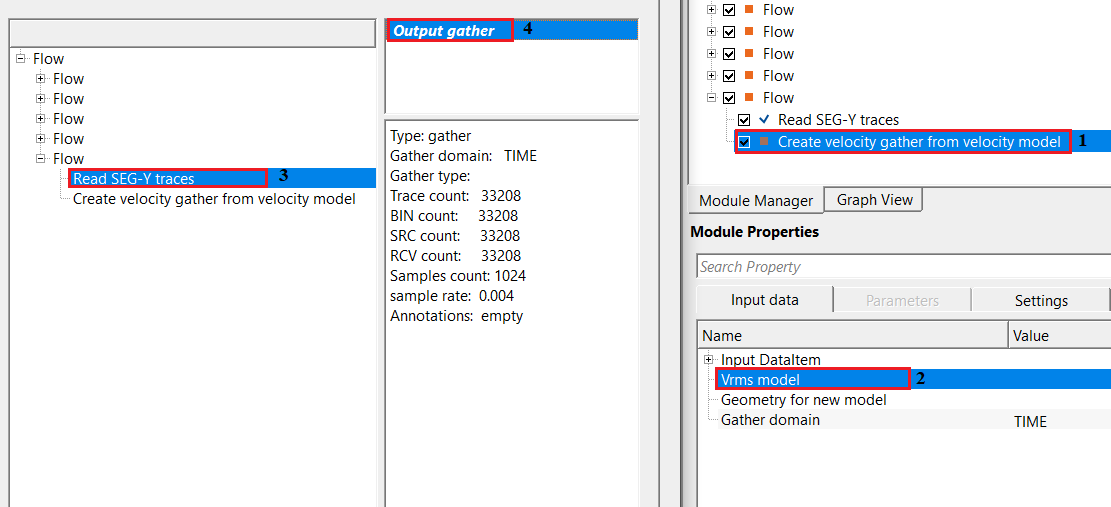
Connect this input to the internal g-Platform velocity model that contains Vrms values defined over the survey area. The model can be in the time or depth domain — the module reads its sample count and sample interval directly to define the size and vertical resolution of every output velocity trace. This input is mandatory; without it the module cannot execute.
Geometry for new model
specify the geometry for the new velocity model.
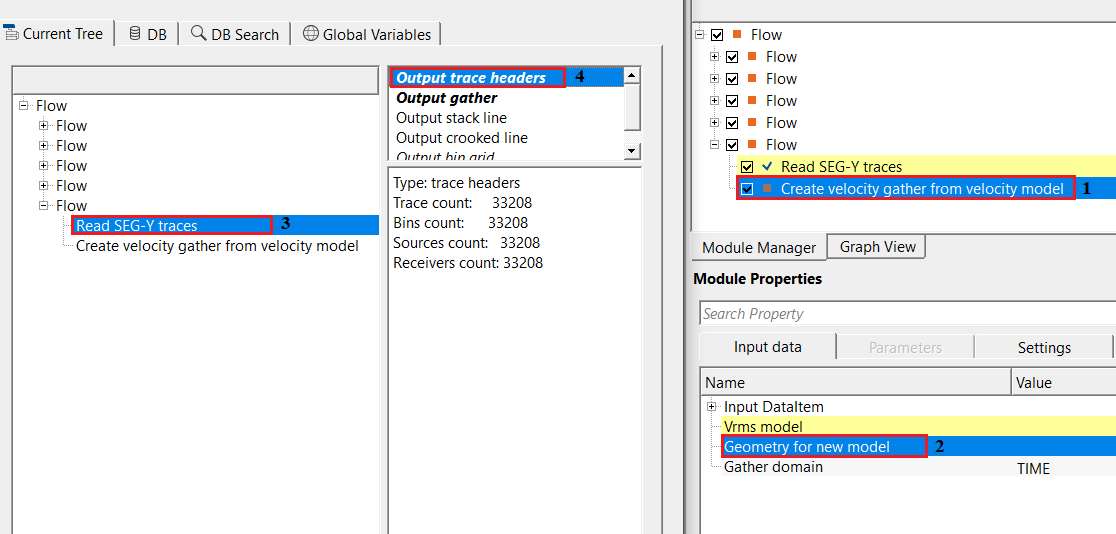
Connect a bin point vector that defines the (X, Y) locations at which the velocity model will be sampled to generate output traces. Each bin in this vector produces exactly one trace in the output gather. This input is used only when no Input gather is connected. A typical workflow uses the geometry output of a binning or interpolation matrix module to define a regular grid of sample locations across the survey area.
Gather domain { TIME, DEPTH }
it automatically detects the input velocity model domain. By default, TIME.
Sets the domain tag written into the output gather so that downstream modules interpret it correctly. Select TIME when working with a time-domain velocity model (vertical axis in milliseconds), or DEPTH when working with a depth-domain model (vertical axis in meters). The default is TIME. Match this setting to the domain of the connected Vrms model to ensure all subsequent processing uses the correct axis interpretation.
Parameters
This module has no user-adjustable numerical parameters. All processing decisions (sample count, sample interval, spatial coverage) are derived automatically from the connected Vrms model and the geometry source. The standard execution settings below (number of threads, bad values handling, skip) still apply.
Settings
Auto-connection
By default, TRUE(Checked).It will automatically connects to the next module. To avoid auto-connect, the user should uncheck this option.
Bad data values option { Fix, Notify, Continue }
Bad value fix - This is applicable whenever there is a bad value or NaN (Not a Number) in the data. By default, Notify. While testing, it is good to opt as Notify option. Once we understand the root cause of it, the user can either choose the option Fix or Continue. In this way, the job won't stop/fail during the production.
Notify
It will notify the issue if there are any bad values or NaN. This will halt the workflow execution.
Fix
It will fix the bad values and continue executing the workflow.
Continue
This option will continue the execution of the workflow however if there are any bad values or NaN, it won't fix it.
Number of threads
One less than total no of nodes/threads to execute a job in multi-thread mode. Limit number of threads on main machine.
Skip
By default, FALSE(Unchecked). This option helps to bypass the module from the workflow.
Output data
Output DataItem
Output gather
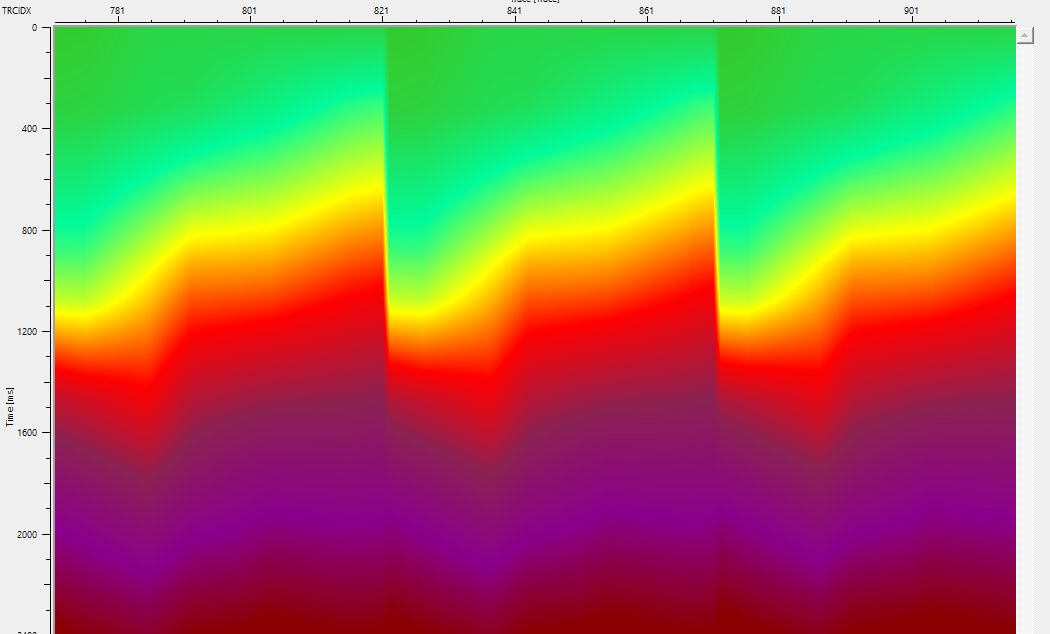
The Vrms velocity model expressed as a seismic gather. Each trace in the output corresponds to one bin location from the input geometry. Trace amplitude values are the Vrms velocity (in m/s) at each time or depth sample for that bin position. The gather is tagged with the domain (TIME or DEPTH) specified in the Gather domain parameter. Connect this output to any downstream module that requires velocity information in gather format, such as NMO correction, residual velocity analysis, or depth migration modules.
Information
The module queries the velocity model independently for each output trace using the bin's (X, Y) coordinates, calling the model's spatial interpolation to retrieve a complete velocity column at that location. The number of samples and the sample interval (DT) in each output trace exactly match those of the input velocity model, so the output gather is a faithful spatial sampling of the model rather than a resampled approximation. Because traces are built independently, the module executes in parallel across all available CPU threads, making it efficient even for very large models with thousands of bin locations.
A common use case is preparing a velocity gather for use in post-stack time migration or NMO correction when the velocity field is stored in g-Platform's internal model format. Another use case is exporting or visualizing the velocity model as a conventional seismic volume by writing the output gather to a SEG-Y file. When combining with the Create Vrms picking from Vrms model module, this module provides the gather-format counterpart for workflows that require both a picking item and a gather representation of the same velocity field.
Examples
In this example workflow, a velocity model is read using the Read SEG-Y traces module. When reading the velocity model from file, make sure to set Load data to RAM to YES so that the entire model is available in memory for random-access spatial sampling. The objective is to produce a velocity gather that exactly mirrors the stored velocity field at the specified bin locations, ready for connection to NMO correction or migration modules downstream.
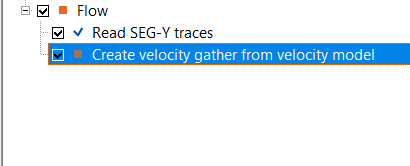
Make the necessary connections/references to Create velocity gather from Vrms model.
Actions
This module has no custom action items. All processing is initiated by running the workflow in the standard way.
Video lesson
YouTube video lesson, click here to open [VIDEO IN PROCESS...]
Related articles
Yilmaz. O., 1987, Seismic data processing: Society of Exploration Geophysicist
 * * * If you have any questions, please send an e-mail to: support@geomage.com * * *