Remove inversions from VRMS
Removing inversions from RMS Velocity model
Theory
Removing Inversion from Vrms is a velocity-conditioning step that detects and corrects non-physical decreases in RMS velocity with increasing time or depth. Since RMS velocity is expected to increase monotonically in normally compacting sedimentary sequences, sudden velocity drops usually indicate picking errors, noise, or semblance artifacts rather than real geology.
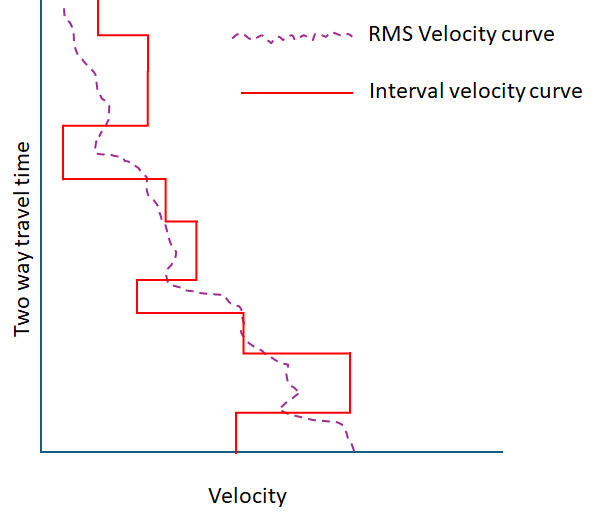
Velocity inversions are not common however, the possibility of velocity inversions are not ruled out. Geology places a key role in velocity inversions especially when older sediments are moved above the younger sediments like salt, carbonates etc.
Minor inversions may be geologically valid in rare cases. Use with caution in areas of strong lateral velocity variation and always QC corrected velocities on CMP gathers.
Input data
Input DataItem
- Input gather - provide RMS velocity gather. Connect/reference to Output VRMS gather. It should be either from Create velocity model module, Read SEG-Y traces (in case VRMS is in SEG-Y format) module or internally generated velocity model from Stack Imaging module.
Parameters
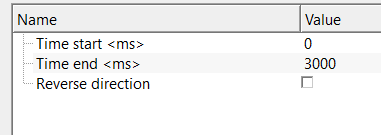
Time start
specify the start time to detect inversion and remove the inversion.
Time end
specify the end time to detect inversion and remove the inversion.
Reverse direction
by default, FALSE (Unchecked). This option detects the inversion of the velocities from bottom to top. If the last sample value is lesser than the previous sample.
Settings
Auto-connection
By default, TRUE(Checked).It will automatically connects to the next module. To avoid auto-connect, the user should uncheck this option.
Bad data values option { Fix, Notify, Continue }
This is applicable whenever there is a bad value or NaN (Not a Number) in the data. By default, Notify. While testing, it is good to opt as Notify option. Once we understand the root cause of it, the user can either choose the option Fix or Continue. In this way, the job won't stop/fail during the production.
Notify
It will notify the issue if there are any bad values or NaN. This will halt the workflow execution.
Fix
It will fix the bad values and continue executing the workflow.
Continue
This option will continue the execution of the workflow however if there are any bad values or NaN, it won't fix it.
Number of threads
One less than total no of nodes/threads to execute a job in multi-thread mode. Limit number of threads on main machine.
Skip
By default, FALSE(Unchecked). This option helps to bypass the module from the workflow.
Output data
Output DataItem
Output gather
generates output VRMS gather without any inversions. This output gather can be used for further processing purposes.
Information
There is no information available for this module.
Examples
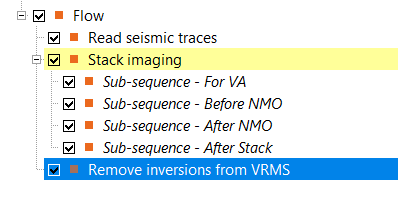
In this example workflow, we are taking RMS velocities with known inversion values at places. The objective of this workflow is to detect the inversions from the input RMS velocity gather and fix them using Remove inversions from VRMS module.
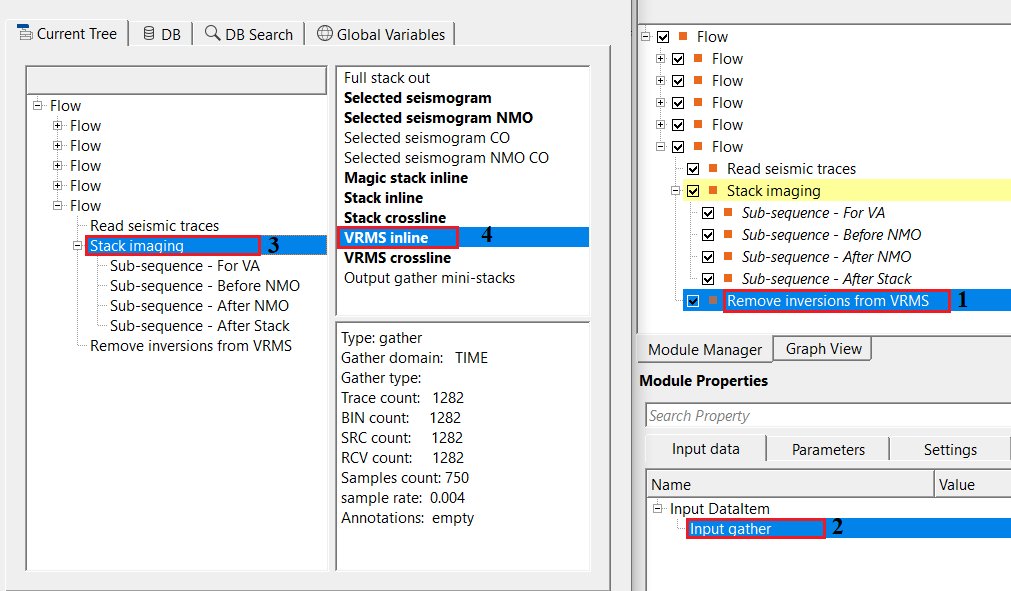
For this exercise, we are taking the RMS velocity gather from Stack Imaging module as VRMS Inline. As we mentioned in the Input data tab information, the user can use any module to read the RMS velocity. It could be Read SEG-Y traces, Create velocity model etc.
Connect/reference VRMS inline to Input gather of Remove inversions from VRMS module.
Adjust the parameters as per the input data requirements and execute the module.
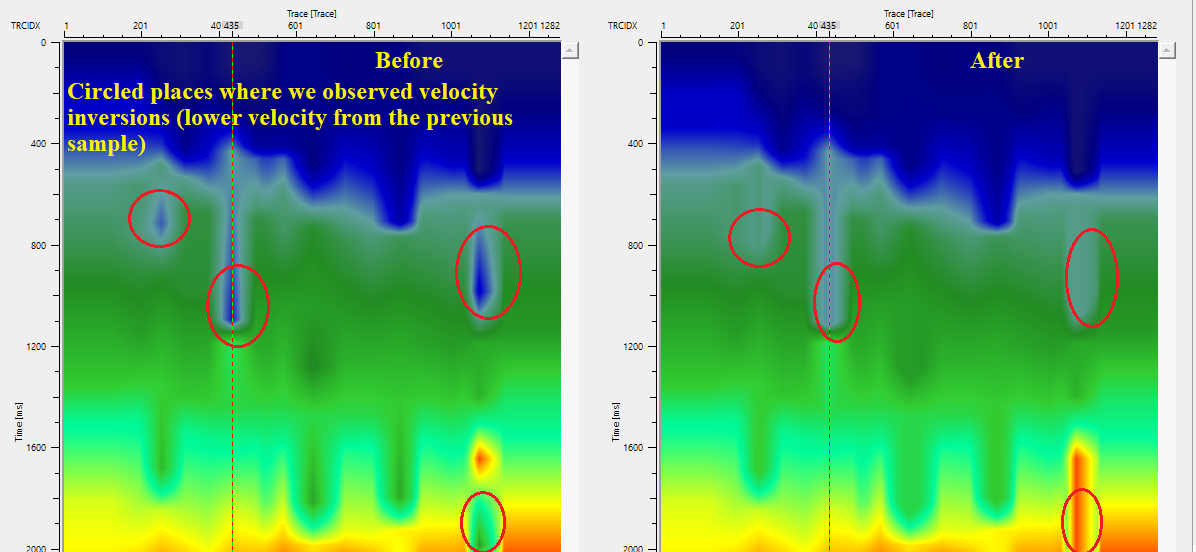
In this below image, before remove inverse, there are low velocities observed in the VRMS model. After application of remove inverse, these low velocities are removed and the actual velocities as per the geology are replaced based on the surrounding traces. If required, the user can use smoothing of the VRMS velocities to get smooth velocity model after this operation. 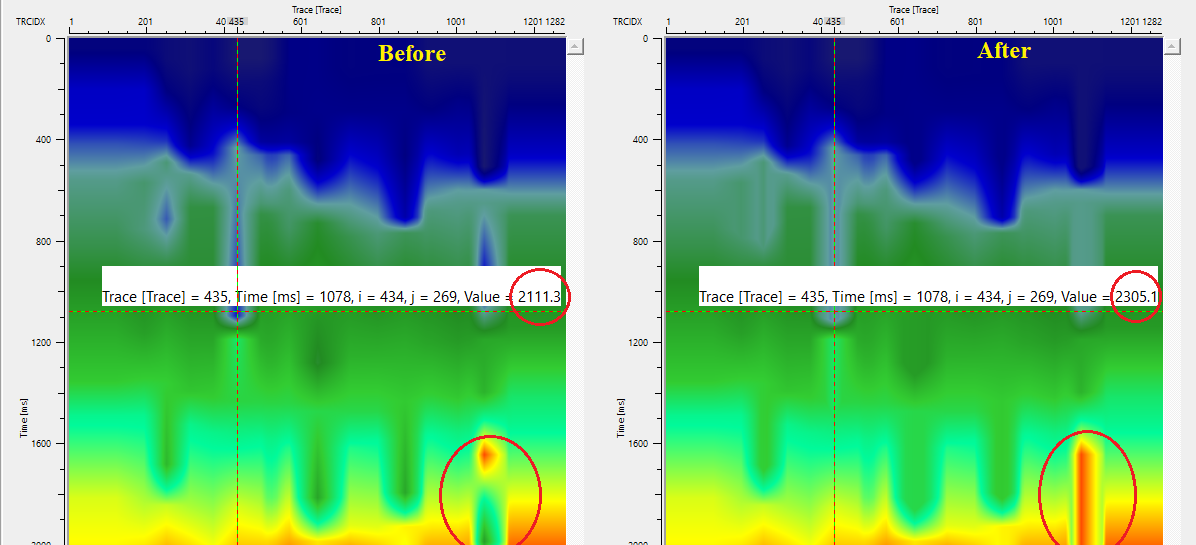
Actions
There are no action items available for this module so the user can ignore this.
Video lesson
YouTube video lesson, click here to open [VIDEO IN PROCESS...]
Related articles
Yilmaz. O., 1987, Seismic data processing: Society of Exploration Geophysicist
 * * * If you have any questions, please send an e-mail to: support@geomage.com * * *