In this chapter you will get the general introduction to panels in g-Viewer
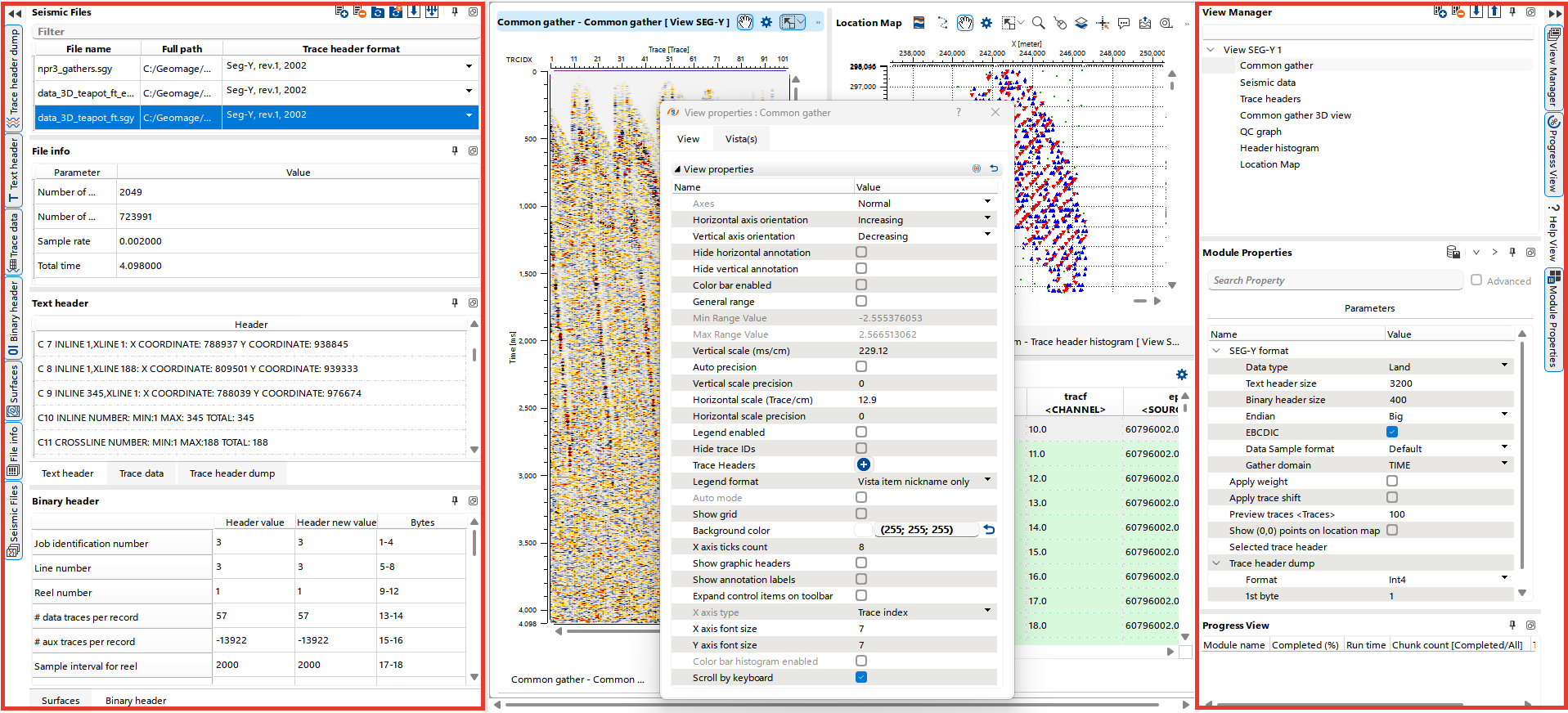
Panels are positioned along the left and right edges of the g-Viewer interface and are grouped into panel sets.
By default:
•Left side: Contains the Seismic Files, File Info, Trace Data, Text Header, Trace Header Dump, Surfaces, and Binary Header panels.
•Right side: Hosts the View Manager, Module Properties, and Progress View panels.
Additionally, there is a dynamic panel, called View properties, which can be moved and docked anywhere in the interface according to user preference.