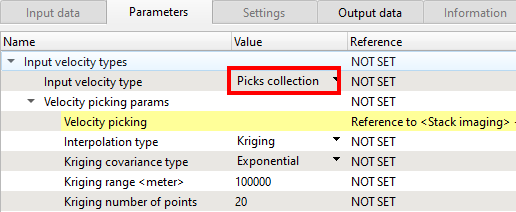
Module name Create velocity model
Some of the modules in g-Platform™ processing suite requires a velocity model. In order to create one, the user should use the module "Create velocity model".
There are many options to read external or internal velocity formats. If we look at the Parameters tab of the Create velocity model module, we have few options in the Input velocity type
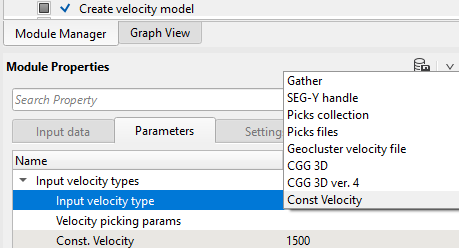
From the above image, we can see that it accepts SEG-Y, internal and several industry known velocity formats. Picks collection and Picks files are both internal velocity format files. In the Stack Imaging, we can save the velocity files in .corr format and call them by using "Picks files" option.
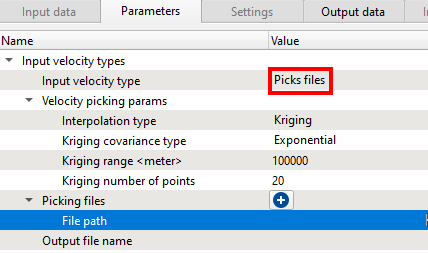
Picks Input the saved internal velocity file
Picks collection If the user selects the picks collection as input velocity type then they can connect to the Stack Imaging module and select "velocity picking" option