The user can create and manage the processing workflow structure within the Module Manager section of g-Navigator.
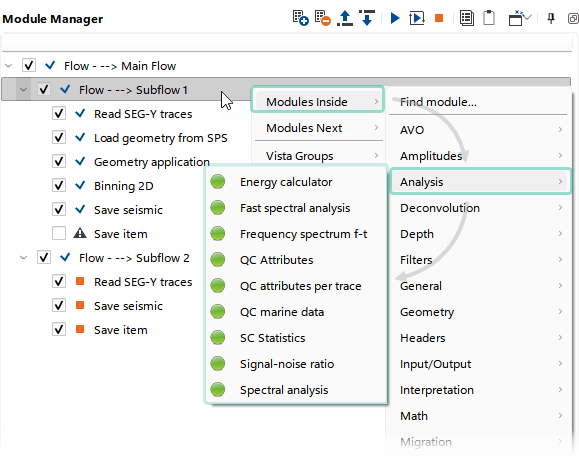
Workflow construction is performed using modules that are available from the drop-down list, which can be accessed by clicking the shortcut button  , using the Right-Click context menu, opening the search window at the top of the module list (Find module...), or pressing the Insert Key. The insertion position of a module within the workflow depends on the currently selected module.
The user can also perform common operations such as selecting multiple modules using the Shift or Ctrl keys, copying and pasting one or more modules using Ctrl+C and Ctrl+V, and deleting selected modules using the Delete key.
It is important to note that the workflow structure is controlled by Flow modules. Modules grouped hierarchically within a Flow can be treated as an independent workflow. By default, every workflow contains a main Flow module, within which the workflow is constructed.