In the Global Properties tab of the Batch Manager section, the user can create, modify, and import/export global variables for Batch processing, and generate workflows from templates using these global variables.
The Global Properties tab consists of the following sections: shortcut buttons (1), search bar (2), and the Global variables spreadsheet (3).
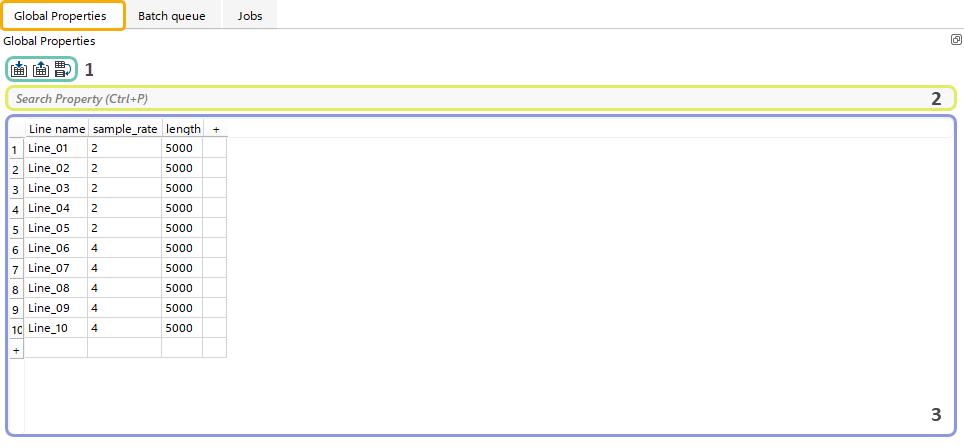
Shortcut buttons  allow the user to quickly perform actions within the current Global Variables spreadsheet.
 Import Global Properties spreadsheet from external *.csv file.
 Export current Global Properties spreadsheet in *.csv format.
 Open the Batch workflow creation dialog.
The Search bar allows the user to find any specific string within the Global Variables spreadsheet.

For quick access to the search bar, the user can press Ctrl + P.
In the Global Properties Spreadsheet the user can add rows or columns using the “+” icon and enter string values. Rows or columns can be removed via the Right-click menu or the Delete key. Columns can be renamed from the Right-click menu on the column header.