In the Log tab, the user can view the log file for the selected job from the Jobs list on the Coalition Server.
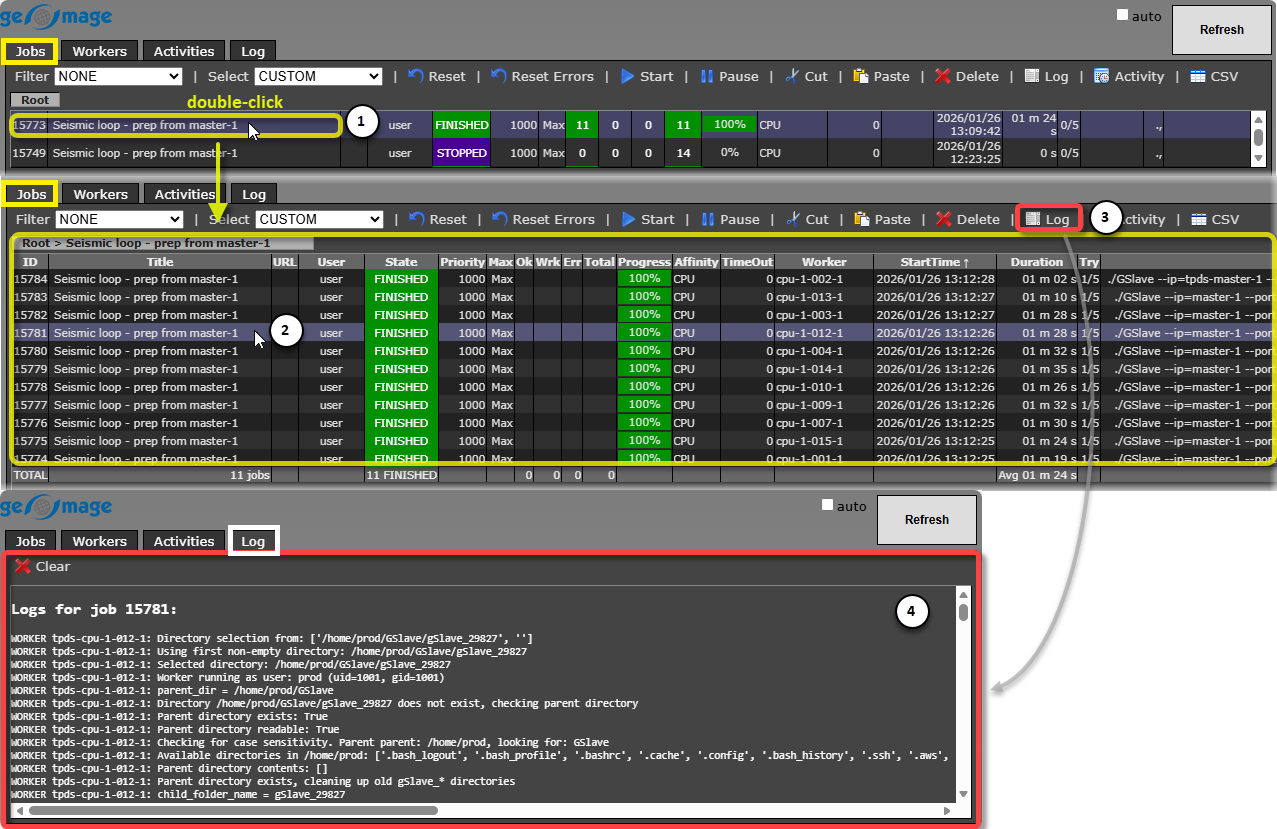 Since the Jobs tab displays only the main task submitted to the server, it is important to note that during distributed submission the main task is actually divided into multiple subtasks, each with a unique ID.
To view the Log for a specific job, the user must first Double-Click the task (1) in the Jobs tab. This action expands the task to show its corresponding subtasks (2).
The user can then select a specific subtask and click the appropriate shortcut button  (3) in the ribbon bar to display its Log (4).