When visually estimating and analyzing the performance of a processing module on a Seismic Gather (Section) or Map, it is very useful to enable Vista Synchronization. This feature can be easily activated using the corresponding Shortcut Button  in the g-Navigator window.
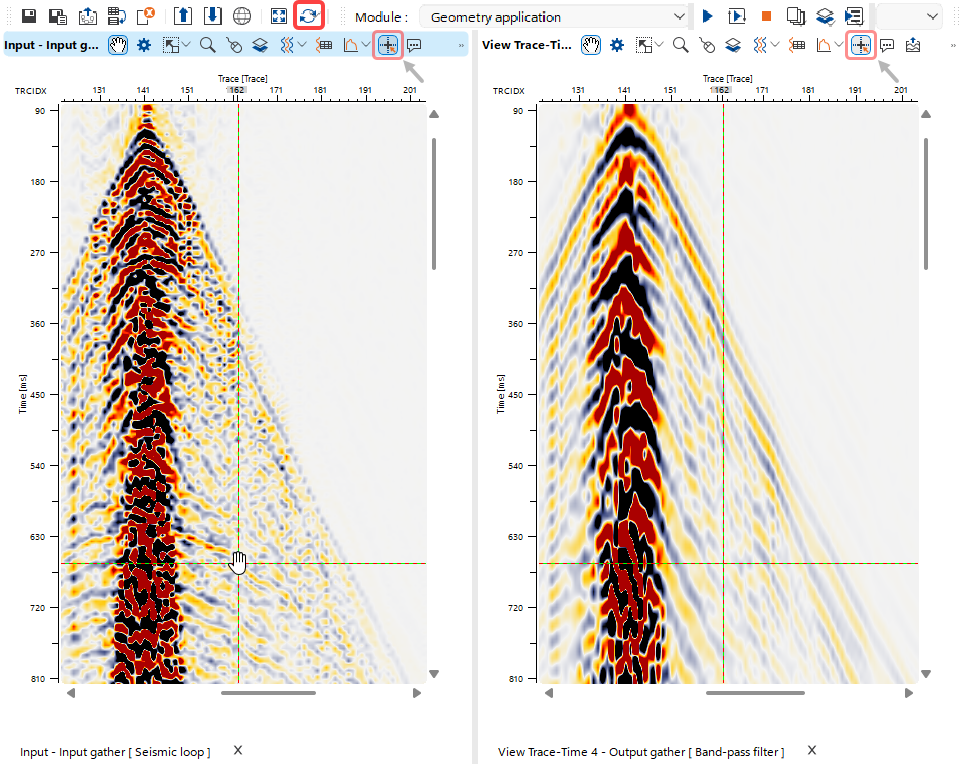 In this example, synchronized Input and Output Seismic Gather Vista Views are shown for the Band-Pass Filter module. In such cases, using the Tracking function
  from the available Vista Shortcut Buttons is especially helpful.