The Client Manager Area of the g-Navigator application is the primary interactive environment for viewing, analyzing, creating, editing, and storing data, as well as performing other typical interactive actions involved in seismic data processing. Interactive actions for most modules are supported through predefined Vistas — visual representations associated with specific modules — such as seismic gathers and sections (volumes), plots, graphs, maps, spreadsheets, and more.
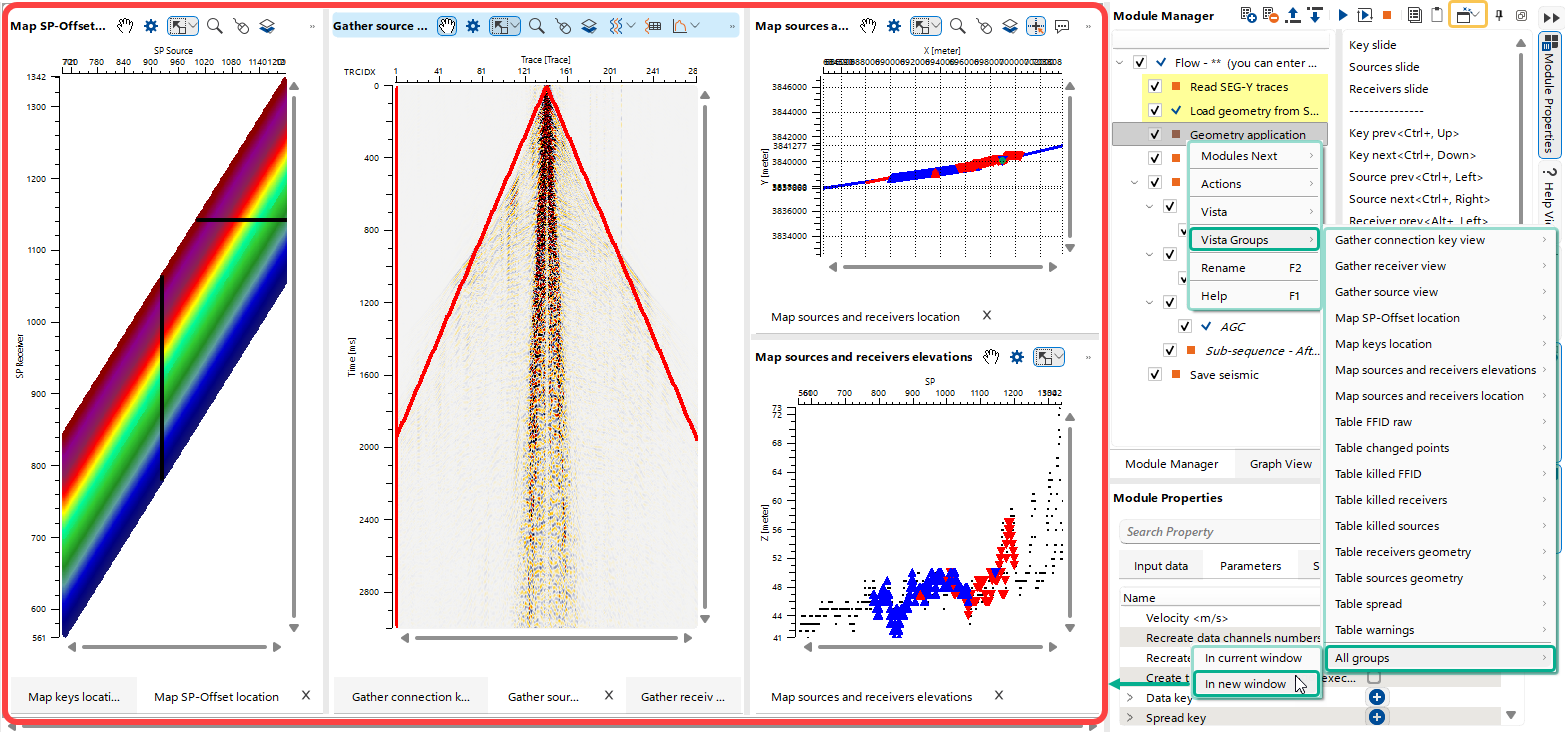 To open a single Vista, a group of Vistas, or all available Vistas, the user can use the corresponding shortcut button
  (see Module Manager chapter) or the Right-Mouse-Button context menu. Opened Vista Views in the Client Manager Area can be freely rearranged according to the user’s preferences.
It is important to note that almost all Vistas associated with a given module (and, in many cases, across multiple modules) are interconnected. For example, interactive selection of a Source (Receiver) point on the Location Map Vista is instantly reflected in the corresponding Shot (Receiver) Point Gather Vista, and vice versa.
All Vistas, depending on the module and the type of representation, have a predefined set of Main Actions, a set of Shortcut Buttons, and personalized View Properties settings.